Skip to Main Content
Sam's Club
Sam's Club
All Departments
All Services
Customer reviews for SAMSUNG 55" Class U7900F Series 4K Crystal UHD Smart TV for
SAMSUNG 55" Class U7900F Series 4K Crystal UHD Smart TV
4.5 out of 5 stars
stars
3,830 ratings3,730 reviews
  1. 5 stars74% (2,820)
  2. 4 stars15% (576)
  3. 3 stars6% (228)
  4. 2 stars2% (89)
  5. 1 star3% (117)

Member photos

  • +1467 images
Sort by |
Showing 971-980 of 3,730 reviews
Apr 5, 2026
Reviewer name: Bought the tshirt
3 out of 5 stars
3 out of 5 stars review

Great price, disappointing viewing

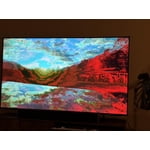
[This review was collected as part of a promotion.] It's a large screen TV at a great price. My primary quarrel is with watching dark shows (so many are these days) during the daytime in a well lit room. It proves nearly impossible to see any detail. It's unfortunate and what that means is I can only watch my primary shows during the evening. TV is a serious hobby and I go to sleep fairly early so it's upsetting to be confined to evenings only which provides only 1-2 of quality watch time. Unfortunately there is not enough adjustment within the TV's picture capabilities to combat this though I've optimized settings as much as possible. I also had an issue with weird red lines appearing onscreen occasionally. I had to unplug the TV to make them go away. This issue seems to have resolved after 3-4 months.

Review from Samsung US
Helpful?3X98WOQFG1UG16471557124
reply from Samsung Advisor

Hi Bought the tshirt, We’re sorry to hear you’re not fully satisfied with the picture quality on your Samsung U7900F TV. If the image appears too dark, we suggest disabling certain energy-saving features, which can automatically adjust brightness and affect how the screen looks. Go to: Settings > All Settings > General & Privacy > Power and Energy Saving, then turn off Brightness Optimization, Energy Saving Solution, Motion Lighting, and/or Contrast Enhancer. You can also adjust the Picture Mode to better suit your environment: Settings > All Settings > Picture > Picture Mode • Standard – Default mode for general viewing • Dynamic – Brighter and clearer, ideal for well-lit rooms • Movie – Best for dark room viewing • Eco – Energy-saving mode • Filmmaker Mode – Preserves content as intended by creators To fine-tune brightness, go to: Home > left directional key > Settings > All Settings > Picture > Expert Settings, then adjust the Brightness level (0–50) to your preference. Lastly, please make sure your TV is running the latest firmware: Home > Home > left directional key > Settings > Support > Software Update > Update Now. I hope these suggestions help. If you have any other questions, feel free to call us at 1-800-SAMSUNG between 8AM – 9PM EST Mon – Fri, 8AM – 6PM Sat – Sun, any day of the week. You can also reach our LiveChat team by selecting the ‘Support’ link on our website. ~ Samsung Advisor

Mar 23, 2026
Reviewer name: Llama
4 out of 5 stars
4 out of 5 stars review

I love my new tv

[This review was collected as part of a promotion.] ​"I recently upgraded to the 75-inch U7900FD and honestly, the size alone is a game-changer. For a 'Crystal UHD' (not the super expensive OLEDs), the picture is surprisingly sharp and the colors really pop, especially when watching 4K content. The setup was quick, and the Tizen smart interface is easy to navigate. ​The Pros: Huge 75" display for a great price, sleek 'MetalStream' design, and decent upscaling for older shows. The Cons: It only has 2 HDMI ports, so if you have a soundbar and multiple consoles, you'll need a hub. Also, the remote is a bit basic (no voice control). Overall: 4.5/5. If you want a theater feel without spending thousands, this is the one."

Review from Samsung US
Helpful?3X98WOQFG1UG16471557124
Feb 17, 2026
Reviewer name: Anonymous
5 out of 5 stars
5 out of 5 stars review

Better than expected

[This review was collected as part of a promotion.] From the first moment I used it, I was delighted. The interface is very intuitive to navigate. The colors and image quality have surprised me. I'm a Samsung fan, and this TV is part of my ecosystem, and I'm thrilled.

Review from Samsung US
Helpful?3X98WOQFG1UG16471557124
Feb 17, 2026
Reviewer name: Slowie9x
5 out of 5 stars
5 out of 5 stars review

Samsung is the best

[This review was collected as part of a promotion.] I love Samsung TVs because they have the best picture and the best interface out of all the TVs that are on the market. I'm highly satisfied with every TV that I purchased from them including this one it is remarkable beautiful picture I couldn't be happier and I love the voice remote solar cell

Review from Samsung US
Helpful?3X98WOQFG1UG16471557124
Feb 12, 2026
Reviewer name: Carter
1 out of 5 stars
1 out of 5 stars review

Constant Image Twitching “Critical Flaws”

[This review was collected as part of a promotion.] I love Samsung products but this tv isn't the best Constant Image Twitching Ruins the Experience The Samsung U7900F is a disappointing TV overall. It's best suited for watching shows in a light-controlled room, yet it still struggles there. It isn't bright enough to handle glare, and its black levels are sub-par with no local dimming, so it also performs poorly in dark rooms. Color performance is limited, as it can't display a wide color gamut, though its SDR accuracy out of the box is decent. Gamers may appreciate the low input lag, which allows for responsive gameplay, but motion handling is weak, with noticeable blur behind fast-moving objects. On the plus side, its image processing is acceptable, meaning low-resolution and low-quality content is upscaled reasonably well. Unfortunately, this isn't enough to compensate for its major flaws, making the overall viewing experience underwhelming.

Review from Samsung US
Helpful?3X98WOQFG1UG16471557124
reply from Samsung Advisor

Hi Carter, Thank you for your feedback regarding the twitching you're seeing on your TV. To help determine if the issue is related to the panel itself, we recommend starting with a Picture Test, which displays a high-definition image you can examine for flaws: Settings > Support > Device Care > Self Diagnosis > Picture Test If the issue appears during the test and across all sources (built-in apps, HDMI devices, etc.), it may indicate a panel-related concern. You can also try displaying solid-color test videos (red, green, blue, black, white) from a USB drive or YouTube. This can help you identify whether any pixels are stuck or not functioning properly. In some cases, unplugging the TV for a few minutes and rebooting it can help resolve stuck pixels caused by temporary display behavior. Please also ensure you are running the latest Firmware, version 1132.0. Go to Settings> Support> Software Update. If this firmware version is not yet available on your TV, you can download the update on a USB drive and manually update your TV: 1. On Samsung's website (upper right corner), go to: Support > Manual & Software > Find your TV model, and click on the Firmware – Upgrade File. 2. When the file has finished downloading, locate it and then unzip it. There is normally one folder inside but there may be multiple files. 3. Copy or move all of the files that were included in the zip file to a USB flash drive, but do not place them inside any other folders. If you place the software folders inside a folder on the USB flash drive, the TV or monitor will not find them. 4. Connect the USB drive containing the software upgrade into a USB port on your device. 5. Using your device's remote, navigate to and select Settings, then select All Settings, and then select Support. Select Software Update, select Update Now, and then select Yes if prompted. Your device will search the USB drive for update files. Follow the on-screen instructions to install the updated software. Updates usually take a few minutes; please do not turn off the TV until the update is complete. When the update is finished, it will restart automatically. If you need additional support, Samsung is here to help. Please call us at 1-800-SAMSUNG, available daily from 8AM - 12AM EST. You can also chat with a LiveChat agent by clicking the ‘Support’ link on our website. ~ Samsung Advisor

Feb 24, 2026
Reviewer name: Beefy
4 out of 5 stars
4 out of 5 stars review

Negative issues and Positive points

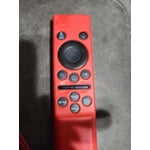
[This review was collected as part of a promotion.] The remote that it comes with has to be directly ponted at the sensor which causes a delayed reaction from the TV or sometimes it doesn't even know you pressed anything on the remote. Also, it has no voice button so you have to scroll and type everything in when you want to search for something. On the positive side, the way the tv syncs with my galaxy s21 is flawless. It works better as a tv remote than with the remote the tv comes with.

Review from Samsung US
Helpful?3X98WOQFG1UG16471557124
Apr 20, 2026
Reviewer name: Anonymous
5 out of 5 stars
5 out of 5 stars review

Large and in charge!

[This review was collected as part of a promotion.] Purchased during black Friday, mostly bc my grandma's TV finally gave out. We came across the Samsung Crystal and the brightness, resolution and vibrancy is amazing! Easy to set up and the sound is spectacular!

Review from Samsung US
Helpful?3X98WOQFG1UG16471557124
Apr 7, 2026
Reviewer name: MrsC
5 out of 5 stars
5 out of 5 stars review

Love the picture quality

[This review was collected as part of a promotion.] Picture quality is exceptional. The television setup was relatively easy. It took a little while to get used to the simplified remote. Overall very pleased with the product. Excellent fro both streaming and OTA broadcasts. Love that I didn't need to use and additional streaming device.

Review from Samsung US
Helpful?3X98WOQFG1UG16471557124
Jan 20, 2026
Reviewer name: Exfed
5 out of 5 stars
5 out of 5 stars review

Far cry from the 21 inch TV of my childhood.

While the TV has great color and sound it does see to have a mind of its own. The remote takes some getting use to. Just when I think I have it figured out something changes. I am a fan of Samsung though and I will keep working with it. This is my third Samsung TV and probably not my last. My children have my older TVs and they are still going strong. I just like to keep up with technology. I am 81 years old.

Review from Samsung US
Helpful?3X98WOQFG1UG16471557124
Mar 5, 2026
Reviewer name: Marcus
5 out of 5 stars
5 out of 5 stars review

Great TV for bedroom

[This review was collected as part of a promotion.] Bought this TV not expecting much because it wasn't high end model. Wow was I presently surprised. Picture is excellent! Features are great , wireless dex from my phone works seemlessly and smart things makes it so easy to use my phone as a remote. Can't wait till my living room tv breaks so I can replace it with a Samsung

Review from Samsung US
Helpful?3X98WOQFG1UG16471557124