Skip to Main Content
Sam's Club
Sam's Club
All Departments
All Services
Customer reviews for SAMSUNG 55" Class U7900F Series 4K Crystal UHD Smart TV for
SAMSUNG 55" Class U7900F Series 4K Crystal UHD Smart TV
4.5 out of 5 stars
stars
3,830 ratings3,730 reviews
  1. 5 stars74% (2,820)
  2. 4 stars15% (576)
  3. 3 stars6% (228)
  4. 2 stars2% (89)
  5. 1 star3% (117)

Member photos

  • +1467 images
Sort by |
Showing 901-910 of 3,730 reviews
Mar 23, 2026
Reviewer name: GMan
3 out of 5 stars
3 out of 5 stars review

Remote is hard to work when pushing buttons.

[This review was collected as part of a promotion.] the legs on my TV is not sturdy and the remote is hard to work when pushing buttons and the sound is not very loud, you have to turn the volume up too 24 +.

Review from Samsung US
Helpful?3X98WOQFG1UG16471557124
reply from Samsung Advisor

Hi GMan, Thank you for sharing your concerns. Please know that the TV stand was solidly designed and extensively tested for stability. If your stand seems wobbly or looks crooked, please ensure the legs are installed correctly: “R” on the right, “L” on the left. The legs should slant outward toward the edges of the TV, and you should hear a “click” once they’re fully inserted. Also, make sure the TV is placed on a flat, level surface to avoid tilt or instability. For step-by-step setup, refer to the Installation Guide included in the box, or download it at: https://www.samsung.com/us/support/downloads/ If your TV volume is too low, please review the below troubleshooting steps. To start, we recommend making sure your TV is running the latest firmware, as updates can include improvements to sound performance: Home > left directional key > Settings > Support > Software Update If volume levels still seem too low, you can improve sound performance by adjusting a few key settings: Sound Mode: Navigate to: Settings > All Settings > Sound > Sound Mode Auto Volume: This feature helps maintain consistent volume levels across content and input sources. Turn it on under: Settings > All Settings > Sound > Expert Settings > Auto Volume = On You can also explore Expert Settings to fine-tune sound output with adjustments for Balance, Equalizer, and more. For personalized support with these settings or selecting a soundbar to complement your setup, contact Samsung Support at 1-800-SAMSUNG (8AM – 12AM EST, 7 days a week) or use LiveChat via the ‘Support’ link on our website. ~Samsung Advisor

Jul 27, 2026
Reviewer name: Erika
5 out of 5 stars
5 out of 5 stars review

All Around Great TV
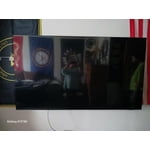
[This review was collected as part of a promotion.] The color is spectacular. The graphics are extraordinary. Great response time with no delay. Easy to use, all around great TV

Review from Samsung US
Helpful?3X98WOQFG1UG16471557124
Jul 20, 2026
Reviewer name: Stretch2010
5 out of 5 stars
5 out of 5 stars review

Awesome picture

[This review was collected as part of a promotion.] The upscale works very well. I really like the depth of color and responsiveness while watching action movies and MMA. It has very good brightness and the contrast is pretty amazing.

Review from Samsung US
Helpful?3X98WOQFG1UG16471557124
Jul 20, 2026
Reviewer name: swmortgage
3 out of 5 stars
3 out of 5 stars review

Poor brightness

[This review was collected as part of a promotion.] The picture quality is only adequate and the sound is not great. The remote does not have voice control and would probably look at other models .

Review from Samsung US
Helpful?3X98WOQFG1UG16471557124
reply from Samsung Advisor

Hi swmortgage, We appreciate your feedback on the picture quality of Samsung’s U7900F TV. If the image doesn’t quite match your preferences, there are several adjustments you can make to better suit your viewing environment and content type. First, please ensure your TV is running the latest firmware, as updates may include important picture quality enhancements. Go to: Home > Left directional button > Settings > Support > Software Update > Update Now To explore picture mode options, navigate to: Home > Left directional button > Settings > All Settings > Picture > Picture Mode. Options include: • Standard – Ideal for general viewing • Dynamic – Brighter and more vibrant for well-lit spaces • Eco – Optimized for energy efficiency • Movie – Best for viewing in low light • Filmmaker Mode – Preserves the content creator’s intent and disables motion smoothing for supported content You can further customize your image by going to: Settings > All Settings > Picture > Expert Settings, where you can adjust Brightness, Contrast, Color Tone, Sharpness, Contrast Enhancer and more. To improve your sound, try different Sound Modes (Standard, Optimized, Amplify), or fine-tune your setup in Expert Settings under: Settings > All Settings > Sound If you still need help, please call Samsung Support at 1-800-SAMSUNG ((8AM – 9PM EST Mon – Fri, 8AM – 6PM Sat – Sun)). Our LiveChat agents are also available through the Support link on our website. ~Samsung Advisor

Jul 20, 2026
Reviewer name: Catt
4 out of 5 stars
4 out of 5 stars review

Good product.

[This review was collected as part of a promotion.] It's a very good product. The only thing I find wrong with this product is that the volume quality is a bit low. Maybe they should install better speakers.

Review from Samsung US
Helpful?3X98WOQFG1UG16471557124
Jul 5, 2026
Reviewer name: Oalmon
5 out of 5 stars
5 out of 5 stars review

Great tv

[This review was collected as part of a promotion.] I needed a new tv for the living room after moving and gaining an additional room. This tv marked all the boxes for what i was looking for in a tv.

Review from Samsung US
Helpful?3X98WOQFG1UG16471557124
Jul 5, 2026
Reviewer name: Grbraca14
5 out of 5 stars
5 out of 5 stars review

Great value

[This review was collected as part of a promotion.] Love it. This tv is amazing, I still try to figure out how to get the best quality but look great, easy to use, is colorful.

Review from Samsung US
Helpful?3X98WOQFG1UG16471557124
Jul 27, 2026
Reviewer name: Bandyandy
5 out of 5 stars
5 out of 5 stars review

Everything about it is great

[This review was collected as part of a promotion.] the brightness is really good for at night time I like the contrast on it it's vibrancy I hate can't complain about nothing

Review from Samsung US
Helpful?3X98WOQFG1UG16471557124
Jul 1, 2026
Reviewer name: GOLDENGARGOYLE87
5 out of 5 stars
5 out of 5 stars review

I love this TV.

[This review was collected as part of a promotion.] The resolution of this tv is amazing. Smoothness, an brightness awesome for PS5, has great contrast and really vibrant in picture quality.

Review from Samsung US
Helpful?3X98WOQFG1UG16471557124
Jul 5, 2026
Reviewer name: Tee Jay
4 out of 5 stars
4 out of 5 stars review

Great TV

[This review was collected as part of a promotion.] This television has great picture quality. Very clear and easy to use. My only issue with this television is the speaker. Not loud enough for a TV this big. I had to purchase a sound bar.

Review from Samsung US
Helpful?3X98WOQFG1UG16471557124