Skip to Main Content
Sam's Club
Sam's Club
All Departments
All Services
Customer reviews for SAMSUNG 55" Class U7900F Series 4K Crystal UHD Smart TV for
SAMSUNG 55" Class U7900F Series 4K Crystal UHD Smart TV
4.5 out of 5 stars
stars
3,830 ratings3,730 reviews
  1. 5 stars74% (2,820)
  2. 4 stars15% (576)
  3. 3 stars6% (228)
  4. 2 stars2% (89)
  5. 1 star3% (117)

Member photos

  • +1467 images
Sort by |
Showing 891-900 of 3,730 reviews
Jul 20, 2026
Reviewer name: Chupa
3 out of 5 stars
3 out of 5 stars review

Ms

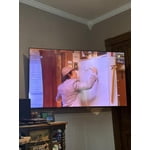
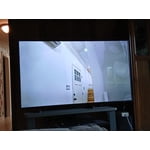
[This review was collected as part of a promotion.] Imagines not clear enough kind of blurry. The product needs improvement . And the other 46inches Samsung that I bought in 2021 just stopped working. I do not understand why

Review from Samsung US
Helpful?3X98WOQFG1UG16471557124
reply from Samsung Advisor

Hi Chupa, Thank you for your feedback on the Samsung U7900F TV. If the picture appears unclear, dull, or lacks definition, there are several settings you can adjust to improve clarity and overall image quality. Go to: Settings > All Settings > Picture > Expert Settings, and review these key settings: Picture Clarity Settings: While originally intended for motion handling, these can also impact overall clarity • Off: Disables motion enhancements • Auto: Automatically adjusts based on content • Custom: Lets you fine-tune: o Judder Reduction – Helps smooth out uneven motion o LED Clear Motion – Boosts sharpness in fast-moving content o Noise Reduction – Reduces distortion and enhances detail in lower-resolution sources Core Picture Settings • Brightness – Controls overall screen brightness • Contrast – Enhances the difference between bright and dark areas • Sharpness – Adjusts edge definition; closer to 20 increases detail • Color – Enhances depth and intensity of colors And don’t forget to check for the latest firmware, which may improve performance: Settings > Support > Software Update > Update Now These adjustments can make a noticeable difference in overall clarity. If you need further help tailoring the settings to your preferences or environment, please contact Samsung Support at 1-800-SAMSUNG (8AM – 9PM EST Mon – Fri, 8AM – 6PM Sat – Sun). LiveChat is also available via the ‘Support’ link on our website. ~ Samsung Advisor

Jul 27, 2026
Reviewer name: AELBASHIR
4 out of 5 stars
4 out of 5 stars review

Perfect TV

[This review was collected as part of a promotion.] Everything about this TV is perfect! Picture quality and overall performance are great. The only downside was the difficulty in downloading and setting up my preferred IPTV app.

Review from Samsung US
Helpful?3X98WOQFG1UG16471557124
Jul 5, 2026
Reviewer name: Brandamuffin
3 out of 5 stars
3 out of 5 stars review

Brightness and response

[This review was collected as part of a promotion.] My brightness control is maxed out and will not brighten up movies I watch. Response from control is very slow or takes several attempts to control applications.

Review from Samsung US
Helpful?3X98WOQFG1UG16471557124
reply from Samsung Specialist

Thank you for your review. If there’s anything we can assist with, please don’t hesitate to call us at 1-800-SAMSUNG (8AM – 9PM EST Mon – Fri, 8AM – 6PM Sat – Sun), or reach us via text anytime. You can also visit ‘Support’ on our website for: • Live Chat • Manuals, Software, & Warranty Info ~ Samsung Specialist

Jul 27, 2026
Reviewer name: stingerhuayra
5 out of 5 stars
5 out of 5 stars review

Great Reasonably Priced TV

[This review was collected as part of a promotion.] Great Tv. Technically the one I have is the 43 inch, which didn't show as an option. It is great tv with great resolution and very user-friendly interface. Definitely would buy a tv like this again

Review from Samsung US
Helpful?3X98WOQFG1UG16471557124
Jul 21, 2026
Reviewer name: Toot
5 out of 5 stars
5 out of 5 stars review

Works perfectly

[This review was collected as part of a promotion.] I've had a lot of tv's in my life and this is the best one. Great picture and sound. Very happy with it. I would purchase it again.

Review from Samsung US
Helpful?3X98WOQFG1UG16471557124
Jul 20, 2026
Reviewer name: Negrito
5 out of 5 stars
5 out of 5 stars review

Excellent TV, I love it.

[This review was collected as part of a promotion.] The Samsung TV is one of the best television for anyone to have in they home. I'm very please with my Samsung TV.

Review from Samsung US
Helpful?3X98WOQFG1UG16471557124
Jul 4, 2026
Reviewer name: Jimmy
4 out of 5 stars
4 out of 5 stars review

Samsung Tv

[This review was collected as part of a promotion.] Easy set up. Still learning everything, just to figure it out fresh out the box. Put together took less than 5 minutes. No tools needed.

Review from Samsung US
Helpful?3X98WOQFG1UG16471557124
Jul 27, 2026
Reviewer name: Bigpoppa1000
5 out of 5 stars
5 out of 5 stars review

Great features

[This review was collected as part of a promotion.] A great experience with this television series. Great vibrant colors awesome connectivity to the internet. I would but 100 of these if I could.

Review from Samsung US
Helpful?3X98WOQFG1UG16471557124
Jul 27, 2026
Reviewer name: Smhhhhhhh
3 out of 5 stars
3 out of 5 stars review

It's ok

[This review was collected as part of a promotion.] The picture quality is not that great, not really clear when watch shows and movies in 4k. There needs to be an option on the tv setting to control picture quality.

Review from Samsung US
Helpful?3X98WOQFG1UG16471557124
reply from Samsung Advisor

Hi Smhhhhhhh, We appreciate your feedback on the picture quality of Samsung’s U7900FD TV. If the image doesn’t quite match your preferences, there are several adjustments you can make to better suit your viewing environment and content type. First, please ensure your TV is running the latest firmware, as updates may include important picture quality enhancements. Go to: Home > Left directional button > Settings > Support > Software Update > Update Now To explore picture mode options, navigate to: Home > Left directional button > Settings > All Settings > Picture > Picture Mode. Options include: • Standard – Ideal for general viewing • Dynamic – Brighter and more vibrant for well-lit spaces • Eco – Optimized for energy efficiency • Movie – Best for viewing in low light • Filmmaker Mode – Preserves the content creator’s intent and disables motion smoothing for supported content You can further customize your image by going to: Settings > All Settings > Picture > Expert Settings, where you can adjust Brightness, Contrast, Color Tone, Sharpness, Contrast Enhancer and more. If you’d like help finding the best picture settings for your preferences, please don’t hesitate to contact Samsung Support at 1-800-SAMSUNG (8AM – 9PM EST Mon – Fri, 8AM – 6PM Sat – Sun). You can also LiveChat with an agent or explore additional resources on our website by clicking the ‘Support’ link. ~ Samsung Advisor

Jul 27, 2026
Reviewer name: Richie
5 out of 5 stars
5 out of 5 stars review

Great tv

[This review was collected as part of a promotion.] Works perfectly and samsung is always reliable.i had a tcl tv previously and it was dead after 1 year because of cheap components. I will always trust samsung for quality and reliability

Review from Samsung US
Helpful?3X98WOQFG1UG16471557124