Skip to Main Content
Sam's Club
Sam's Club
All Departments
All Services
Customer reviews for SAMSUNG 55" Class U7900F Series 4K Crystal UHD Smart TV for
SAMSUNG 55" Class U7900F Series 4K Crystal UHD Smart TV
4.5 out of 5 stars
stars
3,830 ratings3,730 reviews
  1. 5 stars74% (2,820)
  2. 4 stars15% (576)
  3. 3 stars6% (228)
  4. 2 stars2% (89)
  5. 1 star3% (117)

Member photos

  • +1467 images
Sort by |
Showing 81-90 of 3,730 reviews
Aug 20, 2026
Reviewer name: Thunder
1 out of 5 stars
1 out of 5 stars review

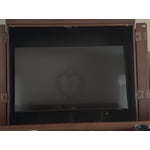
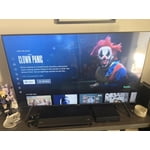
TV is too Dark
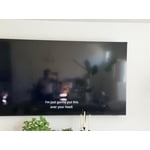
This TV is too dark to see. I asked for support and everything we tried it didn't work. Theu schedules for service tech but then mentioned if the “TV is working like its supposed to, then I will have to pay for the service regardless”. I read some posts online and it seems the Tv is just dark, you literally can't see any night scenes. I cancelled service because i didnt want to pay for nothing. Horrible policy of Samsung. If they don't reach out I am never buying Samsung again

Review from Samsung US
Helpful?3X98WOQFG1UG16471557124
reply from Samsung Specialist

We appreciate your feedback on the picture quality of Samsung’s U7900F TV. If the image doesn’t quite match your preferences, there are several adjustments you can make to better suit your viewing environment and content type. First, please ensure your TV is running the latest firmware, as updates may include important picture quality enhancements. Go to: Home > Top directional button > Settings > Support > Software Update > Update Now To explore picture mode options, navigate to: Home > Top directional button > Settings > All Settings > Picture > Picture Mode. Options include: • Standard – Ideal for general viewing • Dynamic – Brighter and more vibrant for well-lit spaces • Eco – Optimized for energy efficiency • Movie – Best for viewing in low light • Filmmaker Mode – Preserves the content creator’s intent and disables motion smoothing for supported content You can further customize your image by going to: Settings > All Settings > Picture > Expert Settings, where you can adjust Brightness, Contrast, Color Tone, Sharpness, Contrast Enhancer and more. If you’d like help finding the best picture settings for your preferences, please don’t hesitate to contact Samsung Support at 1-800-SAMSUNG (8AM – 9PM EST Mon – Fri, 8AM – 6PM Sat – Sun). You can also LiveChat with an agent or explore additional resources on our website by clicking the ‘Support’ link. ~ Samsung Specialist

Aug 5, 2026
Reviewer name: Steven
5 out of 5 stars
5 out of 5 stars review

The QLED 65" Crystal SmartTV.

[This review was collected as part of a promotion.] The Samsung QLED 65" Crystal SmartTV is Outstanding! The Smart Things( Interface/wetwear/Bluetooth-whoknowsanymore)) will reach out. It will let you set up and integrated Cammand and Control station of your digital world.

Review from Samsung US
Helpful?3X98WOQFG1UG16471557124
Aug 20, 2026
Reviewer name: Edward
3 out of 5 stars
3 out of 5 stars review

Streaming Monitor

Love the big screen. Thought I was buying a tv not a streaming monitor. The new remote is whacked . Not happy with the procedure to get to the tv . But again my mistake thought it was a tv . As a streaming monitor it seems to have all the whistles & bells . Not a happy camper. But will live with my mistake .

Review from Samsung US
Helpful?3X98WOQFG1UG16471557124
reply from Samsung Specialist

We appreciate you taking the time to let us know about your experience. So that we can better troubleshoot this issue and provide steps towards a solution, please contact Samsung Support at 1-800-SAMSUNG (8AM – 9PM EST Mon – Fri, 8AM – 6PM Sat – Sun), or visit our website for LiveChat. ~ Samsung Specialist

Aug 20, 2026
Reviewer name: JCMview
5 out of 5 stars
5 out of 5 stars review

Fabulous picture and performance

[This review was collected as part of a promotion.] The clarity and overall performance is exceptional. The picture is superior to any TV of the same size and features I've seen. There's no question the colors are so vibrant as if you're actually there.

Review from Samsung US
Helpful?3X98WOQFG1UG16471557124
Aug 22, 2026
Reviewer name: Luvtech91
5 out of 5 stars
5 out of 5 stars review

Beautiful Display

This is my second Samsung TV and this time I went bigger haha. I love the display and there's really a lot of content. I use a fire stick with it but Samsung has their own TV channels and I also have an antenna that I connect for my local channels. I really don't like ads so i stick to my streaming services mostly. And I'm not sure that I love the remote. Its just different than my last one so I'm getting used to it. Overall I love this TV. I moved my last one to the bedroom because it's still a great TV too so I'll keep buying Samsung TVs.

Review from Samsung US
Helpful?3X98WOQFG1UG16471557124
Aug 1, 2026
Reviewer name: JAYITSBEPOPPIN
3 out of 5 stars
3 out of 5 stars review

Large screen without the large cost

[This review was collected as part of a promotion.] I'm really happy with this TV overall. The 75-inch screen is huge, and the picture is clear and bright when watching movies, shows, and sports. It was easy to set up, and the smart features are simple to use. The sound is okay, but a soundbar would definitely make it better. The TV also occasionally freezes while using the apps, which can be frustrating, but it usually starts working again after a moment or after restarting it. Overall, it's a good TV for the price and a great option for anyone who wants a large screen without spending a fortune.

Review from Samsung US
Helpful?3X98WOQFG1UG16471557124
reply from Samsung Advisor

Thanks JAYITSBEPOPPIN, It's great to hear you are enjoying your U7900F TV. For the best performance, please ensure the latest firmware version is installed: Home > left directional key > Settings > Support > Software Update To further optimize performance, try running Device Care, which checks memory, clears unused cached data, and closes background apps: Home > left directional key > Settings > Support > Device Care > Start Device Care To improve your sound, try different Sound Modes (Standard, Optimized, Amplify), or fine-tune your setup in Expert Settings under: Settings > All Settings > Sound If you have any questions or need help, call 1-800-SAMSUNG (8AM – 9PM EST Mon – Fri, 8AM – 6PM Sat – Sun), or reach us via text 24/7. You can also visit ‘Support’ on our website for: • Live Chat • Manuals, Software, & Warranty Info ~ Samsung Advisor

Aug 5, 2026
Reviewer name: DiLmb
3 out of 5 stars
3 out of 5 stars review

Not a Big Fan

I'm not a big fan of it. It replaced my old Tv that I had for almost 24 years. The picture is not as crisp as the old one. Also while watching it, I've had the screen just go black twice. I had to shut it off and turn it back on. I have DirectTv, and with my old tv, when I turned it on, I would be on DirectTv. With the Samsung, I have to use the remote to get to it. I don't like that.

Review from Samsung US
Helpful?3X98WOQFG1UG16471557124
reply from Samsung Advisor

Hi DiLmb, We appreciate your feedback on the picture quality of Samsung’s U7900F TV. If the image doesn’t quite match your preferences, there are several adjustments you can make to better suit your viewing environment and content type. First, please ensure your TV is running the latest firmware, as updates may include important picture quality enhancements. Go to: Home > Settings > Support > Software Update > Update Now To explore picture mode options, navigate to: Home > Settings > All Settings > Picture > Picture Mode. Options include: • Standard – Ideal for general viewing • Dynamic – Brighter and more vibrant for well-lit spaces • Eco – Optimized for energy efficiency • Movie – Best for viewing in low light • Filmmaker Mode – Preserves the content creator’s intent and disables motion smoothing for supported content You can further customize your image by going to: Settings > All Settings > Picture > Expert Settings, where you can adjust Brightness, Contrast, Color Tone, Sharpness, Contrast Enhancer and more. If you’d like help finding the best picture settings for your preferences, please don’t hesitate to contact Samsung Support at 1-800-SAMSUNG (8AM – 9PM EST Mon – Fri, 8AM – 6PM Sat – Sun). You can also LiveChat with an agent or explore additional resources on our website by clicking the ‘Support’ link. ~Samsung Advisor

Aug 20, 2026
Reviewer name: anonymous
1 out of 5 stars
1 out of 5 stars review

Terrible product, worse customer service

Bought this TV in December and thought it was great. Came home yesterday turned it on and the screen went completely black. Tried to contact support to see if they could assist in replacing as they clearly sold me a defective product. Haven't even had this tv a year and it already doesn't work. Of course they didn't help and told me nothing they can do. And this is bad customer service and clearly a bad product. It's disheartening when you've been a member for so long and they don't care! I get policy and rules and whatnot but a tv less than a year old just stopped working! I'm very disappointed with Sam's Club and this product. I wouldn't recommend buying anything from them to anyone just based off this experience alone.

Helpful?3X98WOQFG1UG16471557124
Aug 6, 2026
Reviewer name: Erica
5 out of 5 stars
5 out of 5 stars review

Good ol Sam

I was told I purchased a low grade/model Samsung. Whatever the model is that I have I LOVE it! The quality of picture, ease of function. I do feel the sound could be better I can have the volume on 20 and it sounds as if its on 5. Maybe my hearing is going bad at the ripe age of 50 lol, could be streaming network used, not sure. Overall satisfied with my purchase! Sam has not let me down yet!

Review from Samsung US
Helpful?3X98WOQFG1UG16471557124
Aug 13, 2026
Reviewer name: Daniel L
4 out of 5 stars
4 out of 5 stars review

Solid TV

[This review was collected as part of a promotion.] Great quality, clear image, and vibrant colors. Only downside is for some reason darkness in movies can be hard to make out depending on what you're watching and the quality of video. One other thing that could have been better was the speakers. They aren't as clear as I'd hoped but it's manageable.

Review from Samsung US
Helpful?3X98WOQFG1UG16471557124