Skip to Main Content
Sam's Club
Sam's Club
All Departments
All Services
Customer reviews for SAMSUNG 55" Class U7900F Series 4K Crystal UHD Smart TV for
SAMSUNG 55" Class U7900F Series 4K Crystal UHD Smart TV
4.5 out of 5 stars
stars
3,830 ratings3,730 reviews
  1. 5 stars74% (2,820)
  2. 4 stars15% (576)
  3. 3 stars6% (228)
  4. 2 stars2% (89)
  5. 1 star3% (117)

Member photos

  • +1467 images
Sort by |
Showing 631-640 of 3,730 reviews
Jun 22, 2026
Reviewer name: MerciJbell
5 out of 5 stars
5 out of 5 stars review

Best Picture Clarity and security features!

[This review was collected as part of a promotion.] Upgraded to this 65-inch Samsung, and it has completely transformed my viewing experience. The colors are vibrant, the blacks are deep, and the smart interface is incredibly snappy. Beyond the amazing 4K display, I really appreciate the built-in Knox security features. Knowing my accounts, passwords, and smart home connections are protected directly on the TV gives me great peace of mind. It looks amazing on the wall and performs even better. Highly recommend!

Review from Samsung US
Helpful?3X98WOQFG1UG16471557124
Jun 20, 2026
Reviewer name: Lala
5 out of 5 stars
5 out of 5 stars review

Best purchase, no regrets
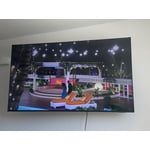
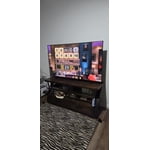
[This review was collected as part of a promotion.] Very happy with my purchase. I constantly get asked what tv I have. The color and resolution is A1. Everything loads super fast and I love that I can control the tv from my phone. Would definitely purchase tv over and over again

Review from Samsung US
Helpful?3X98WOQFG1UG16471557124
May 10, 2026
Reviewer name: Lilrebelpinay
3 out of 5 stars
3 out of 5 stars review

LOVE&HATE IT!

[This review was collected as part of a promotion.] My 55‑inch Samsung TV is amazing — the resolution is so sharp it could probably spot your neighbor's Wi‑Fi password. Colors pop like they had three cups of coffee, and the picture is so clear you'll start judging actors' pores like you're a dermatologist. Even the remote feels powerful, like you're controlling a tiny universe of pixels that obey your every command… except when it randomly decides to ignore you just to keep things spicy.

Review from Samsung US
Helpful?3X98WOQFG1UG16471557124
reply from Samsung Advisor

Hi Lilrebelpinay, It's great to hear you are enjoying your U7900F TV. If there’s anything we can assist with, please don’t hesitate to call us at 1-800-SAMSUNG, available daily from 8AM – 9PM EST Mon – Fri, 8AM – 6PM Sat – Sun. You can also visit the Samsung website and click on ‘Support’ for: • Live Chat • Manuals, Software, & Warranty Info ~ Samsung Advisor

Jun 1, 2026
Reviewer name: Lcamplese
5 out of 5 stars
5 out of 5 stars review

Fantastic picture

[This review was collected as part of a promotion.] Tv is lightweight and has an amazing picture quality. I also love that i can download apps and games on my tv. It is very easy and simple to use, as well as setup for first time use. The price was pretty decent as well .

Review from Samsung US
Helpful?3X98WOQFG1UG16471557124
Jun 11, 2026
Reviewer name: Luv2shop
5 out of 5 stars
5 out of 5 stars review

The features

[This review was collected as part of a promotion.] The resolution is great brightness is like a star vibrancy is amazing aesthetics are better than Pinterest and the contrast chefs kiss five stars if i could infinite stars definitely useful I would one million times recommend

Review from Samsung US
Helpful?3X98WOQFG1UG16471557124
Jun 21, 2026
Reviewer name: Sherman j
5 out of 5 stars
5 out of 5 stars review

Crystal clear

[This review was collected as part of a promotion.] Oh snap my t.v. is showing great the aesthetics are brilliantly great the brightness is brighter than bright resolution is visibly clear I can see a pimple on somebody's face the security on the TV is optimum the vibrancy is beautiful Crystal clear the colors are immaculate I think I bought the right TV this time and it fits my room perfect thank you Samsung for developing such a cost-friendly great showing television.

Review from Samsung US
Helpful?3X98WOQFG1UG16471557124
Jun 5, 2026
Reviewer name: CymtuCorgi59
3 out of 5 stars
3 out of 5 stars review

Senior frustration for our viewing pleasure

[This review was collected as part of a promotion.] The screen size is great, colors are vibrant. For those older in age, having to go through all the SPPS is tedious and frustrating. Personally, we don't like how to keep updating and the apps keep getting moved.

Review from Samsung US
Helpful?3X98WOQFG1UG16471557124
reply from Samsung Advisor

Hi CymtuCorgi59, Thank you for your feedback. If you have any questions or need help with your TV, please do not hesitate to reach out to us at 1-800-SAMSUNG (8AM – 9PM EST Mon – Fri, 8AM –6 PM Sat – Sun), or reach us via text 24/7. You can also visit ‘Support’ on our website for: • Live Chat • Manuals, Software, & Warranty Info ~ Samsung Advisor

Jun 23, 2026
Reviewer name: Donotello
3 out of 5 stars
3 out of 5 stars review

It's OK

[This review was collected as part of a promotion.] it's aesthetically a good looking TV the picture quality it's just a little better than mediocre. Sad to say there's not more clarity. the brightness and contrast still doesn't seem to enhance it very much, but, it's fair enough quality for the price. I bought one of the lower end TVs and so I get what I paid for. I like it I enjoy watching it as it's sound quality is fairly good

Review from Samsung US
Helpful?3X98WOQFG1UG16471557124
reply from Samsung Advisor

Hi Donotello, Thank you for your feedback on the Samsung U7900F TV. If the picture appears unclear, dull, or lacks definition, there are several settings you can adjust to improve clarity and overall image quality. Go to: Settings > All Settings > Picture > Expert Settings, and review these key settings: Picture Clarity Settings: While originally intended for motion handling, these can also impact overall clarity • Off: Disables motion enhancements • Auto: Automatically adjusts based on content • Custom: Lets you fine-tune: o Judder Reduction – Helps smooth out uneven motion o LED Clear Motion – Boosts sharpness in fast-moving content o Noise Reduction – Reduces distortion and enhances detail in lower-resolution sources Core Picture Settings • Brightness – Controls overall screen brightness • Contrast – Enhances the difference between bright and dark areas • Sharpness – Adjusts edge definition; closer to 20 increases detail • Color – Enhances depth and intensity of colors And don’t forget to check for the latest firmware, which may improve performance: Settings > Support > Software Update > Update Now These adjustments can make a noticeable difference in overall clarity. If you need further help tailoring the settings to your preferences or environment, please contact Samsung Support at 1-800-SAMSUNG (8AM – 9PM EST Mon – Fri, 8AM – 6PM Sat – Sun). LiveChat is also available via the ‘Support’ link on our website. ~ Samsung Advisor

May 20, 2026
Reviewer name: Retirednursw
3 out of 5 stars
3 out of 5 stars review

It's a big screen TV

[This review was collected as part of a promotion.] Hate that the TV opens to the menu and can't default to regular TV. And the channel it goes to is random. Had issues with a red screen periodically but not within the last month -? Upgrade issue? Otherwise works as a TV does.

Review from Samsung US
Helpful?3X98WOQFG1UG16471557124
reply from Samsung Advisor

Hi Retirednursw, Thank you for your review. While your U7900F TV may currently default to Samsung TV Plus when powered on, you can customize what your TV does at startup by adjusting the Start Screen Options. To do this, navigate to: Settings > All Settings > Advanced Features > Start Screen Option and choose from the following: 1. Start with Smart Hub Home – Automatically launches Smart Hub when the TV is turned on. You can enable or disable this option based on your preference. 2. Autorun Multi View Casting – If you cast YouTube content from your mobile device, the TV will automatically display the content using Multi View. 3. Autorun Multi View Mirroring – When you screen mirror your mobile device, Multi View will automatically open to show your device’s screen. If you experience issues with a red screen, please give us a call so we can better support you. Reach out by calling 1-800-SAMSUNG from 8AM – 9PM EST Mon – Fri, 8AM – 6PM Sat – Sun, any day of the week. You can also chat with us online by visiting the ‘Support’ section of our website. ~ Samsung Advisor

May 21, 2026
Reviewer name: Brian
1 out of 5 stars
1 out of 5 stars review

Terrible

[This review was collected as part of a promotion.] Have not been able to connect to internet at all with tv. Not wireless anyway. Doesn't find any networks. Already hung it up. Wish I never bought it. Feels cheap. Picture isn't great. Volume constantly creeps up too.

Review from Samsung US
Helpful?3X98WOQFG1UG16471557124
reply from Samsung Advisor

Hi Brian, Thank you for sharing your experience with Wi-Fi connectivity. If your TV is having trouble connecting to the network, the following steps may help resolve the issue: Signal & Setup Tips: 1. Check TV-to-router distance – Your TV should be within 50 feet of the modem or access point for reliable signal strength. 2. Minimize interference – Turn off nearby wireless devices and make sure there are no physical barriers (stone walls, fireplaces, appliances) between the TV and router. Power Cycle Devices: 3. Restart both your TV and router – Unplug both devices for at least 30 seconds, then plug them back in and allow them to reboot fully. Connection Type: 4. Evaluate your connection method – o If using Wi-Fi, move your router closer to the TV and eliminate any obstructions. o For a more stable connection, we strongly recommend using a wired Ethernet cable. o If already using Ethernet, verify the cable is working by testing it with another device. Run Built-In Diagnostic Tools: 5. Network Test: Settings > Support > Device Care > Self Diagnosis > Smart Hub Connection Test 6. Wi-Fi Check: Settings > Support > Device Care > Self Diagnosis > Wi-Fi Last Resort: 7. Perform a Factory Reset (if issues persist): Settings > All Settings > General & Privacy > Reset > Factory Data Reset. Note that this will return all settings to their original defaults. If these steps don’t resolve the issue, please reach out to Samsung Support at 1-800-SAMSUNG, available from 8AM – 9PM EST Mon – Fri, 8AM – 6PM Sat – Sun. You can also visit the Samsung website and click on ‘Support’ for: • Live Chat • Manuals, Software, & Warranty Info ~ Samsung Advisor