Skip to Main Content
Sam's Club
Sam's Club
All Departments
All Services
Customer reviews for SAMSUNG 55" Class U7900F Series 4K Crystal UHD Smart TV for
SAMSUNG 55" Class U7900F Series 4K Crystal UHD Smart TV
4.5 out of 5 stars
stars
3,830 ratings3,730 reviews
  1. 5 stars74% (2,820)
  2. 4 stars15% (576)
  3. 3 stars6% (228)
  4. 2 stars2% (89)
  5. 1 star3% (117)

Member photos

  • +1467 images
Sort by |
Showing 321-330 of 3,730 reviews
Aug 3, 2026
Reviewer name: Chuck1
5 out of 5 stars
5 out of 5 stars review

Great features and picture
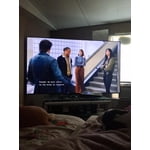
[This review was collected as part of a promotion.] wanted the 85-in TV it's big I ate this first time I had a big TV like that and I love the picture in the quality of it and it's great TV I love samsung

Review from Samsung US
Helpful?3X98WOQFG1UG16471557124
Aug 5, 2026
Reviewer name: Dahlii
4 out of 5 stars
4 out of 5 stars review

love the features

is a really nice TV, have to get use to the small remote it comes with makes it a little difficult to navigate. I've always had a ROKU so I'm trying to get use to this nice new TV.

Review from Samsung US
Helpful?3X98WOQFG1UG16471557124
Aug 7, 2026
Reviewer name: MESO
2 out of 5 stars
2 out of 5 stars review

antenna tv

When i access antenna tv to view the local news, it wants me to view it first even though the program info is not current. I have to click on it three times.

Review from Samsung US
Helpful?3X98WOQFG1UG16471557124
reply from Samsung Solutions

Hello MESO, We appreciate your review. So we can better understand the issues you’re experiencing and provide you with troubleshooting assistance, please reach out to Samsung Customer Support at 1-800-SAMSUNG (8AM – 9PM EST Mon – Fri, 8AM – 6PM Sat – Sun). You can also chat with a LiveChat agent by clicking the ‘Support’ link on our website for: • Live Chat • Manuals, Software, & Warranty Info • Creating a Service ticket ~ Samsung Solutions

Aug 11, 2026
Reviewer name: Lieutenant Dan
4 out of 5 stars
4 out of 5 stars review

Decent but…

The picture is great! The only thing it needs is more inputs for HDMI. Only has 1. So I'm forced to use my surround system as an input device for everything.

Review from Samsung US
Helpful?3X98WOQFG1UG16471557124
Aug 20, 2026
Reviewer name: jbwcfp
3 out of 5 stars
3 out of 5 stars review

difficult interface.

The tv picture is fine, but the interface is not user friendly, have not been able to install the YouTube tv app, and cannot disable closed caption, even though it says it is turned off. Will not purchase Samsung tv again.,

Review from Samsung US
Helpful?3X98WOQFG1UG16471557124
reply from Samsung Specialist

We appreciate you sharing your user experience. To help you get the most from your TV, you can download the full e-Manual and more by visiting Samsung’s website then navigating to: Support > Manual & Software > TVs & Home Theater. From there, you can search for and select your TV model to view or download the available guides. The e-Manual and Remote Control Guide are also conveniently built into your TV: Settings > Support > Tips and User Guides If you need additional help, please contact Samsung Support at 1-800-SAMSUNG (8AM – 9PM EST Mon – Fri, 8AM – 6PM Sat – Sun). LiveChat agents are also available through the ‘Support’ link on our website. ~ Samsung Specialist

May 18, 2026
Reviewer name: Kyle
4 out of 5 stars
4 out of 5 stars review

Good picture, good size, light weight
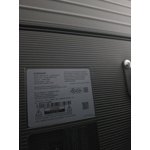
[This review was collected as part of a promotion.] This TV is lightweight it has a good picture for its price affordable TV. Smart TV with built-in Wi-Fi is a plus. Easy to mount.

Review from Samsung US
Helpful?3X98WOQFG1UG16471557124
Aug 21, 2026
Reviewer name: HappyMom
5 out of 5 stars
5 out of 5 stars review

Great TV!

[This review was collected as part of a promotion.] Great Mother's Day Gift! Bright, vibrant colors and amazing response from the software. Glad we chose this tv over our other options.

Review from Samsung US
Helpful?3X98WOQFG1UG16471557124
Aug 5, 2026
Reviewer name: Carter96
2 out of 5 stars
2 out of 5 stars review

Super disappointed

After purchasing it and mounting it it's had nothing but pixelation issues and constantly exiting out of streaming applications, as if someone is constantly pushing the home button????

Review from Samsung US
Helpful?3X98WOQFG1UG16471557124
reply from Samsung Advisor

Hi Carter96, We appreciate your feedback regarding your U7900F TV’s performance. If you're experiencing freezing or lag in general response time, please try the following steps: 1. Check for firmware updates – Keeping your TV up to date can resolve many performance issues: Home > left directional key > Settings > Support > Software Update > Update Now 2. Run Device Care – This tool checks system memory, frees up cached data, and closes background apps that could be slowing things down: Home > left directional key > Settings > Support > Device Care > Start Device Care 3. Cold boot your TV – With the TV powered on, press and hold the Power button on your remote for 5+ seconds until the TV restarts. This helps refresh the system. If you're still noticing performance snags after these steps, please contact Samsung Support at 1-800-SAMSUNG (8AM – 9PM EST Mon – Fri, 8AM – 6PM Sat – Sun). You can also connect with a LiveChat agent via the ‘Support’ link on our website. ~ Samsung Advisor

Aug 5, 2026
Reviewer name: Lizzie
5 out of 5 stars
5 out of 5 stars review

Great picture..
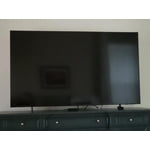
I've always been a Samsung girl! Owning several TVs over the years and they have all been wonderful. This television has a great picture and is the perfect size for my room.

Review from Samsung US
Helpful?3X98WOQFG1UG16471557124
Aug 20, 2026
Reviewer name: Nate
2 out of 5 stars
2 out of 5 stars review

Black spec near center of screen

Small black spec in center of screen, Samsung has given me the run around for a month and just keeps telling me to wait for warranty work. My Vizios have done better and lasted longer. Only had the tv for 3 months

Review from Samsung US
Helpful?3X98WOQFG1UG16471557124
reply from Samsung Specialist

We appreciate you taking the time to let us know about your experience. So that we can better troubleshoot this issue and provide steps towards a solution, please contact Samsung Support at 1-800-SAMSUNG (8AM – 9PM EST Mon – Fri, 8AM – 6PM Sat – Sun), or visit our website for LiveChat. ~ Samsung Specialist