Skip to Main Content
Sam's Club
Sam's Club
All Departments
All Services
Customer reviews for SAMSUNG 55" Class U7900F Series 4K Crystal UHD Smart TV for
SAMSUNG 55" Class U7900F Series 4K Crystal UHD Smart TV
4.5 out of 5 stars
stars
3,866 ratings3,766 reviews
  1. 5 stars74% (2,847)
  2. 4 stars15% (583)
  3. 3 stars6% (229)
  4. 2 stars2% (90)
  5. 1 star3% (117)

Member photos

  • +1481 images
Sort by |
Showing 1,541-1,550 of 3,766 reviews
Jun 20, 2026
Reviewer name: Marc
5 out of 5 stars
5 out of 5 stars review

Great TV!

[This review was collected as part of a promotion.] We picked this TV up to finish off our guest room. All of the TVs in our home are Samsungs - easy on-screen format, auto-software updates and the units are just dependable.

Review from Samsung US
Helpful?3X98WOQFG1UG16471557124
Jul 5, 2026
Reviewer name: Atvrocketboy1
4 out of 5 stars
4 out of 5 stars review

Great tv

[This review was collected as part of a promotion.] Love the tv. Just wishing came with better setup instructions. Everything else about is is spot on

Review from Samsung US
Helpful?3X98WOQFG1UG16471557124
May 20, 2026
Reviewer name: Fat Kid
3 out of 5 stars
3 out of 5 stars review

Nice for the price.
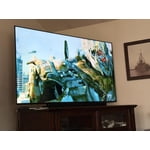
[This review was collected as part of a promotion.] My old 65' Samsung curved tv had a better picture. I am going to see about replacing the backlights and hope that fixes it. This might be my new bedroom tv.

Review from Samsung US
Helpful?3X98WOQFG1UG16471557124
reply from Samsung Advisor

Hi Fat Kid, We appreciate your feedback on the picture quality of Samsung’s U7900F TV. If the image doesn’t quite match your preferences, there are several adjustments you can make to better suit your viewing environment and content type. First, please ensure your TV is running the latest firmware, as updates may include important picture quality enhancements. Go to: Home > Left directional button > Settings > Support > Software Update > Update Now To explore picture mode options, navigate to: Home > Left directional button > Settings > All Settings > Picture > Picture Mode. Options include: • Standard – Ideal for general viewing • Dynamic – Brighter and more vibrant for well-lit spaces • Eco – Optimized for energy efficiency • Movie – Best for viewing in low light • Filmmaker Mode – Preserves the content creator’s intent and disables motion smoothing for supported content You can further customize your image by going to: Settings > All Settings > Picture > Expert Settings, where you can adjust Brightness, Contrast, Color Tone, Sharpness, Contrast Enhancer and more. If you’d like help finding the best picture settings for your preferences, please don’t hesitate to contact Samsung Support at 1-800-SAMSUNG, available 8AM – 9PM EST Mon – Fri, 8AM – 6PM Sat – Sun. You can also LiveChat with an agent or explore additional resources on our website by clicking the ‘Support’ link. ~ Samsung Advisor

May 20, 2026
Reviewer name: KenB
5 out of 5 stars
5 out of 5 stars review

79" Samsung Smart Television

[This review was collected as part of a promotion.] This television has a wonderful picture. Like having all the apps on the television. Especially the samsung tv app. Lots of great shows to watch and no fees.

Review from Samsung US
Helpful?3X98WOQFG1UG16471557124
Jun 20, 2026
Reviewer name: Joey
5 out of 5 stars
5 out of 5 stars review

Great features on entry level unit

[This review was collected as part of a promotion.] Overall excellent. Love the features of product. Have another big screen from another brand, this is far superior, wish I had purchased two of these.

Review from Samsung US
Helpful?3X98WOQFG1UG16471557124
Jun 8, 2026
Reviewer name: dimezz
1 out of 5 stars
1 out of 5 stars review

worst television i ever bought

[This review was collected as part of a promotion.] i bought the tv new and in 4 months or less it stopped working completely i tried to use warranty but the repair shop that was authorized to fix it was like a 4 hour drive one way

Review from Samsung US
Helpful?3X98WOQFG1UG16471557124
reply from Samsung Advisor

Hi dimezz, We're sorry to hear about the issues you are experiencing with your TV. Please give us a call to best discuss your service options. You can reach us at 1-800-SAMSUNG (8AM – 9PM EST Mon – Fri, 8AM – 6 PM Sat – Sun) or reach us via text 24/7. You can also visit ‘Support’ on our website for: • Live Chat • Manuals, Software, & Warranty Info ~ Samsung Advisor

Jul 5, 2026
Reviewer name: Blupinky
5 out of 5 stars
5 out of 5 stars review

Great picture and sound!
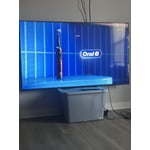
[This review was collected as part of a promotion.] The picture and sound is so beautiful! You actually want to watch television again. Streaming family photos are fun through the television. Love this television!

Review from Samsung US
Helpful?3X98WOQFG1UG16471557124
May 20, 2026
Reviewer name: Dadmodeengage
5 out of 5 stars
5 out of 5 stars review

:)

[This review was collected as part of a promotion.] Great picture and would buy again. More usb ports would improve it but hey you can't always get what ya want.

Review from Samsung US
Helpful?3X98WOQFG1UG16471557124
Jun 20, 2026
Reviewer name: Prilly
5 out of 5 stars
5 out of 5 stars review

I'm obsessed

[This review was collected as part of a promotion.] The picture is absolutely beautiful I was completely floored and totally wasn't expecting to see how Crystal clearThe picture was. amazing

Review from Samsung US
Helpful?3X98WOQFG1UG16471557124
Jun 2, 2026
Reviewer name: Amii
5 out of 5 stars
5 out of 5 stars review

Worth it

[This review was collected as part of a promotion.] So far soo good haven't had issues just my internet has been slacking and haven't truly experienced it much but other than that Great sound and quality is amazing.

Review from Samsung US
Helpful?3X98WOQFG1UG16471557124