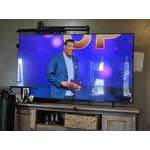
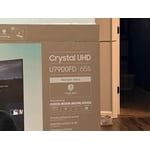
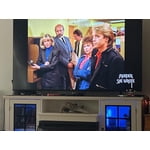
Skip to Main Content
Sam's Club
Sam's Club
All Departments
All Services
Customer reviews for SAMSUNG 55" Class U7900F Series 4K Crystal UHD Smart TV for
SAMSUNG 55" Class U7900F Series 4K Crystal UHD Smart TV
4.5 out of 5 stars
stars
3,866 ratings3,766 reviews
  1. 5 stars74% (2,847)
  2. 4 stars15% (583)
  3. 3 stars6% (229)
  4. 2 stars2% (90)
  5. 1 star3% (117)

Member photos

  • +1481 images
Sort by |
Showing 1,431-1,440 of 3,766 reviews
Jun 1, 2026
Reviewer name: QueenBri
5 out of 5 stars
5 out of 5 stars review

Spectacular

[This review was collected as part of a promotion.] One of, if not my best electronics purchase within the past ten years. Picture is always clear, vibrant, and extremely detailed. Sound quality is super clean.

Review from Samsung US
Helpful?3X98WOQFG1UG16471557124
May 11, 2026
Reviewer name: Erick1990
5 out of 5 stars
5 out of 5 stars review

Great TV great features. Seemless phone to TV

[This review was collected as part of a promotion.] Love the picture of the screen great colors. Has a bunch of apps for different steaming. Love the Samsung tv plus that come on it.

Review from Samsung US
Helpful?3X98WOQFG1UG16471557124
Jun 5, 2026
Reviewer name: Alphapha
5 out of 5 stars
5 out of 5 stars review

Great features

[This review was collected as part of a promotion.] My Samsung 75” UHD TV works super good. Great contrast and it so clear when playing my PlayStation it automatically go to game mode.

Review from Samsung US
Helpful?3X98WOQFG1UG16471557124
Jun 20, 2026
Reviewer name: 1grandmasterlou
5 out of 5 stars
5 out of 5 stars review

Samsung knows how to build electronics.

[This review was collected as part of a promotion.] The resolution and brightness are outstanding. I own many Samsung products. And I am very happy with this samsung television model. Another satisfied purchase by this loyal Samsung owner.

Review from Samsung US
Helpful?3X98WOQFG1UG16471557124
Jun 25, 2026
Reviewer name: James
5 out of 5 stars
5 out of 5 stars review

Good features lots of apps
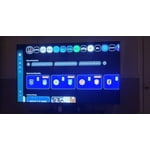
[This review was collected as part of a promotion.] The clarity and brightness is great,many features and an easy to use,durable remote make this an excellent choice

Review from Samsung US
Helpful?3X98WOQFG1UG16471557124
Jun 5, 2026
Reviewer name: barnie72
5 out of 5 stars
5 out of 5 stars review

great features

[This review was collected as part of a promotion.] I love it it was easy to set up and start the programming i wanted. It has a really easy set up to begin setting the tv up

Review from Samsung US
Helpful?3X98WOQFG1UG16471557124
May 11, 2026
Reviewer name: Fridjr2012
5 out of 5 stars
5 out of 5 stars review

Great TV

[This review was collected as part of a promotion.] Great TV. Great clarity brightness and resolution. Picture colors are vibrant and realistic like they are in room with you. Gaming picture quality in it is great as well.

Review from Samsung US
Helpful?3X98WOQFG1UG16471557124
Jul 5, 2026
Reviewer name: Kaay
5 out of 5 stars
5 out of 5 stars review

Good Tv

[This review was collected as part of a promotion.] All around good tv. I would most certainly recommend this tv and will buy a Samsung tv for the other rooms

Review from Samsung US
Helpful?3X98WOQFG1UG16471557124
Jun 20, 2026
Reviewer name: TOzone
2 out of 5 stars
2 out of 5 stars review

Good picture, terrible sound

[This review was collected as part of a promotion.] This is our second one and they both have terrible sound. It drops off or is distorted after being on for 1 hour.

Review from Samsung US
Helpful?3X98WOQFG1UG16471557124
reply from Samsung Advisor

Hi TOzone, Thank you for sharing your experience with your U7900F TV. If you're not hearing sound or if the sound cuts out and you're using only the TV’s built-in speakers (no soundbar or external device), try the following steps: 1. Check volume and mute settings, and make sure the Sound Output is set to TV Speaker: Settings > All Settings > Sound > Sound Output > TV Speaker 2. Run a Sound Test to help diagnose the issue: Settings > Support > Device Care > Self Diagnosis > Sound Test 3. Cold boot your TV by holding the power button on the remote until the TV turns off and back on (Or unplug the TV from power for 30 seconds, then plug it back in) 4. Reset sound settings to default: Settings > All Settings > Sound > Expert Settings > Reset Sound 5. Update your TV’s software in case a firmware issue is affecting audio: Settings > Support > Software Update > Update Now If none of these steps restore your sound, please contact us for further assistance. You can reach Samsung Support at 1-800-SAMSUNG (8AM – 9PM EST Mon – Fri, 8AM – 6PM Sat – Sun). LiveChat is also available via the ‘Support’ link on our website. ~ Samsung Advisor

May 11, 2026
Reviewer name: Spanky
5 out of 5 stars
5 out of 5 stars review

It's easy to use and set up

[This review was collected as part of a promotion.] This is a great TV, I personally don't have cable, I use an inttena , the TV works great, I'm very impressed with the clarity. The sound is clear , just a great TV

Review from Samsung US
Helpful?3X98WOQFG1UG16471557124