Customer reviews for SAMSUNG 55" Class U7900F Series 4K Crystal UHD Smart TV forMember photos


+749 images
Good Picture
[This review was collected as part of a promotion.] The TV has a great picture and sound. We enjoy it very much. It was difficult for us to set up our YoutubeTv service but once we figured it out it was great. Internet connectivity is better than our previous brand. So very happy.
Awesome Picture
[This review was collected as part of a promotion.] I'm really happy with my new TV! The picture quality is crystal clear, and the setup process was super easy. It was up and running in no time, with no hassle at all. The image is vibrant and sharp, perfect for watching sports. Great price Highly recommend.
Not the Samsung I’m used to!
Bought this tv yesterday. Did the setup and it was confusing to say the least. I’ve set up many TVs and most are straightforward and intuitive. I’ve even set up other Samsungs and this was by far the worst for set up. Now for the actual picture. Right out of the box the picture was not very good. Picture was “washed out” and just didn’t look right compared to our other TVs. Tried online suggestions for correcting colors and sharpness of image. Nothing improves the picture. So disappointed in this Samsung!!! Our cheapy TV, all our other TVs (all 6) are so much better. Our other Samsung (older set) is fine. Plus it has a mind of its own. After turning it off and then returning to watch tv it goes into Samsung plus instead of our satellite provider. This issue just started. At first at least when set was turned on we had our satellite on. And I HATE the remote. Even had our son over to help with adjustments and settings with no luck. Very disappointing product!
Hi Teachit, We appreciate your feedback and are glad you reached out to us. There are a few adjustments you can make that may improve your experience. First, let's ensure you are running the latest Firmware. Go to Settings> Support> Software Update. If the picture appears unclear, dull, or lacks definition, there are several settings you can adjust to improve clarity and overall image quality. Go to: Settings > All Settings > Picture > Expert Settings, and review these key settings: Picture Clarity Settings: While originally intended for motion handling, these can also impact overall clarity • Off: Disables motion enhancements • Auto: Automatically adjusts based on content • Custom: Lets you fine-tune: o Judder Reduction – Helps smooth out uneven motion o LED Clear Motion – Boosts sharpness in fast-moving content o Noise Reduction – Reduces distortion and enhances detail in lower-resolution sources Core Picture Settings • Brightness – Controls overall screen brightness • Contrast – Enhances the difference between bright and dark areas • Sharpness – Adjusts edge definition; closer to 20 increases detail • Color – Enhances depth and intensity of colors Finally, while your TV may currently default to Samsung TV Plus when powered on, you can customize what your TV does at startup by adjusting the Start Screen Options. To do this, navigate to: Settings > All Settings > Advanced Features > Start Screen Option and choose from the following: 1. Start with Smart Hub Home – Automatically launches Smart Hub when the TV is turned on. You can enable or disable this option based on your preference. 2. Autorun Multi View Casting – If you cast YouTube content from your mobile device, the TV will automatically display the content using Multi View. 3. Autorun Multi View Mirroring – When you screen mirror your mobile device, Multi View will automatically open to show your device’s screen. If you need help adjusting these settings or have any other questions, please contact Samsung Support at 1-800-SAMSUNG, 8AM – 12AM EST, 7 days a week. LiveChat agents are also available by clicking on the ‘Support’ link on our website. ~ Samsung Advisor
Great product
[This review was collected as part of a promotion.] The Samsung U7900F is a sleek, affordable 4K smart TV with vibrant colors, HDR10 support, and a slim metal design. Powered by the Crystal Processor 4K, it delivers sharp detail and smooth performance for everyday streaming and casual viewing. Smart features like Samsung TV Plus (free channels), SmartThings integration, and Gaming Hub add convenience. Pros: Stylish design, sharp 4K upscaling, solid color and contrast, free streaming channels, lightweight and easy setup. Cons: No HDMI 2.1, VRR, or 120Hz for gamers; limited black depth (no local dimming); Tizen OS menus can feel clunky. Verdict: Great for streaming and everyday use in well-lit rooms, but not the best choice for serious gamers or movie enthusiasts who want deep contras.
This product has it all
[This review was collected as part of a promotion.] In this new world of streaming this is the TV to have. From the moment you turn it on it automatically knows if ypu have an existing account and logs you in if you prompt it to. With in 30 seconds your all set up and ready to watch.
Samsung Crystal 55” Perfect for Bedroom
[This review was collected as part of a promotion.] We needed to replace an older (non-smart?) TV which we had for years in our master bedroom. The 55” size and quality of this unit were perfect for the room. Easy to assemble and easy to set up streaming with our various services. Thanks Samsung!
Mediocre tv. Okay for the price
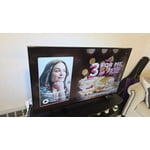
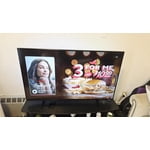
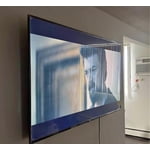
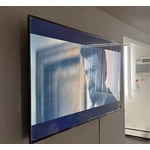
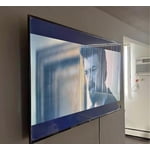
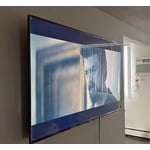
[This review was collected as part of a promotion.] Brightness is quite low. You can see in the image it's not a very brightly lit room but lots of reflections on the screen and poor brightness (max'd out here). Tizen is a stuttering mess, the menus and UX are poorly designed. The remote however is good. Really like the volume up and down toggle. For the price I think it's reasonable, just wish they'd use Google tv instead of tizen.
Hi Atapap, Thank you for your feedback. We’re sorry to hear you’re not fully satisfied with the picture quality on your Samsung U7900F TV. If the image appears too dark, we suggest disabling certain energy-saving features, which can automatically adjust brightness and affect how the screen looks. Go to: Settings > All Settings > General & Privacy > Power and Energy Saving, then turn off Brightness Optimization, Energy Saving Solution, Motion Lighting, and/or Contrast Enhancer. You can also adjust the Picture Mode to better suit your environment: Settings > All Settings > Picture > Picture Mode • Standard – Default mode for general viewing • Dynamic – Brighter and clearer, ideal for well-lit rooms • Movie – Best for dark room viewing • Eco – Energy-saving mode • Filmmaker Mode – Preserves content as intended by creators To fine-tune brightness, go to: Home > left directional key > Settings > All Settings > Picture > Expert Settings, then adjust the Brightness level (0–50) to your preference. Lastly, please make sure your TV is running the latest firmware: Home > Home > left directional key > Settings > Support > Software Update > Update Now We hope these tips help improve your viewing experience. If you need further support, feel free to contact us at 1-800-SAMSUNG, 8AM – 12AM EST, 7 days a week. LiveChat is also available via the ‘Support’ link on our website. ~ Samsung Advisor
Been a great purchase!
[This review was collected as part of a promotion.] At first I was a little worried because it is so large, but the crystal clear picture makes it so after a while, you want to go bigger! The picture along with my Samsung sound bar and subwoofer are an incredible pairing!!
🔥My Samsung U7900F Crystal UHD TV🔥
[This review was collected as part of a promotion.] The new device has significantly enhanced my entertainment experience. Streaming content from various platforms like YouTube and Paramount+ is seamless and buffer-free. Additionally, the device's capability to access and display personal media, such as Google Photos, is remarkable. Furthermore, the integration with gaming platforms, specifically Xbox, offers immersive gameplay. The device's intuitive interface makes navigation and content discovery incredibly easy. I find myself enjoying hours of uninterrupted entertainment. Moreover, the device's responsiveness makes surfing the web a pleasure. Overall, the new device has exceeded my expectations.
This product is great 👍🏼
[This review was collected as part of a promotion.] Bought this television to replace my bedroom tv. I must say, its very easy to assemble and connect to my account. I used my phone to set it up. The tv shows very clearly and the sound is very crisp as well. I made the best choice. I love my samsungs.