Skip to Main Content
Sam's Club
Sam's Club
All Departments
All Services
Customer reviews for SAMSUNG 55" Class U7900F Series 4K Crystal UHD Smart TV for
SAMSUNG 55" Class U7900F Series 4K Crystal UHD Smart TV
4.5 out of 5 stars
stars
3,830 ratings3,730 reviews
  1. 5 stars74% (2,820)
  2. 4 stars15% (576)
  3. 3 stars6% (228)
  4. 2 stars2% (89)
  5. 1 star3% (117)

Member photos

  • +1467 images
Sort by |
Showing 121-130 of 3,730 reviews
Jul 19, 2026
Reviewer name: Frosty68
1 out of 5 stars
1 out of 5 stars review

can't believe samsung made a tv this bad

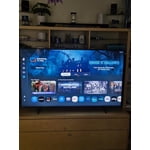
This is a TV for people who have never had a better TV or don't know/don't care about TV. I own a QLED, this U series was given as a house warming gift and it is quite possibly the worst TV I've ever owned. The software is slow as molasses - always a 2 second delay after any button press. The software is constantly shoving certain content in your face (why is Fox News a permanent tile on the home page?). Twitch app can only be used from the asinine gaming page, and cannot be added to the list of apps on the home page. So every time I want to watch Twitch the quickest way is to go to recent searches and open it there. Horrid UX. Absolutely hate this TV and can't wait to replace it. So in short, if you're looking for an absolute piece of trash then look no further.

Review from Samsung US
Helpful?3X98WOQFG1UG16471557124
reply from Samsung Advisor

Hi Frosty68, Thank you for sharing your experience. Please know that you can customize your Home screens by installing, removing or adding your favorite apps to Apps Home and/or For You Home screen. Here's how: Searching for & Installing Apps 1. From the Home screen, press left on the remote’s directional pad. 2. Navigate to and select Search. 3. Using the search bar, enter the content or app you’d like to find. 4. Navigate to and select the app you’d like to install, then select Install. Note: Previously installed apps can be accessed on the Settings screen. Adding & Managing Apps on Home Screen 1. Go to App Settings (these can be found at the bottom of the Apps screen) and select the app you want to move. The following options will be available: a. Add to Home: Move the app to your desired location on the Home screen. b. Delete: Delete app. c. Lock/Unlock: Lock the app with a PIN so only you can use it. When the app is selected again, you will be prompted to enter the PIN to unlock it. d. Reinstall: Reinstall the app. e. View Details: View the app’s information and details. If you need more help with app management, please don’t hesitate to reach Samsung Support at 1-800-SAMSUNG (8AM – 9PM EST Mon – Fri, 8AM – 6PM Sat – Sun). LiveChat agents are also available through the ‘Support’ link on our website. ~ Samsung Advisor

Jul 5, 2026
Reviewer name: Nene
3 out of 5 stars
3 out of 5 stars review

Remote needs to be updated with numbers

[This review was collected as part of a promotion.] The TV itself has a sharp picture and works great. The remote is why I rated it 3 stars. It does not have numbers which is needed to use with my satellite. I constantly have to go back and forth between two remotes.

Review from Samsung US
Helpful?3X98WOQFG1UG16471557124
reply from Samsung Advisor

Hi Nene, Thank you for sharing your experience. Please know you can easily access your Samsung TV’s Quick Settings by pressing the Settings/Number/Color button located just below the power button on your remote. Each time you press this button, it will toggle between: • Quick Settings menu • Virtual number pad • Color pad options To use Quick Settings: 1. Press the Settings/Number/Color button on your remote 2. When the Quick Settings menu appears, you can adjust commonly used options quickly 3. For more advanced adjustments, scroll to and select All Settings This shortcut helps you access essential features without navigating through the full menu. I hope this helps. For further assistance, please contact Samsung Customer Support at 1-800-SAMSUNG, 8AM – 12AM EST, 7 days a week. LiveChat and additional support resources are also available through the Support link on our website. ~ Samsung Advisor

Feb 13, 2026
Reviewer name: Deity666
4 out of 5 stars
4 out of 5 stars review

Great tv but it doesnt have pip

[This review was collected as part of a promotion.] The tv is amazing but it lacks the key feature the pip that thought that all modern Samsung TVs come with little somebody surprised it didn't the home screen could be a litle better but all and all its a good tv

Review from Samsung US
Helpful?3X98WOQFG1UG16471557124
Jul 27, 2026
Reviewer name: Sandy Florida Girl
5 out of 5 stars
5 out of 5 stars review

Awesome television!

[This review was collected as part of a promotion.] Everything purchasing this was a breeze with Best Buy! And everything about the TV is awesome! it's so nice and big, color is beautiful, contrast, responsiveness absolutely fantastic and it's brightness, uniformity, everything about it is awesome and special! Thank you Samsung and Best Buy!

Review from Samsung US
Helpful?3X98WOQFG1UG16471557124
Jul 28, 2026
Reviewer name: PickMe
5 out of 5 stars
5 out of 5 stars review

Upscaling Monster

[This review was collected as part of a promotion.] This has been an excellent TV. The brightness and colors are amazing. I love the 4k quality from my gaming consoles, and the upscaling of movies! The responsiveness of navigating the menus is superb. If you're in the market for a TV and want to make a good investment, I would look no further than Samsung. I've had mine for 8 years and plan on getting another one soon!

Review from Samsung US
Helpful?3X98WOQFG1UG16471557124
Jul 27, 2026
Reviewer name: NelCasique02
5 out of 5 stars
5 out of 5 stars review

excellent experience

[This review was collected as part of a promotion.] I'm very happy with my Samsung TV. The picture quality is excellent, it runs very smoothly, and the overall experience has been incredible. But what I like the most is the Samsung ecosystem. Besides my TV, I also have a Samsung soundbar connected to it, and I use a Samsung phone and Samsung earbuds. Everything works together very easily and connects seamlessly, making my overall technology experience much more convenient and practical. I even use the SmartThings app to control my devices, including the lights where I live, which makes everything even more convenient. I like the Samsung ecosystem so much that I'm even thinking about replacing my TV in the future with another Samsung model. I'm also saving money because I want to buy a Samsung laptop. I can definitely say that I love the Samsung ecosystem and how well all of its devices work together. I'm extremely satisfied with my TV and with all of my Samsung products

Review from Samsung US
Helpful?3X98WOQFG1UG16471557124
Jul 20, 2026
Reviewer name: GoBlue
3 out of 5 stars
3 out of 5 stars review

Great picture, but some issues.

[This review was collected as part of a promotion.] The picture is very good. The included remote control is very limited, functionally. I had to buy a 3rd party to be able to fast forward and to do some other standard functions. With either control, the options work fairly slowly and the menu structure is cumbersome. Bluetooth works well and connects easily with my external ampllifier.

Review from Samsung US
Helpful?3X98WOQFG1UG16471557124
reply from Samsung Advisor

Hi GoBlue, Thank you for sharing your experience. Samsung remotes are designed to offer convenient control, but we understand if you’d prefer to use a universal remote. Many third-party remotes work well with Samsung TVs, though setup steps may vary by brand and model. To get started, we recommend checking the manufacturer’s instructions for programming codes and pairing methods. If you run into any trouble or have compatibility questions, Samsung Support is happy to help. You can reach us at 1-800-SAMSUNG (8AM – 9PM EST Mon – Fri, 8AM – 6PM Sat – Sun). LiveChat agents are also available at the ‘Support’ link on our website. ~ Samsung Advisor

Jul 27, 2026
Reviewer name: Anonymous
5 out of 5 stars
5 out of 5 stars review

Is it reality

[This review was collected as part of a promotion.] It's like looking out of a window, sun shining(brightness) clear contrast between light and shadows, resolution, i forget I'm not looking out my window! It has the smoothness and vibrancy of real life!

Review from Samsung US
Helpful?3X98WOQFG1UG16471557124
Jul 23, 2026
Reviewer name: jbed
5 out of 5 stars
5 out of 5 stars review

Fantastic and Relaxing

[This review was collected as part of a promotion.] We were happy and still own our first Samsung 65inch TV. Our living room now has an 85inch Samsung and for our Media room we now have our latest 75inch Samsung. Each TV has exceptional: brightness, contrast, resolution, smoothness, and vibrancy. We enjoy our Samsung TV's which bring the world into our home as a source for education, entertainment and relaxation. We also have enjoyed longevity with each Samsung TV.

Review from Samsung US
Helpful?3X98WOQFG1UG16471557124
Jul 5, 2026
Reviewer name: Anonymous
1 out of 5 stars
1 out of 5 stars review

So Sad

[This review was collected as part of a promotion.] Bought it brand new and it was broken .. could not get it to work even after 3 hours on the phone with Samsung Support .. Very dissappointed since i have only used Samsung items for the past 23 years ... TVs Refrigerators, Washer Dryers etc ,,,,

Review from Samsung US
Helpful?3X98WOQFG1UG16471557124
reply from Samsung Advisor

Hi Dana Garvey, Thank you for sharing your experience. We're sorry to hear your issue wasn’t resolved, and we’d like the opportunity to assist further. Please reach out to Samsung Support again for continued troubleshooting or to explore warranty service options. You can reach us at 1-800-SAMSUNG (8AM – 9PM EST Mon – Fri, 8AM – 6PM Sat – Sun). LiveChat is also available by visiting the ‘Support’ link on our website. ~ Samsung Advisor