Skip to Main Content
Sam's Club
Sam's Club
All Departments
All Services
Customer reviews for SAMSUNG 58” Class U7900F Series 4K Crystal UHD Smart TV for
SAMSUNG 58” Class U7900F Series 4K Crystal UHD Smart TV
4.5 out of 5 stars
stars
3,758 ratings3,700 reviews
  1. 5 stars74% (2,766)
  2. 4 stars15% (576)
  3. 3 stars6% (219)
  4. 2 stars2% (89)
  5. 1 star3% (108)

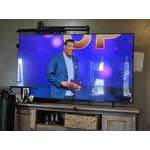
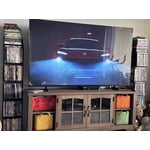
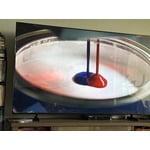
Member photos

  • +1455 images
Sort by |
Showing 881-890 of 3,700 reviews
Jul 27, 2026
Reviewer name: Anonymous
5 out of 5 stars
5 out of 5 stars review

Great features
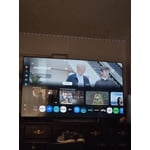
[This review was collected as part of a promotion.] The color on this TV just pops. I love the brightness adjustability, when watching movies It has nice contrast.

Review from Samsung US
Helpful?18J4E5E7OZVG16422722568
Jul 5, 2026
Reviewer name: Tee Jay
4 out of 5 stars
4 out of 5 stars review

Great TV

[This review was collected as part of a promotion.] This television has great picture quality. Very clear and easy to use. My only issue with this television is the speaker. Not loud enough for a TV this big. I had to purchase a sound bar.

Review from Samsung US
Helpful?18J4E5E7OZVG16422722568
Jul 6, 2026
Reviewer name: Anonymous
4 out of 5 stars
4 out of 5 stars review

Ms

[This review was collected as part of a promotion.] The controller pamphlet is limited and ineffective in the explanation of use. VERY POOR MY TV IS WONDERFUL

Review from Samsung US
Helpful?18J4E5E7OZVG16422722568
Jul 20, 2026
Reviewer name: Sheebs
3 out of 5 stars
3 out of 5 stars review

Some remote problems but otherwise we like the TV

[This review was collected as part of a promotion.] The TV picture is fine but the remote is difficult to use and flip from HDMI1 to 2, and we get frustrated. Got to figure out one remote for all.

Review from Samsung US
Helpful?18J4E5E7OZVG16422722568
reply from Samsung Advisor

Hi Sheebs, Thank you for sharing your review. Please know you can control your connected devices (like cable boxes, Blu-ray players, or game consoles) using your U7900FD TV’s remote by following these steps: 1. Connect & Power On the Device Connect the external device to one of your TV’s HDMI ports and power it on. Your TV may automatically detect the device and switch inputs. If it doesn’t, continue with the steps below. 2. Launch Universal Remote Setup. On your TV, navigate to: Home > left directional key > Connected Devices > Universal Remote Setup. When the connected device appears, select it to begin setup. 3. Start the Setup. Select Universal Remote on the Home screen, choose Start, and ensure your device is powered on. When your desired device appears, select it and follow the on-screen instructions. Setup may vary slightly based on device type. 4. Finalize and Test. Once complete, your Samsung TV and remote will remember the connected device and its HDMI port. If the device doesn’t respond after setup, you may need to re-register it or adjust its position for better signal reception. Helpful Tips: • If your external device is a Samsung product, Anynet+ (HDMI-CEC) may let you control it automatically using your TV remote with no extra setup. • Make sure nothing blocks the IR signal between your TV and external devices. • If you’re having difficulty, try adjusting the device’s position for better remote signal reception. • This feature may not be supported on all external devices or setups. For further support with setup or compatibility questions, please don’t hesitate to contact Samsung Customer Support at 1-800-SAMSUNG (8AM – 9PM EST Mon – Fri, 8AM – 6PM Sat – Sun). LiveChat agents are also available at the ‘Support’ link on our website. ~ Samsung Advisor

Jul 5, 2026
Reviewer name: Melinda
3 out of 5 stars
3 out of 5 stars review

I need an instruction manual.

[This review was collected as part of a promotion.] I like the picture size and clarity, but find it very difficult to navigate figuring out how to find different things to watch. There was no instruction manual.

Review from Samsung US
Helpful?18J4E5E7OZVG16422722568
reply from Samsung Advisor

Hi Melinda, Thank you for sharing your feedback with us. To help you get the most from your TV, you can download the full e-Manual and more by visiting Samsung’s website, then navigating to: Support > Manual & Software > TVs & Home Theater. From there, you can search for and select your U7900F TV model to view or download the available guides. The e-Manual & User Guide are also conveniently built into your TV: Settings > Support > Tips and User Guides. Your TV includes Learn Menu Screen, an accessibility feature that provides audio guidance for on-screen menus. When enabled, your TV will announce the name and function of each menu item as you scroll, without making any changes. This feature is particularly helpful for users who are visually impaired or new to Smart TV menus. To enable, go to: Settings > All Settings > General & Privacy > Accessibility > Learn Menu Screen. To exit, press the Return key twice. If you’d like more assistance with this feature, please reach Samsung Support at 1-800-SAMSUNG (8AM – 9PM EST Mon – Fri, 8AM – 6PM Sat – Sun). LiveChat agents are also available through the ‘Support’ link on our website. ~ Samsung Advisor

Jul 5, 2026
Reviewer name: KJones
5 out of 5 stars
5 out of 5 stars review

Great picture and functionality
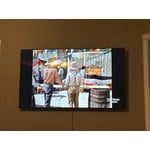
[This review was collected as part of a promotion.] This is actually my second Samsung as well have a 65 inch also. They are great TV’s. The picture quality is one of the best that I have seen.

Review from Samsung US
Helpful?18J4E5E7OZVG16422722568
Jul 5, 2026
Reviewer name: Too complicated
1 out of 5 stars
1 out of 5 stars review

Samsung too complicated.

[This review was collected as part of a promotion.] I think Samsung products are horribly engineered. I will be reluctant to EVER buy a Samsung product.

Review from Samsung US
Helpful?18J4E5E7OZVG16422722568
reply from Samsung Advisor

Hi Too complicated, Thank you for your feedback. We are sorry to hear that the U7900F TV did not meet your expectations. If there’s anything we can assist with, please don’t hesitate to call us at 1-800-SAMSUNG (8AM – 9PM EST Mon – Fri, 8AM – 6PM Sat – Sun), or reach us via text anytime. You can also visit ‘Support’ on our website for: • Live Chat • Manuals, Software, & Warranty Info ~ Samsung Advisor

Jul 5, 2026
Reviewer name: Just me
5 out of 5 stars
5 out of 5 stars review

65”

[This review was collected as part of a promotion.] When I bought the tv I was worried it was too big. But it is perfect!! I love the tv, beautiful picture! Bright and colorful. Definitely recommend!

Review from Samsung US
Helpful?18J4E5E7OZVG16422722568
Jul 5, 2026
Reviewer name: Grbraca14
5 out of 5 stars
5 out of 5 stars review

Great value

[This review was collected as part of a promotion.] Love it. This tv is amazing, I still try to figure out how to get the best quality but look great, easy to use, is colorful.

Review from Samsung US
Helpful?18J4E5E7OZVG16422722568
Jul 21, 2026
Reviewer name: MsCrickett
5 out of 5 stars
5 out of 5 stars review

Great picture

[This review was collected as part of a promotion.] The tv and remote is easy to use as well as install apps. There are various settings that I didn’t know could be placed on a tv. All in all I love my tv!

Review from Samsung US
Helpful?18J4E5E7OZVG16422722568