Skip to Main Content
Sam's Club
Sam's Club
All Departments
All Services
Customer reviews for SAMSUNG 58” Class U7900F Series 4K Crystal UHD Smart TV for
SAMSUNG 58” Class U7900F Series 4K Crystal UHD Smart TV
4.5 out of 5 stars
stars
3,758 ratings3,700 reviews
  1. 5 stars74% (2,766)
  2. 4 stars15% (576)
  3. 3 stars6% (219)
  4. 2 stars2% (89)
  5. 1 star3% (108)

Member photos

  • +1455 images
Sort by |
Showing 871-880 of 3,700 reviews
Jul 27, 2026
Reviewer name: Buzz2287
5 out of 5 stars
5 out of 5 stars review

Great features!

[This review was collected as part of a promotion.] Good product, easy to use UI, good features, it will change the input because of which remote we use for our streaming services.

Review from Samsung US
Helpful?18J4E5E7OZVG16422722568
Jul 22, 2026
Reviewer name: JenJen
5 out of 5 stars
5 out of 5 stars review

Review of tv

[This review was collected as part of a promotion.] Our Samsung tv has a great picture with bright colors.I didn’t know that I was missing so much detail from my old tv. Now we just need to get 2 more Samsung tv. Thanks for the great product!!

Review from Samsung US
Helpful?18J4E5E7OZVG16422722568
Jul 9, 2026
Reviewer name: 73 Mamee
4 out of 5 stars
4 out of 5 stars review

Good picture

[This review was collected as part of a promotion.] I like the TV but the sound IS NOT GOOD. My room is not very large but I have to turn up volume high and then commercials get so loud . Otherwise picture is very good

Review from Samsung US
Helpful?18J4E5E7OZVG16422722568
Jul 5, 2026
Reviewer name: CherryPie2019
5 out of 5 stars
5 out of 5 stars review

Great upgrade

[This review was collected as part of a promotion.] Easy to set up and picture is crystal clear. Apps were easy to add and set up, and transition from streaming to live tv is easy.

Review from Samsung US
Helpful?18J4E5E7OZVG16422722568
Jul 5, 2026
Reviewer name: SLIMRZZ
5 out of 5 stars
5 out of 5 stars review

Love the compatibility with my samsung phone
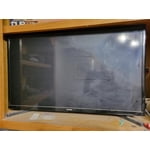
[This review was collected as part of a promotion.] Have had samsung tvs for years now. The picture definition and brightness is great . Also has alot of compatibility with my samsung phone.

Review from Samsung US
Helpful?18J4E5E7OZVG16422722568
Jul 27, 2026
Reviewer name: MikeFrost55
4 out of 5 stars
4 out of 5 stars review

Samsung TV

[This review was collected as part of a promotion.] TV was on sale. Great price! Bought to replace a Toshiba 65 inch. Picture quality is good. Lags just a little bit. Colors are bright.

Review from Samsung US
Helpful?18J4E5E7OZVG16422722568
Jul 7, 2026
Reviewer name: Love tv
4 out of 5 stars
4 out of 5 stars review

Works good

[This review was collected as part of a promotion.] Love my tv work good. Like im at the movies have one in every room just need one for out doors

Review from Samsung US
Helpful?18J4E5E7OZVG16422722568
Jul 8, 2026
Reviewer name: Tvgirl
5 out of 5 stars
5 out of 5 stars review

Love the color!

[This review was collected as part of a promotion.] I love the colors on the TV. Features are great. App suggestions are reasonable. Still learning smart TV. But love it.

Review from Samsung US
Helpful?18J4E5E7OZVG16422722568
Jul 20, 2026
Reviewer name: Negrito
5 out of 5 stars
5 out of 5 stars review

Excellent TV, I love it.

[This review was collected as part of a promotion.] The Samsung TV is one of the best television for anyone to have in they home. I’m very please with my Samsung TV.

Review from Samsung US
Helpful?18J4E5E7OZVG16422722568
Jul 22, 2026
Reviewer name: I hate consumerism1
1 out of 5 stars
1 out of 5 stars review

Not a good tv

[This review was collected as part of a promotion.] Super glitchy. The memory doesn’t work to save my settings. The channel recall doesn’t work. The menu has to be prompted numerous times to work.

Review from Samsung US
Helpful?18J4E5E7OZVG16422722568
reply from Samsung Advisor

Hi, Thank you for sharing your user experience. If your TV’s picture or sound settings keep resetting after a few minutes, it’s likely that Usage Mode is set to Retail Mode. This mode is intended for in-store display and will automatically reset certain settings every 5 minutes. To resolve this, change the Usage Mode to Home Mode by navigating to: Home > Settings > All Settings > General & Privacy > Usage Mode > Home Mode If you need help making this change or have additional questions, please contact Samsung Support at 1-800-SAMSUNG (8AM – 9PM EST Mon – Fri, 8AM – 6PM Sat – Sun). LiveChat agents are also available on our website. ~ Samsung Advisor