Skip to Main Content
Sam's Club
Sam's Club
All Departments
All Services
Customer reviews for SAMSUNG 58” Class U7900F Series 4K Crystal UHD Smart TV for
SAMSUNG 58” Class U7900F Series 4K Crystal UHD Smart TV
4.6 out of 5 stars
stars
3,620 ratings3,562 reviews
  1. 5 stars74% (2,676)
  2. 4 stars15% (555)
  3. 3 stars6% (208)
  4. 2 stars2% (83)
  5. 1 star3% (98)

Member photos

  • +1396 images
Sort by |
Showing 561-570 of 3,562 reviews
May 20, 2026
Reviewer name: BRICK
5 out of 5 stars
5 out of 5 stars review

TV comes on by itself at least twice a night

[This review was collected as part of a promotion.] Only issue i have is at night when I cut it off and go into my bedroom it comes back on by itself at least two times. I live in a loft so when I'm turning my TV on in my bedroom that's when the Samsung pops on but when I try my other remote to turn the Samsung off it doesn't work. I'm genuinely confused why it comes on by itself at least twice a night.

Review from Samsung US
Helpful?18J4E5E7OZVG16422722568
Jun 1, 2026
Reviewer name: 49erfanjqc
5 out of 5 stars
5 out of 5 stars review

all round greatness

[This review was collected as part of a promotion.] So far tv has been working out great easy to get connected with my phone and tablet which is also Samsung and they have made it an easy transition for control of my devices, resolution is amazing especially for the value, color is vibrant and brightness is good, plus it has knox security

Review from Samsung US
Helpful?18J4E5E7OZVG16422722568
Jun 1, 2026
Reviewer name: Corey
4 out of 5 stars
4 out of 5 stars review

Looks Great!

[This review was collected as part of a promotion.] Love the fluidness of the tv. App to app switching is made easy and the web browser is fairly easy to operate. Unfortunately, our model did not come with the voice command remote for easier search functions. The picture is great for anything we watch. The TV looks sleek on the wall with a low profile. The picture is bright but using the settings it adjusts nicely.

Review from Samsung US
Helpful?18J4E5E7OZVG16422722568
May 11, 2026
Reviewer name: Purplepeaches78
5 out of 5 stars
5 out of 5 stars review

Great picture, beautiful clarity!

[This review was collected as part of a promotion.] I love the resolution on this television, the colors can be vibrant or subtle depending on the mode I choose. The picture brightness makes it easier to enjoy in a large room. Easy to setup and the streaming platform menu can be arranged in my desired order. This is a slim model with sturdy feet that can be used on an entertainment center or easily mounted to meet your aesthetic preferences.

Review from Samsung US
Helpful?18J4E5E7OZVG16422722568
Jun 22, 2026
Reviewer name: Dave
5 out of 5 stars
5 out of 5 stars review

Great Upgrade from my old TV!

[This review was collected as part of a promotion.] My new 55 inch Samsung TV is great! The picture is vibrant with color, clear, and switching to and from different apps is quick and easy. There’s also so many different picture settings so you can get the brightness and resolution you want for each different activity.

Review from Samsung US
Helpful?18J4E5E7OZVG16422722568
Jun 5, 2026
Reviewer name: jayeislit
5 out of 5 stars
5 out of 5 stars review

Samsung 70' TV Review

[This review was collected as part of a promotion.] I love my Samsung TV! Hands down the best TV in the ENTIRE WORLD, LITERALLY. Samsung makes the best TV/OLED Screens of all time. The colors are very vibrant and has deep blacks. There's a reason why Apple works with Samsung to make their iPhone screens. Especially a 70 inch Samsung TV, you will see everything! It's also great for gaming when it comes to frame rates! It's also very simple to use, the UI is great the sound quality is amazing as well! Highly recommend for anyone!

Review from Samsung US
Helpful?18J4E5E7OZVG16422722568
Jun 22, 2026
Reviewer name: Vzavala93
5 out of 5 stars
5 out of 5 stars review

Picture quality and colors are all vibrant

[This review was collected as part of a promotion.] Im very found of the TVs size slim but still has very vibrant colors and beautiful picture quality. I use it primarily for gaming on my PS5 and its definitely an upgrade from using my previous monitor. The contrast settings are definitely an improvement from my previous TV as well, the TV is plenty bright and the resolution settings for my ps5 are used to their full potential. Im quite impressed with the security of the TV as well as my previous samsung tv would often get people trying to connect to it I don't have that issue with the new one. I highly recommend this model as an entry level UHD TV perfect for small rooms and living rooms

Review from Samsung US
Helpful?18J4E5E7OZVG16422722568
May 17, 2026
Reviewer name: Ole1Kenobi
4 out of 5 stars
4 out of 5 stars review

Overall Good Television

[This review was collected as part of a promotion.] This TV has great picture and great sound. Comes with a mass selection of download able apps and games. It is able to connect to the stereo system, wireless headphones, PS4 controllers, and computers speaking from experience. You're able to jump on the internet browser, just as you would a regular computer. Doesn't have much for connection ports. This particular model doesn't come with a built-in remote microphone, which is disappointing.

Review from Samsung US
Helpful?18J4E5E7OZVG16422722568
Apr 24, 2026
Reviewer name: ktmrider77
1 out of 5 stars
1 out of 5 stars review

might be better off saving your money

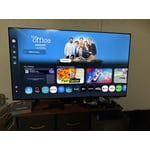
[This review was collected as part of a promotion.] I'm not sure if it's a software problem but whatever operating system is on this TV is very slow and laggy even with the best of the best internet I've tried it on fiber and I've also tried it with the most expensive star link plan there's no difference there that's how I know it's the TV and not a internet connection. The interface itself also is very disappointing there's all these recommended garbage things that I don't want and I actually have to scroll down through the trash to find my actual apps or the actual features that I'm looking for which is very inconvenient for me I like to be able to turn on a TV and go instantly to where I want kind of like the Roku settings are. So keep that in mind when you're designing other things. There's also an issue with a lot of the pre-downloaded programs. They will not let you delete them you can go through the whole deleting process and you can click okay to delete and it still stays there as well as new things you download you have to delete them three maybe five times before they'll actually be removed from your TV. The lack of an input section is fairly confusing I'm young so I was able to figure it out pretty quickly but for an elderly person I do not think this thing would be a good choice. I also don't like the fact that Samsung monitors everything I play on the TV for advertisement purposes and sells that data that's very bothersome and disturbing to me and if I would have known that before I spent the money I would not have purchased this TV. I am sick of being tracked with every little thing I do! Honestly if this TV wasn't so difficult to hang I would have returned it because of what I have described above.

Review from Samsung US
Helpful?18J4E5E7OZVG16422722568
reply from Samsung Advisor

Hi ktmrider77, We appreciate your detailed feedback. Please know your opinion is important to us and will be shared with our internal teams. We recommend ensuring your TV is running the latest Firmware, version 1132.0. Go to Settings> Support> Software Update. If this firmware version is not yet available on your TV, you can download the update on a USB drive and manually update your TV: 1. On Samsung's website (upper right corner), go to: Support > Manual & Software > Find your TV model, and click on the Firmware – Upgrade File. 2. When the file has finished downloading, locate it and then unzip it. There is normally one folder inside but there may be multiple files. 3. Copy or move all of the files that were included in the zip file to a USB flash drive, but do not place them inside any other folders. If you place the software folders inside a folder on the USB flash drive, the TV or monitor will not find them. 4. Connect the USB drive containing the software upgrade into a USB port on your device. 5. Using your device's remote, navigate to and select Settings, then select All Settings, and then select Support. Select Software Update, select Update Now, and then select Yes if prompted. Your device will search the USB drive for update files. Follow the on-screen instructions to install the updated software. Updates usually take a few minutes; please do not turn off the TV until the update is complete. When the update is finished, it will restart automatically. If you need additional support, Samsung is here to help. Please call us at 1-800-SAMSUNG, available 8AM – 9PM EST Mon – Fri, 8AM – 6PM Sat – Sun. You can also chat with a LiveChat agent by clicking the ‘Support’ link on our website. ~ Samsung Advisor

Jun 5, 2026
Reviewer name: Pianonerd
4 out of 5 stars
4 out of 5 stars review

One disappointment

[This review was collected as part of a promotion.] My husband and i were greatly disappointed that the NESN sports app was not available for this tv. Unfortunately, when we stream NESN through the app on our iPad, it starts to "skip" and buffer at about the 3rd inning. Other than that, it's okay.

Review from Samsung US
Helpful?18J4E5E7OZVG16422722568