Skip to Main Content
Sam's Club
Sam's Club
All Departments
All Services
Customer reviews for SAMSUNG 58” Class U7900F Series 4K Crystal UHD Smart TV for
SAMSUNG 58” Class U7900F Series 4K Crystal UHD Smart TV
4.5 out of 5 stars
stars
4,268 ratings4,210 reviews
  1. 5 stars73% (3,134)
  2. 4 stars15% (643)
  3. 3 stars6% (262)
  4. 2 stars2% (102)
  5. 1 star3% (127)

Member photos

  • +1627 images
Sort by |
Showing 4,061-4,070 of 4,210 reviews
Aug 19, 2025
Reviewer name: Bill18101
5 out of 5 stars
5 out of 5 stars review

Exception Clarity and Defination

[This review was collected as part of a promotion.] When I purchased the product, it did not take long to set up. I was initially annoyed with the general layout, but after seeing streaming services and other layouts of screen information. Samsung's product did it right. Plus, the clarity and definition are great. I particularly enjoy the spa and art projections integrated with great music and ambiance when I am stressed or entertaining a dinner party in my apartment. I think it would be a great benefit for those who need to unwind in the chaotic go-go society. I definitely would recommend the product.

Review from Samsung US
Helpful?18J4E5E7OZVG16422722568
Aug 7, 2025
Reviewer name: Big bear
5 out of 5 stars
5 out of 5 stars review

55" crystal UHD

[This review was collected as part of a promotion.] This television offers a stunning display with vibrant colors and sharp details, providing an immersive viewing experience. The slim design and sleep apperance is great, enhancing the overall aesthetic. Its smart features and user-friendly interface make navigation easy and enjoyable for me. Overall, this model was a great choice for me. Im extremely happy with this purchase

Review from Samsung US
Helpful?18J4E5E7OZVG16422722568
Aug 19, 2025
Reviewer name: Wayjust2
5 out of 5 stars
5 out of 5 stars review

Great product for price!!

[This review was collected as part of a promotion.] I honestly expected the quality to be pretty underwhelming for the price, but I was genuinely shocked by how sharp and vibrant the image turned out to be. For gaming especially, the clarity is far beyond what I thought I’d get at this budget—it feels like I got way more than I paid for!

Review from Samsung US
Helpful?18J4E5E7OZVG16422722568
Aug 20, 2025
Reviewer name: Teachit
1 out of 5 stars
1 out of 5 stars review

Not the Samsung I’m used to!

Bought this tv yesterday. Did the setup and it was confusing to say the least. I’ve set up many TVs and most are straightforward and intuitive. I’ve even set up other Samsungs and this was by far the worst for set up. Now for the actual picture. Right out of the box the picture was not very good. Picture was “washed out” and just didn’t look right compared to our other TVs. Tried online suggestions for correcting colors and sharpness of image. Nothing improves the picture. So disappointed in this Samsung!!! Our cheapy TV, all our other TVs (all 6) are so much better. Our other Samsung (older set) is fine. Plus it has a mind of its own. After turning it off and then returning to watch tv it goes into Samsung plus instead of our satellite provider. This issue just started. At first at least when set was turned on we had our satellite on. And I HATE the remote. Even had our son over to help with adjustments and settings with no luck. Very disappointing product!

Review from Samsung US
Helpful?18J4E5E7OZVG16422722568
reply from Samsung Advisor

Hi Teachit, We appreciate your feedback and are glad you reached out to us. There are a few adjustments you can make that may improve your experience. First, let's ensure you are running the latest Firmware. Go to Settings> Support> Software Update. If the picture appears unclear, dull, or lacks definition, there are several settings you can adjust to improve clarity and overall image quality. Go to: Settings > All Settings > Picture > Expert Settings, and review these key settings: Picture Clarity Settings: While originally intended for motion handling, these can also impact overall clarity • Off: Disables motion enhancements • Auto: Automatically adjusts based on content • Custom: Lets you fine-tune: o Judder Reduction – Helps smooth out uneven motion o LED Clear Motion – Boosts sharpness in fast-moving content o Noise Reduction – Reduces distortion and enhances detail in lower-resolution sources Core Picture Settings • Brightness – Controls overall screen brightness • Contrast – Enhances the difference between bright and dark areas • Sharpness – Adjusts edge definition; closer to 20 increases detail • Color – Enhances depth and intensity of colors Finally, while your TV may currently default to Samsung TV Plus when powered on, you can customize what your TV does at startup by adjusting the Start Screen Options. To do this, navigate to: Settings > All Settings > Advanced Features > Start Screen Option and choose from the following: 1. Start with Smart Hub Home – Automatically launches Smart Hub when the TV is turned on. You can enable or disable this option based on your preference. 2. Autorun Multi View Casting – If you cast YouTube content from your mobile device, the TV will automatically display the content using Multi View. 3. Autorun Multi View Mirroring – When you screen mirror your mobile device, Multi View will automatically open to show your device’s screen. If you need help adjusting these settings or have any other questions, please contact Samsung Support at 1-800-SAMSUNG, 8AM – 12AM EST, 7 days a week. LiveChat agents are also available by clicking on the ‘Support’ link on our website. ~ Samsung Advisor

Sep 5, 2025
Reviewer name: Mike78
4 out of 5 stars
4 out of 5 stars review

Not enough connections

[This review was collected as part of a promotion.] The tv needs additional connections for other devices. ( cable, dvd player, soundbar) and not through blue tooth. Was forced to replace my Samsung soundbar with new on that allowed pass through connections for cable and hdmi.

Review from Samsung US
Helpful?18J4E5E7OZVG16422722568
Jul 22, 2025
Reviewer name: Stanlovesmedia
5 out of 5 stars
5 out of 5 stars review

Clear picture, responds well to most remote comman

[This review was collected as part of a promotion.] This is my first 55 inch smart TV from Samsung. I'm quite pleased with the clarity, the selection of TV , news, movie choices , because I have chosen a variety of apps. Most of the time the TV responds quickly to my remote commands other than Netflix delays.

Review from Samsung US
Helpful?18J4E5E7OZVG16422722568
Sep 10, 2025
Reviewer name: TjVerner
5 out of 5 stars
5 out of 5 stars review

Great features and pictures
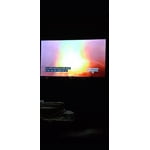
[This review was collected as part of a promotion.] I use my Samsung YV to watch over the air television, internet surfing, virtual doctor's visits, for watching movies/TV shows, listening to music and playing games with the Samsung game app and also with my PS3. Graphics, sound and color saturation is excellent. There are so many features that I have yet to crack the surface. Everyday, I'm learning something new. It sometimes seems as if I'm actually in the picture. I love my television and believe that this is one of the best television purchases I've ever made. The value is great,as well. I broke my ankle, leg and elbow, at the same time, all on the same side. I'm homebound so I decided to purchase a new television for my bedroom. I'd like to thank Samsung, for it has helped pass the time with wonderful entertainment and a great distraction learning what my television is capable of. I learn something new everyday. If you're researching and considering purchasing a new television, you can't go wrong, with Samsung.

Review from Samsung US
Helpful?18J4E5E7OZVG16422722568
Aug 1, 2025
Reviewer name: RiceMice
5 out of 5 stars
5 out of 5 stars review

Great TV (last a long time)

[This review was collected as part of a promotion.] This is my first ever Samsung TV as my family was very much a Sony TV family but after getting this TV and having other Samsung products it converted us really quick. The sync with sound bars and cool features with our phones are amazing and overall the built in UI and features are good and TV picture quality is great for the price and yeah we are actually upgrading from this model to one of the new model because Samsung makes solid tvs and I've always been the "a TV is a TV" guy but now I see that no not all tvs are built the same and going back to our non Samsung tvs and they feel clunky and slow comparing them

Review from Samsung US
Helpful?18J4E5E7OZVG16422722568
Jan 27, 2026
Reviewer name: Madbuck
2 out of 5 stars
2 out of 5 stars review

Certain apps don' work. You Tube doesn't even open

Apps not working or even opening. Tried to update & no new updates found

Review from Samsung US
Helpful?18J4E5E7OZVG16422722568
reply from Samsung Advisor

Hi Madbuck, Thank you for your feedback. If the latest firmware version 1132.0 is not yet available on your TV, you can download the update on a USB drive and manually update your TV: 1. On Samsung's website (upper right corner), go to: Support > Manual & Software > Find your TV model, and click on the Firmware – Upgrade File. 2. When the file has finished downloading, locate it and then unzip it. There is normally one folder inside but there may be multiple files. 3. Copy or move all of the files that were included in the zip file to a USB flash drive, but do not place them inside any other folders. If you place the software folders inside a folder on the USB flash drive, the TV or monitor will not find them. 4. Connect the USB drive containing the software upgrade into a USB port on your device. 5. Using your device's remote, navigate to and select Settings, then select All Settings, and then select Support. Select Software Update, select Update Now, and then select Yes if prompted. Your device will search the USB drive for update files. Follow the on-screen instructions to install the updated software. Updates usually take a few minutes; please do not turn off the TV until the update is complete. When the update is finished, it will restart automatically. If you continue to have issues, please call us at 1-800-SAMSUNG (8AM – 12AM EST, 7 days a week), or connect with a LiveChat agent by selecting ‘Support’ on our website. ~ Samsung Advisor

Jan 21, 2026
Reviewer name: Extraordinary
5 out of 5 stars
5 out of 5 stars review

Special Features

The meditation screen is on point especially a long day of work

Review from Samsung US
Helpful?18J4E5E7OZVG16422722568