Skip to Main Content
Sam's Club
Sam's Club
All Departments
All Services
Customer reviews for SAMSUNG 58” Class U7900F Series 4K Crystal UHD Smart TV for
SAMSUNG 58” Class U7900F Series 4K Crystal UHD Smart TV
4.5 out of 5 stars
stars
4,300 ratings4,242 reviews
  1. 5 stars73% (3,154)
  2. 4 stars15% (649)
  3. 3 stars6% (267)
  4. 2 stars2% (103)
  5. 1 star3% (127)

Member photos

  • +1638 images
Sort by |
Showing 271-280 of 4,242 reviews
Sep 20, 2026
Reviewer name: Mr chris
5 out of 5 stars
5 out of 5 stars review

Super satisfied….

[This review was collected as part of a promotion.] Great color great clarity very user-friendly very satisfied would be the functionality how easy it is to move between different things. I have set up on the TV is a great.

Review from Samsung US
Helpful?18J4E5E7OZVG16422722568
Sep 22, 2026
Reviewer name: Ernie
5 out of 5 stars
5 out of 5 stars review

Excellent Samsung TV for the money

[This review was collected as part of a promotion.] The TV has excellent color and is the right fit for the bedroom. Also has excellent picture and sharpness.

Review from Samsung US
Helpful?18J4E5E7OZVG16422722568
Sep 21, 2026
Reviewer name: Tdh1
5 out of 5 stars
5 out of 5 stars review

Great picture

[This review was collected as part of a promotion.] Great picture when watching TV or gaming. Interfaces great with my smart things and sound bar. 10/10 would by again.

Review from Samsung US
Helpful?18J4E5E7OZVG16422722568
Oct 5, 2026
Reviewer name: QQQQ
5 out of 5 stars
5 out of 5 stars review

Great features

[This review was collected as part of a promotion.] Great TV. The picture and sound are Amazing! I would highly recommend this model and size if you can fit one.

Review from Samsung US
Helpful?18J4E5E7OZVG16422722568
Sep 20, 2026
Reviewer name: AMKs Mom
5 out of 5 stars
5 out of 5 stars review

Great Images

[This review was collected as part of a promotion.] The picture is so clear and the images are very sharp. Great TV for sports viewing and nature shows. The thin black frame around the screen makes the image even better.

Review from Samsung US
Helpful?18J4E5E7OZVG16422722568
Jul 6, 2026
Reviewer name: Mary
1 out of 5 stars
1 out of 5 stars review

Defective volume

[This review was collected as part of a promotion.] The volume is defective, it rarely works for the voiceovers & the majority of the time it doesn't.

Review from Samsung US
Helpful?18J4E5E7OZVG16422722568
reply from Samsung Advisor

Hi Mary, Thank you for your feedback. If your remote isn’t responding, here are a few quick steps to help determine if it’s working correctly: 1. Check the batteries: Remove the back cover of your remote and replace the batteries with a fresh set, ensuring they are inserted in the correct direction. 2. Test for infrared signal: Point the front of the remote at your smartphone camera. While holding down any button, you should see a flashing light through the camera screen. (For iPhone users, the front-facing camera works best.) If you see the light, your remote is working and may need to be re-paired with your TV. 3. Point the remote correctly: Try pointing the remote directly at the TV from about 5-6 feet away. This can help ensure a clearer signal between the remote and the TV. If you still need assistance, please contact Samsung Support at 1-800-SAMSUNG, (8AM – 9PM EST Mon – Fri, 8AM – 6PM Sat – Sun). You can also LiveChat with an agent or explore more resources under the Support link on our website. ~ Samsung Advisor

Oct 5, 2026
Reviewer name: mlre
4 out of 5 stars
4 out of 5 stars review

good tv

[This review was collected as part of a promotion.] TV seems to work great. Only wished I purchased a larger one, since it hangs over a fireplace mantel could have gone 60 or 65 inches.

Review from Samsung US
Helpful?18J4E5E7OZVG16422722568
Sep 21, 2026
Reviewer name: Shop
1 out of 5 stars
1 out of 5 stars review

Last 2years

[This review was collected as part of a promotion.] Unit lasted two years before it quit. Turned on 1 day heard a loud pop and no longer turned on anymore.

Review from Samsung US
Helpful?18J4E5E7OZVG16422722568
reply from Samsung Advisor

Hi Shop, I’m sorry to hear of the issues you’re experiencing with Samsung’s U7900F TV. If your TV is outside of the 1-year Manufacturer's Warranty, you can find a service center near you by visiting: https://www.samsung.com/us/support/service/locations/ If you have any questions during the process, Samsung Support is available at 1-800-SAMSUNG (8AM – 9PM EST Mon – Fri, 8AM – 6PM Sat – Sun). Or visit us on the Samsung website and click on the ‘Support’ link for: • LiveChat • Manuals, Software, & Warranty Info ~ Samsung Advisor

Sep 20, 2026
Reviewer name: Jselover
3 out of 5 stars
3 out of 5 stars review

Colors are not nearly as good as my LG
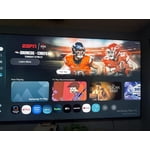
[This review was collected as part of a promotion.] Brightness and colors aren't the best, works good for an office or out patio tv. Good value for the price point, easy to use. Not for someone that wants a home theater experience.

Review from Samsung US
Helpful?18J4E5E7OZVG16422722568
reply from Samsung Advisor

Hi Jselover, We’re sorry to hear that the picture on your Samsung U7900F TV appears too dark. If this isn’t meeting your expectations, there are several settings you can adjust to improve the overall brightness and clarity of your screen. First, try disabling certain energy-saving features that may be dimming the screen automatically. Go to: Settings > All Settings > General & Privacy > Power and Energy Saving, then turn off Brightness Optimization, Energy Saving Solution, Motion Lighting, and/or Contrast Enhancer. Next, adjust the Picture Mode to better match your viewing environment: Settings > All Settings > Picture > Picture Mode and choose from the following: • Dynamic – Brighter and clearer for well-lit rooms • Standard – Balanced for most environments • Movie – Ideal for watching in a dark room • Eco – Designed for energy savings • Filmmaker Mode – Preserves the creator’s original intent You can also manually adjust brightness by going to: Settings > All Settings > Picture > Expert Settings > Brightness. Use the slider to set a level that suits your preferences (0–50). Finally, we recommend making sure your TV has the latest software installed: Settings > Support > Software Update > Update Now We hope these tips help improve your viewing experience. If you need further assistance with setup or adjustments, feel free to contact Samsung Customer Support at 1-800-SAMSUNG (8AM – 9PM EST Mon – Fri, 8AM – 6PM Sat – Sun). You can also LiveChat with an agent through the ‘Support’ link on our website. ~ Samsung Advisor

Sep 21, 2026
Reviewer name: TSmoot4u
5 out of 5 stars
5 out of 5 stars review

Awesome Features

[This review was collected as part of a promotion.] Picture brightness is exceptional. The quality of sound is great. I would recommend samsung TV to my friends and family.

Review from Samsung US
Helpful?18J4E5E7OZVG16422722568