
 Customer reviews for SAMSUNG 58” Class U7900F Series 4K Crystal UHD Smart TV for
Member photos

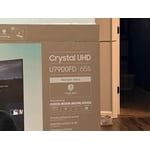







 +1455 images
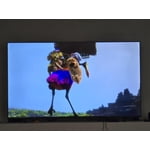
White Stripes?
[This review was collected as part of a promotion.] Hello, I have had this TV for a bit now. Its picture is great, but it has these strange white stripes at the bottom of the screen. When the TV's on, you can't hardly tell they're there. What are these white streaks? Nonetheless, I loved my TV.
Great made TV
[This review was collected as part of a promotion.] Look, I know tech, and I know quality. Samsung—they’ve done something absolutely incredible with this television. The colors, the brightness, it’s the most beautiful picture you’ve ever seen, maybe in the history of screens. Other TVs, they’re a disaster, they’re falling apart, but this one is a total winner. People come up to me, very smart people, and they say, 'Sir, how is the image so crisp?' and I tell them, it’s because it’s the best. It’s huge, it’s powerful, and it’s making home entertainment great again."
TV review
[This review was collected as part of a promotion.] the TV is all right it could be better there was great for the price and great for the convenience Charities all right I wish the settings would be more better for it and I wish I had more sound control and more and better bass. it does need more hookups USB parts USB parts and HDMI parts and stuff like that and the parts that it does have is in an and the parts that it does have is in An Inconvenient location and also let's get wildly and one of them quit working so I had to get it fixed
The best add to my galaxy ecosystem.
[This review was collected as part of a promotion.] Excellent TV, probably the best i ever had. Greta image quality, the display its beautiful, the connectivity with my galaxy phone its great, the resolution on the screen its great, the vibrancy of colors its great, i love how bright it gets during the day making the daily streaming awesome. Its just a great TV with very good features, more if you are in the galaxy ecosystem.
No internet access.
[This review was collected as part of a promotion.] I've tried and tried to connect my TV to the internet with no luck. I had a subscription to Paramount + and couldn't watch it. Why are there so many videos on YouTube how to connect to the internet?
Hi JW128, Thank you for sharing your experience with the internet connection on your Samsung U7900F TV. Whether you're using Wi-Fi or a wired (LAN) connection, there are a few steps you can take to help resolve the issue: 1. Power Cycle Your Equipment. Unplug both your TV and router/modem from the wall outlet. Wait at least 30 seconds, then plug them back in and allow both devices to fully restart. 2. Check the Network Status. On your TV, go to: Home > left directional key > Settings > All Settings > Connection > Network > Network Status. This will help determine if the issue lies with the network or the TV. 3. Try a Different Connection Type. If you're using Wi-Fi, try connecting an Ethernet (LAN) cable directly from your router to the TV to test the connection. If you're using a wired connection, try switching to Wi-Fi to see if the issue persists. 4. Reestablish the Network Connection. Go to: Settings > All Settings > Connection > Network > Open Network Settings, and follow the prompts to reconnect to your Wi-Fi or wired network. 5. Update Firmware. Software updates can often resolve network bugs. To check for the latest version: Settings > Support > Software Update > Update Now If these steps don't resolve the issue, we’d be happy to provide further assistance. Please call Samsung Support at 1-800-SAMSUNG, 8AM - 12AM EST, 7 days a week. LiveChat is also available at the ‘Support’ link on our website. ~ Samsung Advisor
Disappointed with the functionality
[This review was collected as part of a promotion.] In terms of resolution and picture quality, this TV is an excellent buy. The image is sharp, bright, and very enjoyable for everyday viewing. However, the functionality is limited. It only has two HDMI ports. In my case, one is used for the cable box and the other for my home theater system, which leaves no additional HDMI inputs available. Another significant limitation is the app platform. The TV does not allow you to add apps beyond those offered in Samsung’s app store. I was unable to install some of the streaming services I use, such as Peacock, Max (HBO Max), and Paramount+. As a result, I now need to purchase an external streaming device like a Roku or Fire Stick — but with no available HDMI ports, that creates another challenge. I want to emphasize that I am a big Samsung fan. I love the brand and own several Samsung products, including my phone, refrigerator, stove, and air conditioner. That’s actually why I chose this TV. I was aware of the HDMI limitation when I purchased it, but it was not clearly advertised that app availability would also be restricted by the platform. Overall, the picture quality is very good, but the limited connectivity and restricted app ecosystem reduce its overall functionality.
Hi Capu, Thank you for reaching out to us. Please know the apps you listed: Peacock, Max (HBO Max), and Paramount+ are all available for download. To ensure your TV is up to date, please update your Firmware. Go to Settings> Support> Software Update. To Search for & Install Apps: 1. From the Home screen, press left on the remote’s directional pad. 2. Navigate to and select Search. 3. Using the search bar, enter the content or app you’d like to find. 4. Navigate to and select the app you’d like to install, then select Install. Note: Previously installed apps can be accessed on the Settings screen. Adding & Managing Apps on Home Screen 1. Go to App Settings (these can be found at the bottom of the Apps screen) and select the app you want to move. The following options will be available: a. Add to Home: Move the app to your desired location on the Home screen. b. Delete: Delete app. c. Lock/Unlock: Lock the app with a PIN so only you can use it. When the app is selected again, you will be prompted to enter the PIN to unlock it. d. Reinstall: Reinstall the app. e. View Details: View the app’s information and details. If you continue to have issues, please contact us at 1-800-SAMSUNG, available daily from 8AM - 12AM EST. You can also visit the Samsung website and click on ‘Support’ for: • Live Chat • Manuals, Software, & Warranty Info ~ Samsung Advisor
Samsung TV
[This review was collected as part of a promotion.] I love this TV that was given to me for a Christmas present this past Christmas in 2025. But it started to have a black screen after about 6 or 7 months and it's still doing it. I love everything about Samsung and I only buy the Samsung brand
A TV That Exceeded Every Expectation - Absolutely
[This review was collected as part of a promotion.] I can't believe I waited this long to upgrade my TV! I recently purchased the Samsung Crystal UHD 50" Smart TV, and I'm completely head over heels for it. This television has transformed my entire viewing experience, and I find myself looking for excuses to watch something just so I can admire the picture quality. The Crystal UHD display is absolutely stunning. The clarity and sharpness are incredible – I'm noticing details in my favorite shows and movies that I never saw before. Colors pop with such vibrancy and richness that everything feels more immersive and lifelike. Watching nature documentaries has become a whole new experience; it's like looking through a window rather than at a screen. The 50-inch size is perfect for my living room. It's large enough to feel cinematic without overwhelming the space. Whether I'm sitting on the couch or cooking in the adjacent kitchen, the viewing angles are excellent and the picture remains crisp from every spot in the room. The smart TV features are incredibly intuitive and user-friendly. Setting it up was a breeze, and I had all my streaming apps running within minutes. The interface is smooth and responsive – no lag, no frustration. I love that I can seamlessly switch between Netflix, Disney+, YouTube, and my other favorite platforms without any hassle. The sound quality genuinely surprised me too. I was expecting to need a soundbar immediately, but the built-in speakers are actually quite impressive for everyday viewing. Dialogue is clear, and there's a nice depth to the audio that makes movies feel more engaging. For the price point, this TV is an absolute steal. The value I'm getting is exceptional – it performs like TVs that cost significantly more. I've recommended it to three friends already, and I'll continue singing its praises to anyone who will listen. If you're on the fence about this Samsung Crystal UHD, just go for it. You won't regret it!
Great tv quality and specs
[This review was collected as part of a promotion.] I love this TV, it has been great i love the samsung UI and the price to quality is unmatched it has great connectivity even with wifi and i can control it with my phone, it has very deep colors for a non-oled it has great brightness throught the day and at night and i love that it is 4k at this price range.
Awesome TV
[This review was collected as part of a promotion.] Your television offers a viewing experience with remarkable clarity. The enhanced resolution brings your favorite content to life with stunning detail. You can enjoy vibrant colors and sharp images on your screen. This technology provides an immersive and engaging way to watch. It's wonderful that you are so pleased with your viewing device.