
 Customer reviews for SAMSUNG 85" Class U8000F Series 4K Crystal UHD Smart TV for
Member photos









 +1030 images
I'll take it.
[This review was collected as part of a promotion.] the brightness on this TV is great for what I need the contrast it's perfect specially for gaming it's pretty responsive even though it's 60 HZ it has lived up longer then other brands that I had. Uniformity it fits where I need to place if it's where I need to place it the upscaling okay be better but considering the age of the TV you can't really ask for much
Great TV for the price!
[This review was collected as part of a promotion.] Over all the brightness is pretty good on the tv, interface is pretty quick, the resolution is 4k and sometimes I can look a little blurry but I'm also comparing to an OLED in another room so it's not bad considering.
Great pic and Features
[This review was collected as part of a promotion.] product is a very good I love the picture I've never seen a TV with a picture like that resolution is great the brightness of it the contrast is great the refresh part of it is easy an interface is really good
Fine visual - Horrible REMOTE
[This review was collected as part of a promotion.] Actually the visual is very good. However, the REMOTE is the worst ever!! It is NOT user friendly. Unless you memorize what each button stands for -- it's useless!! What good is a TV if the remote is worthless.
Loved my experience
[This review was collected as part of a promotion.] Bough 65' for my living room and 50' for my bedroom, such a great purchase. It looks good, has no issues with quality of images. Colors are amazing. Resolution is just perfect, price-quality is insane.
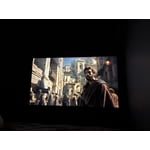
Terrible picture quality
[This review was collected as part of a promotion.] the picture quality on this television it makes everything appear as if it is a low budget movie I'm not understanding why it looks that way it didn't look that way at the store but by far is the worst quality picture out of all the televisions that I own I will not buy a Samsung television again
Hi Rharris, We appreciate your feedback on the picture quality of Samsung’s U8000F TV. If the image doesn’t quite match your preferences, there are several adjustments you can make to better suit your viewing environment and content type. First, please ensure your TV is running the latest firmware, as updates may include important picture quality enhancements. Go to: Home > Left directional button > Settings > Support > Software Update > Update Now To explore picture mode options, navigate to: Home > Left directional button > Settings > All Settings > Picture > Picture Mode. Options include: • Standard – Ideal for general viewing • Dynamic – Brighter and more vibrant for well-lit spaces • Eco – Optimized for energy efficiency • Movie – Best for viewing in low light • Filmmaker Mode – Preserves the content creator’s intent and disables motion smoothing for supported content You can further customize your image by going to: Settings > All Settings > Picture > Expert Settings, where you can adjust Brightness, Contrast, Color Tone, Sharpness, Contrast Enhancer and more. If you’d like help finding the best picture settings for your preferences, please don’t hesitate to contact Samsung Support at 1-800-SAMSUNG (8AM – 9PM EST Mon – Fri, 8AM – 6PM Sat – Sun). You can also LiveChat with an agent or explore additional resources on our website by clicking the ‘Support’ link. ~ Samsung Advisor
Unhappy with volume and color
[This review was collected as part of a promotion.] I am happy with the size of the TV. Unfortunately, the color is not the same on all stations. Also the volume Is very low and I have to consistently have it in the 40 to 50 range in order to even hear the TV. I was happy with the price of the TV however I expected more from the Samsung unit
Hi Judi, Thank you for purchasing Samsung’s U8000F TV and for sharing your feedback regarding low volume. To start, we recommend making sure your TV is running the latest firmware, as updates can include improvements to sound performance: Home > left directional key > Settings > Support > Software Update If volume levels still seem too low, you can improve sound performance by adjusting a few key settings: Sound Mode: Navigate to: Settings > All Settings > Sound > Sound Mode • Standard: Balanced for everyday viewing • Optimized: Enhances effects and creates a more spacious sound • Amplify: Boosts mid and high tones, especially helpful if dialogue is difficult to hear Auto Volume: This feature helps maintain consistent volume levels across content and input sources. Turn it on under: Settings > All Settings > Sound > Expert Settings > Auto Volume = On You can also explore Expert Settings to fine-tune sound output with adjustments for Balance, Equalizer, and more. If you’re considering enhancing your setup, Samsung’s Q- and S-Series Soundbars feature Q-Symphony, which syncs your TV and soundbar speakers for a fuller, more immersive sound experience. For personalized support with these settings or selecting a soundbar to complement your setup, contact Samsung Support at 1-800-SAMSUNG (8AM – 9PM EST Mon – Fri, 8AM – 6PM Sat – Sun) or use LiveChat via the ‘Support’ link on our website. ~ Samsung Advisor
Well worth the investment
[This review was collected as part of a promotion.] One of the first things that impresses is the Crystal UHD 4K picture quality. Images appear exceptionally sharp, with vibrant colors and impressive detail that bring movies, sports, and games to life. Compared to many budget-oriented 4K televisions, the U8000FD offers noticeably better color accuracy and clarity. Scenes that often look washed out on competing models retain depth and realism, making everything from nature documentaries to blockbuster films more engaging. The TV's Crystal Processor 4K does an excellent job of upscaling lower-resolution content. Many households still watch a mix of cable programming, streaming content, and older media that isn't native 4K. The U8000FD enhances these sources effectively, producing a cleaner and more refined image than many similarly priced alternatives. Instead of exposing flaws in lower-quality content, it intelligently improves sharpness and detail without creating an artificial appearance. Brightness and contrast are also strong points. While some televisions in this category struggle to maintain image quality in well-lit rooms, the U8000FD performs admirably. Colors remain vivid and blacks appear deeper than expected for a TV in this price range. This gives it an advantage over many entry-level competitors that can look dull or flat during daytime viewing. Samsung's smart TV platform is another major strength. Navigation is smooth, responsive, and intuitive. Popular streaming services load quickly, and the interface feels polished compared to many competing smart TV systems that can become sluggish over time. The seamless integration of apps, voice assistants, and personalized recommendations creates an experience that feels genuinely premium. Design is an area where the U8000FD further separates itself from the competition. The slim profile and minimal bezels provide a modern appearance that complements virtually any room. Many televisions at similar price points still feature bulkier frames and less refined aesthetics, making the Samsung look significantly more upscale. Gaming performance is also impressive. Input response feels quick and responsive, helping casual and competitive gamers alike enjoy a smoother experience. Combined with the sharp 4K resolution, games look crisp and immersive without requiring an expensive gaming-focused television. Perhaps the greatest advantage of the U8000FD is its balance of quality and value. The television delivers performance that often exceeds expectations for its category, challenging models that cost substantially more. In a market crowded with options and marketing buzzwords, Samsung has created a TV that focuses on delivering a consistently excellent experience across all forms of entertainment. Overall, the Samsung 43" Class Crystal UHD U8000FD 4K Smart TV (2025) is an outstanding television that excels in picture quality, smart features, design, and everyday usability. It offers a level of refinement and performance that makes many competing models feel like compromises, proving that a great television doesn't have to come with a premium price tag. Humanity somehow managed to get at least one consumer electronics product mostly right this time. One of the most impressive aspects of the 43" Class Crystal UHD U8000FD 4K Smart TV (2025) is its excellent screen uniformity. Unlike many competing TVs in this price range that suffer from noticeable dirty-screen effect, uneven brightness, or distracting clouding, the U8000FD maintains a remarkably consistent image across the entire panel. Solid colors appear smooth and even, making sports, gaming, and panoramic scenes look cleaner and more natural. During darker scenes, brightness distribution remains well controlled, helping reduce the blotchy appearance often found on lower-quality displays. This level of uniformity contributes significantly to overall picture quality, creating a more immersive viewing experience and reinforcing the premium feel of the television. Compared to many similarly priced competitors, the U8000FD demonstrates superior panel consistency, ensuring that viewers can enjoy content without being distracted by visual imperfections.
Excellent Display, Unreliable Sound
[This review was collected as part of a promotion.] The picture quality is bright, sharp, and looks fantastic. Unfortunately, the audio experience has been very frustrating. The TV frequently fails to recognize my Samsung speaker, sometimes says it's connected when no sound plays, and other times even the built-in TV speakers stop working until I power cycle the TV. I've also experienced times when sound returns but the volume controls don't respond. The display is excellent, but the ongoing audio issues make this difficult for me to recommend.
 +1 image
Great TV - needs more user defined custumization
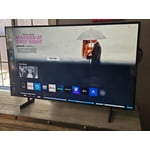
[This review was collected as part of a promotion.] I have owned more than one generation of the TV - I live the TV and would keep purchasing them - however the earlier interfaces treated this more like a TV - the interface now is more like an art gallery. I'm glad it's feature rich but would prefer having a start screen more defined by the user - let me select what is does when I login - let me hide what I want - I do t need to turn on a tv and be blinded by apps or an art gallery when I just want it to start on a tv channel or tv app.