Skip to Main Content
Sams Club
Sams Club
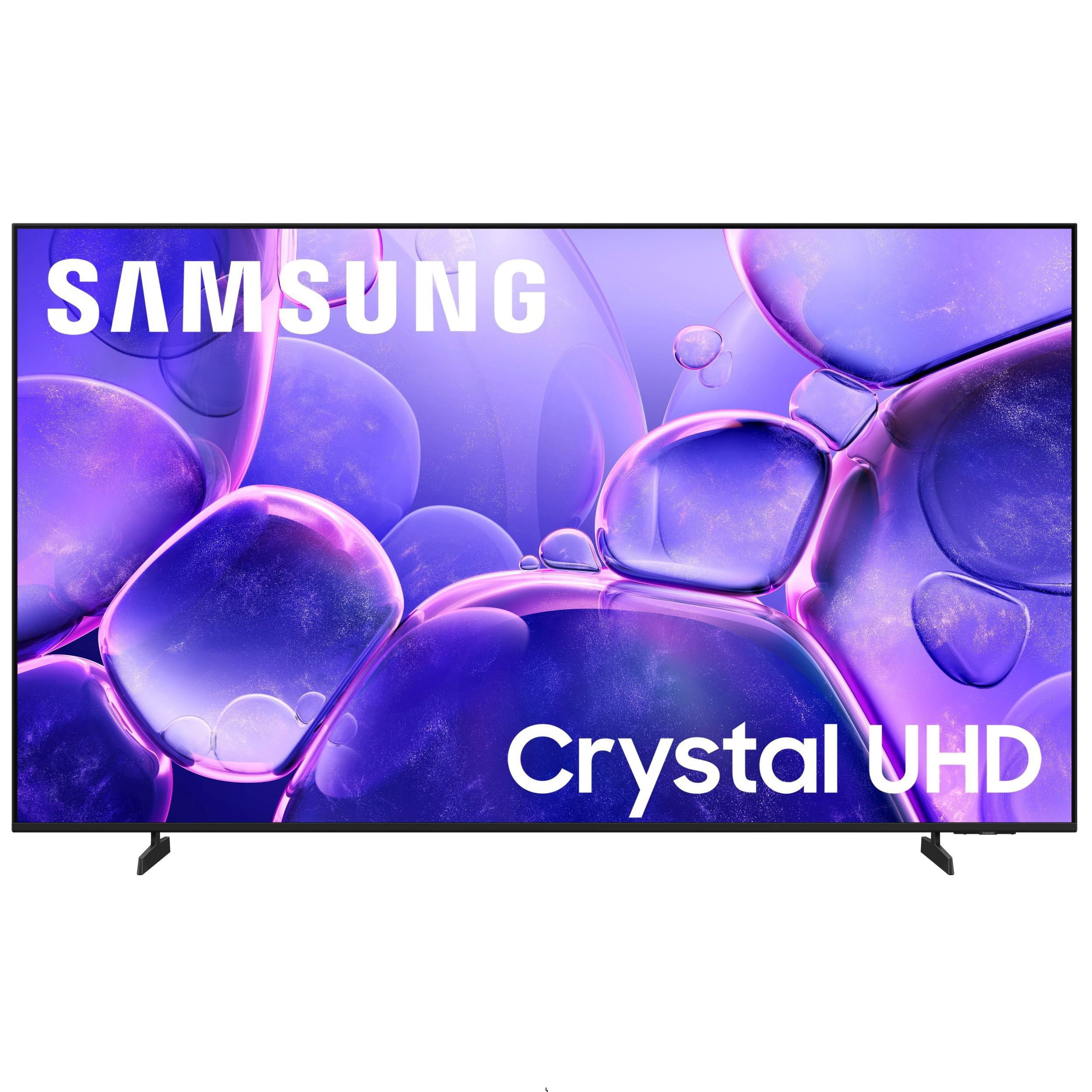
Customer reviews for SAMSUNG 85" Class U8000F Series 4K Crystal UHD Smart TV for
SAMSUNG 85" Class U8000F Series 4K Crystal UHD Smart TV
4.7 out of 5 stars
stars1,089 ratings1,068 reviews
  1. 5 stars78% (852)
  2. 4 stars14% (155)
  3. 3 stars4% (42)
  4. 2 stars2% (20)
  5. 1 star2% (20)

Member photos

  • +336 images
Sort by |
Showing 331-340 of 1,068 reviews
Mar 23, 2026
Dj10707
5 out of 5 stars review

Amazing picture and sound with alot of features

[This review was collected as part of a promotion.] Great product brightness is good resolution 4k crystal clear ,frame refresh rate is smooth with wide viewing angle

Review from Samsung US
Helpful?3CTS2O15ZY1416007408101
Mar 23, 2026
Ratscat
5 out of 5 stars review

Excellent picture quality

[This review was collected as part of a promotion.] Great product I would recommend it to anyone seeking a great television for sport and movie viewing

Review from Samsung US
Helpful?3CTS2O15ZY1416007408101
Apr 13, 2026
OKCA
4 out of 5 stars review

Lots of hdmi and usb to use, Bluetooth, too!

[This review was collected as part of a promotion.] Large enough to take up the space for a room, good tv for entry level samsung good contrast and color.

Review from Samsung US
Helpful?3CTS2O15ZY1416007408101
Mar 23, 2026
Steve D
5 out of 5 stars review

Amazing quality

[This review was collected as part of a promotion.] Easy to set up. The picture quality is amazing. If you have a gaming system hooked up turn it on it automatically goes to the game with out having to change the channel which is sweet!

Review from Samsung US
Helpful?3CTS2O15ZY1416007408101
Mar 23, 2026
Feyd
5 out of 5 stars review

Great small room TV for the price.

[This review was collected as part of a promotion.] Stand is sturdy and the screen bezel is small. For the price the brightness and image clarity are great. UI has a minor delay that I wish was a bit more responsive.

Review from Samsung US
Helpful?3CTS2O15ZY1416007408101
Mar 23, 2026
CouchPotato114
5 out of 5 stars review

Always works well

[This review was collected as part of a promotion.] Picture is great. remote is so simple my old parents can use it, no lag with the refresh rate. Just love it.

Review from Samsung US
Helpful?3CTS2O15ZY1416007408101
Apr 5, 2026
treypok
3 out of 5 stars review

Great Picture Quality

[This review was collected as part of a promotion.] The TV has great picture quality, however, it's missing the Google Play Store to download more apps.

Review from Samsung US
Helpful?3CTS2O15ZY1416007408101
reply from Samsung Advisor

Hi treypok, Thank you for sharing your experience. Please know that you can customize your Home screen by installing, removing or adding your favorite apps to the Home screen. Here's how: Searching for & Installing Apps 1. From the Home screen, press left on the remote’s directional pad. 2. Navigate to and select Search. 3. Using the search bar, enter the content or app you’d like to find. 4. Navigate to and select the app you’d like to install, then select Install. Note: Previously installed apps can be accessed on the Settings screen. Adding & Managing Apps on Home Screen 1. Go to App Settings (these can be found at the bottom of the Apps screen) and select the app you want to move. The following options will be available: a. Add to Home: Move the app to your desired location on the Home screen. b. Delete: Delete app. c. Lock/Unlock: Lock the app with a PIN so only you can use it. When the app is selected again, you will be prompted to enter the PIN to unlock it. d. Reinstall: Reinstall the app. e. View Details: View the app’s information and details. If you need more help with app management, please don’t hesitate to reach Samsung Support at -800-SAMSUNG, available daily 8AM – 9PM EST Mon – Fri, 8AM – 6PM Sat – Sun. You can also chat with a LiveChat agent by clicking the ‘Support’ link on our website. ~ Samsung Advisor

Mar 23, 2026
Living room
5 out of 5 stars review

Samsung 75 " tv

[This review was collected as part of a promotion.] Great TV. It works great. The picture and sound is very good also. It is an awesome TV. I have no complaints.

Review from Samsung US
Helpful?3CTS2O15ZY1416007408101
Mar 23, 2026
Living room
4 out of 5 stars review

Upgraded tv

[This review was collected as part of a promotion.] When changing channels the top side of screen started staying darker for a few seconds around 6 months after having TV. The colors are awesome.

Review from Samsung US
Helpful?3CTS2O15ZY1416007408101
Mar 23, 2026
GtoTigger
3 out of 5 stars review

Slow to launch apps, specially Spectrum app.

[This review was collected as part of a promotion.] Slow to launch apps, specially Spectrum. Remote control leads something to be desired, not ideal. I have to do complete reboot at times so that response is better, otherwise, very slow.

Review from Samsung US
Helpful?3CTS2O15ZY1416007408101
reply from Samsung Advisor

Hi GtoTigger, Thank you for reaching out. Please ensure your TV is running the latest Firmware, version 1132.0. Go to Settings> Support> Software Update. If this firmware version is not yet available on your TV, you can download the update on a USB drive and manually update your TV: 1. On Samsung's website (upper right corner), go to: Support > Manual & Software > Find your TV model, and click on the Firmware – Upgrade File. 2. When the file has finished downloading, locate it and then unzip it. There is normally one folder inside but there may be multiple files. 3. Copy or move all of the files that were included in the zip file to a USB flash drive, but do not place them inside any other folders. If you place the software folders inside a folder on the USB flash drive, the TV or monitor will not find them. 4. Connect the USB drive containing the software upgrade into a USB port on your device. 5. Using your device's remote, navigate to and select Settings, then select All Settings, and then select Support. Select Software Update, select Update Now, and then select Yes if prompted. Your device will search the USB drive for update files. Follow the on-screen instructions to install the updated software. Updates usually take a few minutes; please do not turn off the TV until the update is complete. When the update is finished, it will restart automatically. If you need additional support, Samsung is here to help. Please call us at 1-800-SAMSUNG, available daily from 8AM - 12AM EST. You can also chat with a LiveChat agent by clicking the ‘Support’ link on our website. ~ Samsung Advisor