Skip to Main Content
Sam's Club
Sam's Club
All Departments
All Services
Customer reviews for SAMSUNG 85" Class U8000F Series 4K Crystal UHD Smart TV for
SAMSUNG 85" Class U8000F Series 4K Crystal UHD Smart TV
4.5 out of 5 stars
stars
3,300 ratings3,268 reviews
  1. 5 stars71% (2,347)
  2. 4 stars16% (516)
  3. 3 stars7% (218)
  4. 2 stars3% (100)
  5. 1 star4% (119)

Member photos

  • +1028 images
Sort by |
Showing 281-290 of 3,268 reviews
Sep 20, 2026
Reviewer name: Vie vie
5 out of 5 stars
5 out of 5 stars review

Good

[This review was collected as part of a promotion.] Every thing was good.love it.when else should I say I'm happy with tv.I have nothing more to say. I'm good

Review from Samsung US
Helpful?3CTS2O15ZY1416007408101
Sep 20, 2026
Reviewer name: Ticha
5 out of 5 stars
5 out of 5 stars review

Brightness great
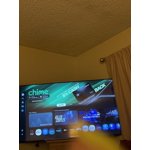
[This review was collected as part of a promotion.] Yes, pictures are very clear., Contrast helpful For the size a good price, the brightness of the screen is amazing

Review from Samsung US
Helpful?3CTS2O15ZY1416007408101
Sep 20, 2026
Reviewer name: Ginny
4 out of 5 stars
4 out of 5 stars review

58"TV

[This review was collected as part of a promotion.] Picked up my own tv,same tv I had before. Only lasted 4 years. Hope this one last longer. Needed this one because of the size of my tv stand.

Review from Samsung US
Helpful?3CTS2O15ZY1416007408101
Jun 7, 2026
Reviewer name: Judi
4 out of 5 stars
4 out of 5 stars review

Great TV. Just one question.

[This review was collected as part of a promotion.] The color picture sound are great. However when I'm watching a show and put on hold then turn off tv it doesn't go back to the hold. Have to start over. ??

Review from Samsung US
Helpful?3CTS2O15ZY1416007408101
Sep 21, 2026
Reviewer name: Dealsgalore
5 out of 5 stars
5 out of 5 stars review

65 inch crystal UHD Samsung TV

[This review was collected as part of a promotion.] Crystal clear viewing from anywhere in the room. I csn appreciate a company that puts great products out for its customers

Review from Samsung US
Helpful?3CTS2O15ZY1416007408101
Sep 7, 2026
Reviewer name: Sheron
4 out of 5 stars
4 out of 5 stars review

Just ok

[This review was collected as part of a promotion.] Sharpness not as great as my last Samsung, Smart TV channel useless for me, no voice command feature,

Review from Samsung US
Helpful?3CTS2O15ZY1416007408101
Sep 5, 2026
Reviewer name: Ichuckst
5 out of 5 stars
5 out of 5 stars review

Great TV

[This review was collected as part of a promotion.] I love how bright the Tv is, it's perfect for our home. It's not too bright neither is it too dull. I highly recommend it to new buyers

Review from Samsung US
Helpful?3CTS2O15ZY1416007408101
Aug 29, 2026
Reviewer name: Sassy
5 out of 5 stars
5 out of 5 stars review

Tv

[This review was collected as part of a promotion.] I love my new TV the picture is very clear Just the whole setting is great . I'm really enjoying my TV and the sound on it is clear I'm so glad I got a new TV and I'm glad it's a Samsung

Review from Samsung US
Helpful?3CTS2O15ZY1416007408101
Sep 5, 2026
Reviewer name: Bhof
3 out of 5 stars
3 out of 5 stars review

Meh

[This review was collected as part of a promotion.] This tv isn't as responsive as one I bought 5 years ago or bright. Opening the menu might take 30+ seconds. Would not buy again.

Review from Samsung US
Helpful?3CTS2O15ZY1416007408101
Jun 11, 2026
Reviewer name: Dkrae715
2 out of 5 stars
2 out of 5 stars review

Remote works inconsistently.

[This review was collected as part of a promotion.] Remote doesn't work consistently. I have purchased additional remotes and they behave the same way so it must be the tv. It's so frustrating.

Review from Samsung US
Helpful?3CTS2O15ZY1416007408101
reply from Samsung Advisor

Hi Dkrae715, Thank you for your feedback. If your remote isn’t responding, here are a few quick steps to help determine if it’s working correctly: 1. Re-pair the remote – Stand within 1 foot of your TV and press Return and Play/Pause simultaneously for at least 5 seconds. A message should appear confirming it's connected. 2. Check the battery level – Go to: Home > left directional key > Settings > All Settings > General & Privacy > Remote Control 3. Change the batteries. 4. Update your TV’s firmware – Go to: Settings > Support > Software Update > Update Now 5. Run Device Care to clear memory and close background apps that may slow performance: Settings > Support > Device Care > Start Device Care Finally, please ensure you are pointing the remote at the IR Sensor, located below the Samsung logo at the bottom of your TV. If these steps don’t resolve the issue, please contact Samsung Support at 1-800-SAMSUNG (8AM – 9PM EST Mon – Fri, 8AM – 6PM Sat – Sun). LiveChat is also available through the ‘Support’ link on our website. ~Samsung Advisor