Skip to Main Content
Sam's Club
Sam's Club
All Departments
All Services
Customer reviews for SAMSUNG 85" Class U8000F Series 4K Crystal UHD Smart TV for
SAMSUNG 85" Class U8000F Series 4K Crystal UHD Smart TV
4.5 out of 5 stars
stars
2,825 ratings2,793 reviews
  1. 5 stars71% (2,018)
  2. 4 stars16% (447)
  3. 3 stars6% (178)
  4. 2 stars3% (89)
  5. 1 star3% (93)

Member photos

  • +863 images
Sort by |
Showing 2,651-2,660 of 2,793 reviews
Jul 30, 2025
Reviewer name: Besto43
5 out of 5 stars
5 out of 5 stars review

Samsung is the best product for TV I've ever owned

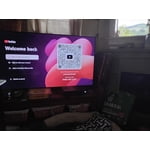
[This review was collected as part of a promotion.] I just use my Samsung TV for watching YouTube and movies. I do have a Samsung a 54 and I have it linked to the my TV. And I'm just learning all the benefits of having Samsung products thank you so much.

Review from Samsung US
Helpful?3CTS2O15ZY1416007408101
Jun 2, 2025
Reviewer name: RaiZArts
5 out of 5 stars
5 out of 5 stars review

Beautiful Display

[This review was collected as part of a promotion.] This TV is a marvel. When I have company, they always rant and rave about how my TV makes them feel immersed in whatever we're watching. Whether it's playing video games, watching movies or even TV shows on the provided Samsung TV Channels, you'll have a truly engaging experience every time you watch!

Review from Samsung US
Helpful?3CTS2O15ZY1416007408101
Jun 22, 2025
Reviewer name: Lichyracing
5 out of 5 stars
5 out of 5 stars review

This product has great features and is easy to use

[This review was collected as part of a promotion.] I use it for gaming. Retro and Playstation 5. The picture is so clear and bright. It feels like I am in the game. I would 10000000% recommend this product to anyone. Samsung makes the best TVs ever. I also have a Samsung surround sound. And it is fenominal. Watching movies you're immersed with sound and it feels like you're right there with the celebrity inside the movie. Its ridiculously good. Couple that with the picture and you cannot go wrong you have the winning combination everytime. I am one satisfied customer..

Review from Samsung US
Helpful?3CTS2O15ZY1416007408101
Jul 30, 2025
Reviewer name: JayLeigh
2 out of 5 stars
2 out of 5 stars review

Not quite what I expected

This is a replacement of my last Samsung TV, which when out barely outside of a year after I purchased it. Samsung did nothing about it. Honestly, I probably should have moved on to a different product even though all the tv's in my house are Samsung. I wanted to give Samsung another try. I'm not sure what's up with this tv. Everything is so big. I've tried to change the aspect ratio to 16:9 because I truly believed that was the problem. Imagine my surprise when I realized the tv was already on 16:9! This tv is a disappointment. I might keep it because my son wants to use it, but for the family room, it's a no for me, so I'm not sure yet. I wouldn't recommend this particular tv at all; do not buy.

Review from Samsung US
Helpful?3CTS2O15ZY1416007408101
reply from Samsung Advisor

Hi JayLeigh, Thank you for your feedback. To ensure your picture is on the correct setting, go to go to Home > Menu > Settings > All Settings > Picture > Picture Size Settings and choose from Picture Size (16:9 Standard, Custom, or 4:3. If this does not resolve your issue, I recommend resetting your Smart Hub.To do so, go to Home > Menu > Settings > Support > Device Care > Self Diagnosis> Reset Smart Hub. If you need more help, please call us at 1-800-SAMSUNG, available from 8AM - 12AM EST, seven days a week. You can also connect with a LiveChat agent by clicking the ‘Support’ link on our website. ~Samsung Advisor

Jun 20, 2025
Reviewer name: PhilsDenTV
5 out of 5 stars
5 out of 5 stars review

New Samsung Crystal Smart TV

[This review was collected as part of a promotion.] We purchased the Samsung Crystal UHD Smart TV to replace a Vizio that had failed. The color and speed of the Samsung is outstanding. The sound is routed through a Vizio sound bar and is great. This has definitely opened our eyes to the quality of the Samsung TVs.

Review from Samsung US
Helpful?3CTS2O15ZY1416007408101
Jun 9, 2025
Reviewer name: Mohadi103
5 out of 5 stars
5 out of 5 stars review

The TV we didn't know we needed.

[This review was collected as part of a promotion.] I’ve had the Samsung SR-UN65U8000FFXZA TV for a few weeks now, and it transformed our home entertainment experience. The screen delivers incredibly sharp 4K resolution with rich, lifelike colors and impressive contrast. it’s perfect for everything from movie nights to sports games, to our kids watching TV shows. sleek, modern design fits beautifully into our living room. and the ultra thin bezels give it a premium, almost floating look on the wall. Setup was quick and simple, and the Smart Hub interface is very responsive and easy to navigate Netflix , YouTube or streaming from my phone with screen mirroring. My kids, wife, and I enjoy watching more than before. Friends compliment it every time they come over. The sound quality is surprisingly good for a flat screen TV clear voices, decent bass, and immersive surround effects even without a soundbar. I’ve also been impressed by how smooth the motion looks during fast-paced scenes or live sports. Overall, this TV checks every box I had in mind for upgrading our setup.

Review from The Insiders
Helpful?3CTS2O15ZY1416007408101
Apr 28, 2025
Reviewer name: GxDsChild
4 out of 5 stars
4 out of 5 stars review

Great Television and interface

[This review was collected as part of a promotion.] I use mine as a screen for work as well as for pleasure when I'm just watching TV in my study. This is a great TV to have and my only wish is that I could connect all my cameras not just the personally purchased ones, even those that were purchased through my security company. I also wish I had bought a bigger one lol.

Review from Samsung US
Helpful?3CTS2O15ZY1416007408101
Jul 1, 2025
Reviewer name: Stubby
2 out of 5 stars
2 out of 5 stars review

Do not buy a samsung

Do not buy a Samsung. I should have listened to people but I didn’t. I will never buy a Samsung tv. Every tv in my house will connect to a network just fine but this tv always says not connected to a network and then always says check your internet provider. It’s not my internet it’s the tvs. It’s also lags when trying to do the volume or navigate the guide. I’ve changed the picture several times and anything with a dark scene in a tv program is very hard to see. Very dark picture. But the network thing is very true if you read reviews.

Review from Samsung US
Helpful?3CTS2O15ZY1416007408101
reply from Samsung Specialist

Stubby, Thank you for sharing your experience with the internet connection on your Samsung U8000F TV. Whether you're using Wi-Fi or a wired (LAN) connection, there are a few steps you can take to help resolve the issue: 1. Power Cycle Your Equipment. Unplug both your TV and router/modem from the wall outlet. Wait at least 30 seconds, then plug them back in and allow both devices to fully restart. 2. Check the Network Status. On your TV, go to: Home > left directional key > Settings > All Settings > Connection > Network > Network Status. This will help determine if the issue lies with the network or the TV. 3. Try a Different Connection Type. If you're using Wi-Fi, try connecting an Ethernet (LAN) cable directly from your router to the TV to test the connection. If you're using a wired connection, try switching to Wi-Fi to see if the issue persists. 4. Reestablish the Network Connection. Go to: Settings > All Settings > Connection > Network > Open Network Settings, and follow the prompts to reconnect to your Wi-Fi or wired network. 5. Update Firmware. Software updates can often resolve network bugs, as well as image quality and overall performance. To check for the latest version: Settings > Support > Software Update > Update Now If the image appears too dark, we suggest disabling certain energy-saving features, which can automatically adjust brightness and affect how the screen looks. Go to: Settings > All Settings > General & Privacy > Power and Energy Saving, then turn off Brightness Optimization, Energy Saving Solution, Motion Lighting, and/or Contrast Enhancer. You can also adjust the Picture Mode to better suit your environment: Settings > All Settings > Picture > Picture Mode • Standard – Default mode for general viewing • Dynamic – Brighter and clearer, ideal for well-lit rooms • Movie – Best for dark room viewing • Eco – Energy-saving mode • Filmmaker Mode – Preserves content as intended by creators To fine-tune brightness, go to: Home > left directional key > Settings > All Settings > Picture > Expert Settings, then adjust the Brightness level (0–50) to your preference. We hope these tips help improve your experience. If you need further support, feel free to contact us at 1-800-SAMSUNG, 8AM – 12AM EST, 7 days a week. LiveChat is also available via the ‘Support’ link on our website. ~ Samsung Specialist

May 20, 2025
Reviewer name: luis233
5 out of 5 stars
5 out of 5 stars review

Exceed my expectations

[This review was collected as part of a promotion.] This TV is beyond expectations! The screen is beautiful and produces the most incredible colors and details! Very easy to set up. I loved that already come with most used apps but if you don't see the one that uses you can upload it. My favorite app so far is Smart Things you can see all your house devices connected to this app and manage it use with the TV. And if you can't find your cellphone simply go to the TV and use (Ring my phone) and it send a signal and rings your cellphone isn't that great? Speed of TV is amazing. We really enjoy watching movies or our favorite series. The only thing I don't like as much is the control remote I think is very simple and it needs more features, at least a microphone to use bixby voice since it doesn't have any number buttons. So far we are very happy with this TV and totally recommend it.

Review from The Insiders
Helpful?3CTS2O15ZY1416007408101
Apr 29, 2025
Reviewer name: Emmylou
5 out of 5 stars
5 out of 5 stars review

This product has amazing features and sharp images

[This review was collected as part of a promotion.] We use our Samsung TV for steaming. Watching our movies and favorite TV series. This product has amazing sound. You definitely don't need to have the volume up that much for it to be loud. Sharp images and beautiful colors. Everything is past our expectations on this product.

Review from Samsung US
Helpful?3CTS2O15ZY1416007408101