Join Now
Skip to Main Content
Sam's Club
Sam's Club
All Departments
All Services
Customer reviews for SAMSUNG 85" Class U8000F Series 4K Crystal UHD Smart TV for
SAMSUNG 85" Class U8000F Series 4K Crystal UHD Smart TV
4.5 out of 5 stars
stars
3,699 ratings3,667 reviews
  1. 5 stars71% (2,619)
  2. 4 stars15% (573)
  3. 3 stars7% (242)
  4. 2 stars3% (126)
  5. 1 star4% (139)

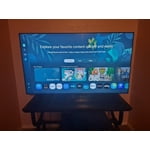
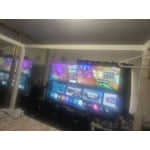
Member photos

  • +1183 images
Sort by |
Showing 1,591-1,600 of 3,667 reviews
May 11, 2026
Reviewer name: Javi
5 out of 5 stars
5 out of 5 stars review

Very good

[This review was collected as part of a promotion.] I always using Samsung products and everything like phone home teathers and everything I need always I go for Samsung

Review from Samsung US
Helpful?3CTS2O15ZY1416007408101
Jun 22, 2026
Reviewer name: Nothingfancy
5 out of 5 stars
5 out of 5 stars review

Wonderful TV!

[This review was collected as part of a promotion.] Perfect tv for the space I have. The color is amazing. Everything I watch is crystal clear. Movies seem to come to life. Easy set up and navigation.

Review from Samsung US
Helpful?3CTS2O15ZY1416007408101
May 20, 2026
Reviewer name: Susie
5 out of 5 stars
5 out of 5 stars review

Great picture!!!

[This review was collected as part of a promotion.] Love the tv it has a great picture!!! I would recommend it. Once you get the settings you don't have to adjust it again

Review from Samsung US
Helpful?3CTS2O15ZY1416007408101
May 20, 2026
Reviewer name: Jabes
4 out of 5 stars
4 out of 5 stars review

Volume control

[This review was collected as part of a promotion.] The volume control is not very likeable because you have to continue to click to change volume. Instead of a sliding volumes control. Otherwise, all is good.

Review from Samsung US
Helpful?3CTS2O15ZY1416007408101
May 11, 2026
Reviewer name: Bend4me
2 out of 5 stars
2 out of 5 stars review

Just fragile

[This review was collected as part of a promotion.] the TV was extremely fragile broke as soon as I moved it from my apartment to my next apartment it was a good TV which is very fragile

Review from Samsung US
Helpful?3CTS2O15ZY1416007408101
reply from Samsung Advisor

Hi Bend4me, Thank you for sharing your experience with us. We are sorry to hear that your television broke during transit. If there’s anything we can assist with, please don’t hesitate to call us at 1-800-SAMSUNG (8AM – 9PM EST Mon – Fri, 8AM – 6PM Sat – Sun), or reach us via text anytime. You can also visit ‘Support’ on our website for: • Live Chat • Manuals, Software, & Warranty Info ~Samsung Advisor

Jul 27, 2026
Reviewer name: Mmmgood86
4 out of 5 stars
4 out of 5 stars review

Has excelent picture quality

[This review was collected as part of a promotion.] Crystal UHD is the way to go if its a well lit area the tv has built in sensors to adjust the tvs brightness for the room its in

Review from Samsung US
Helpful?3CTS2O15ZY1416007408101
Jul 3, 2026
Reviewer name: Armagedon
5 out of 5 stars
5 out of 5 stars review

Works well

[This review was collected as part of a promotion.] The tv is good and we like to watch movies in it. There are better ones, but this is fine for us because it was more affordable.

Review from Samsung US
Helpful?3CTS2O15ZY1416007408101
May 20, 2026
Reviewer name: Pakat
3 out of 5 stars
3 out of 5 stars review

No Voice Commands

[This review was collected as part of a promotion.] The TV clarity is superb. I would not have purchased it if I knew it did not have voice command options.

Review from Samsung US
Helpful?3CTS2O15ZY1416007408101
reply from Samsung Advisor

Hi Pakat, Thank you for sharing your review. Your TV does not have a built-in voice assistant, but it does work with Alexa, meaning you’ll need to connect a standalone Alexa device, such as an Echo speaker, to control compatible smart home devices and some experiences on your TV. Here are the steps: 1. Download both the Amazon Alexa and Samsung SmartThings apps, if you don't already have them. Both are available for iOS or Android devices. 2. Make sure your Alexa device and TV are both connected to the same Wi-Fi network. 3. Your TV must be enabled within the SmartThings app. If not, make sure you are signed in with your Samsung account on the TV: Settings > All Settings > Samsung Account 4. Log in to the SmartThings app with the same Samsung account. Tap Devices, and if your TV isn’t already shown, tap + to add it to the app. 5. In the Alexa app, enable the SmartThings skill and sign into your Samsung account. This will automatically connect your Samsung TV to Alexa and let you use voice commands to control your television. If you need more help, we’re here. Give us a call at 1-800-SAMSUNG (8AM – 9PM EST Mon – Fri, 8AM – 6PM Sat – Sun). You can also connect with a LiveChat agent through the Support link on our website. ~ Samsung Advisor

Jul 28, 2026
Reviewer name: Bernie
4 out of 5 stars
4 out of 5 stars review

I'm a senior enjoying the TV.

[This review was collected as part of a promotion.] Responsiveness seems to be a little slow when switching from one channel to another, but otherwise the sound and picture are very good.

Review from Samsung US
Helpful?3CTS2O15ZY1416007408101
Jun 1, 2026
Reviewer name: Steven
5 out of 5 stars
5 out of 5 stars review

Samsung Is Amazing !!

[This review was collected as part of a promotion.] Samsung has the most amazing product I have the S25 Ultra the tablet and 2 75in Tv's There's no product better than Samsung products!!

Review from Samsung US
Helpful?3CTS2O15ZY1416007408101