Skip to Main Content
Sam's Club
Sam's Club
All Departments
All Services
Customer reviews for SAMSUNG 85" Class U8000F Series 4K Crystal UHD Smart TV for
SAMSUNG 85" Class U8000F Series 4K Crystal UHD Smart TV
4.5 out of 5 stars
stars
3,307 ratings3,275 reviews
  1. 5 stars71% (2,353)
  2. 4 stars16% (517)
  3. 3 stars7% (218)
  4. 2 stars3% (100)
  5. 1 star4% (119)

Member photos

  • +1030 images
Sort by |
Showing 1,361-1,370 of 3,275 reviews
Jul 28, 2026
Reviewer name: Westley
5 out of 5 stars
5 out of 5 stars review

Excellent tv

[This review was collected as part of a promotion.] I've had several televisions and this is by far the best product I purchased. I am thinking about buying another one for my bedroom to replace this horrible Vizio

Review from Samsung US
Helpful?3CTS2O15ZY1416007408101
Jul 20, 2026
Reviewer name: Phpaints
5 out of 5 stars
5 out of 5 stars review

4th Samsung TV
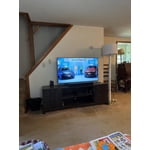
[This review was collected as part of a promotion.] This is my 4th Samsung TV and by far the greatest. Picture is awesome. Changing streaming channels is a breeze and the new remote is so much easier to use than the previous ones!

Review from Samsung US
Helpful?3CTS2O15ZY1416007408101
Jun 5, 2026
Reviewer name: Stan
3 out of 5 stars
3 out of 5 stars review

Remote I don't like

[This review was collected as part of a promotion.] What I don't like is. Ring able to have more than one working and the remote controls all at once. I need them separate.

Review from Samsung US
Helpful?3CTS2O15ZY1416007408101
reply from Samsung Advisor

Hi Stan, Thank you for your feedback. To best assist you, please call us at 1-800-SAMSUNG (8AM – 9PM EST Mon – Fri, 8AM – 6PM Sat – Sun). LiveChat is also available via the ‘Support’ link on our website. ~ Samsung Advisor

Jun 2, 2026
Reviewer name: Jaemoson
5 out of 5 stars
5 out of 5 stars review

Love this TV

[This review was collected as part of a promotion.] I enjoy lots of things about this tv, the programming on the regular channels, the apps to use prime etc, the games like the six and ripplash, waiting for more games to come out.

Review from Samsung US
Helpful?3CTS2O15ZY1416007408101
Jun 20, 2026
Reviewer name: BillT
5 out of 5 stars
5 out of 5 stars review

Crystal UHD

[This review was collected as part of a promotion.] We love our new Samsung television. The clarity and brightness are a big difference from our old television.

Review from Samsung US
Helpful?3CTS2O15ZY1416007408101
Jun 7, 2026
Reviewer name: Andi
1 out of 5 stars
1 out of 5 stars review

Does NOT Hold WiFi Connection

[This review was collected as part of a promotion.] It does not hold my WiFi connection while every other computer and device in my house does. And while I understand the difference between Samsung and Apple, does not stream AppleTV well.

Review from Samsung US
Helpful?3CTS2O15ZY1416007408101
reply from Samsung Advisor

Hi Andi, Thank you for your feedback. For optimal performance, please ensure your TV is running the latest firmware Update Version 1269.9. You can check this by going to: Home > left directional key > Settings > Support > Software Update If this firmware version is not yet available on your TV, you can download the update on a USB drive and manually update your TV: 1. On Samsung's website (upper right corner), go to: Support > Manual & Software > Find your TV model, and click on the Firmware – Upgrade File. 2. When the file has finished downloading, locate it and then unzip it. There is normally one folder inside but there may be multiple files. 3. Copy or move all of the files that were included in the zip file to a USB flash drive, but do not place them inside any other folders. If you place the software folders inside a folder on the USB flash drive, the TV or monitor will not find them. 4. Connect the USB drive containing the software upgrade into a USB port on your device. 5. Using your device's remote, navigate to and select Settings, then select All Settings, and then select Support. Select Software Update, select Update Now, and then select Yes if prompted. Your device will search the USB drive for update files. Follow the on-screen instructions to install the updated software. Updates usually take a few minutes; please do not turn off the TV until the update is complete. When the update is finished, it will restart automatically. If you continue to have issues, please call us at -800-SAMSUNG (8AM – 9PM EST Mon – Fri, 8AM – 6PM Sat – Sun). LiveChat support and additional help are available at the ‘Support’ link on our website. ~ Samsung Advisor

Jul 27, 2026
Reviewer name: Pirate jl
5 out of 5 stars
5 out of 5 stars review

Great size,value
[This review was collected as part of a promotion.] Excellent value for size and quality. Wish it had an optical input. Follow recommendations as to viewing distance. Overall a great tv.

Review from Samsung US
Helpful?3CTS2O15ZY1416007408101
Jul 5, 2026
Reviewer name: I do not have one
5 out of 5 stars
5 out of 5 stars review

The possessor of the remote

[This review was collected as part of a promotion.] Great television, brilliant color and terrific for clicker/remote junkies who watch 5-4 channels at the same time. Frustrating for his wife but he loves it!

Review from Samsung US
Helpful?3CTS2O15ZY1416007408101
Jul 20, 2026
Reviewer name: Lindykins
5 out of 5 stars
5 out of 5 stars review

Great features
[This review was collected as part of a promotion.] This is a fine product in many ways. It is easy to use with great picture quality and sound. The remote control is simple for people like me who find most technology difficult.

Review from Samsung US
Helpful?3CTS2O15ZY1416007408101
Jun 20, 2026
Reviewer name: Pappy C
5 out of 5 stars
5 out of 5 stars review

Lots of options to work with.
[This review was collected as part of a promotion.] Enjoy the 85" TV. The screen is huge and has great color. I love Samsung TV 's always has excellent picture clarity.

Review from Samsung US
Helpful?3CTS2O15ZY1416007408101