Skip to Main Content
Sam's Club
Sam's Club
All Departments
All Services
Customer reviews for SAMSUNG 85" Class U8000F Series 4K Crystal UHD Smart TV for
SAMSUNG 85" Class U8000F Series 4K Crystal UHD Smart TV
4.5 out of 5 stars
stars
2,654 ratings2,622 reviews
  1. 5 stars72% (1,918)
  2. 4 stars16% (412)
  3. 3 stars6% (157)
  4. 2 stars3% (81)
  5. 1 star3% (86)

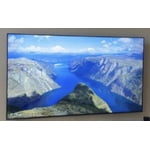
Member photos

  • +812 images
Sort by |
Showing 1,331-1,340 of 2,622 reviews
Apr 5, 2026
treypok
3 out of 5 stars review

Great Picture Quality

[This review was collected as part of a promotion.] The TV has great picture quality, however, it's missing the Google Play Store to download more apps.

Review from Samsung US
Helpful?3CTS2O15ZY1416007408101
reply from Samsung Advisor

Hi treypok, Thank you for sharing your experience. Please know that you can customize your Home screen by installing, removing or adding your favorite apps to the Home screen. Here's how: Searching for & Installing Apps 1. From the Home screen, press left on the remote’s directional pad. 2. Navigate to and select Search. 3. Using the search bar, enter the content or app you’d like to find. 4. Navigate to and select the app you’d like to install, then select Install. Note: Previously installed apps can be accessed on the Settings screen. Adding & Managing Apps on Home Screen 1. Go to App Settings (these can be found at the bottom of the Apps screen) and select the app you want to move. The following options will be available: a. Add to Home: Move the app to your desired location on the Home screen. b. Delete: Delete app. c. Lock/Unlock: Lock the app with a PIN so only you can use it. When the app is selected again, you will be prompted to enter the PIN to unlock it. d. Reinstall: Reinstall the app. e. View Details: View the app’s information and details. If you need more help with app management, please don’t hesitate to reach Samsung Support at -800-SAMSUNG, available daily 8AM – 9PM EST Mon – Fri, 8AM – 6PM Sat – Sun. You can also chat with a LiveChat agent by clicking the ‘Support’ link on our website. ~ Samsung Advisor

Apr 20, 2026
Shelia
5 out of 5 stars review

85 in tv

[This review was collected as part of a promotion.] Great buy love love my big tv it’s bright and clear easy to use Feel like I’m at the movies every time I watch

Review from Samsung US
Helpful?3CTS2O15ZY1416007408101
May 11, 2026
Queen Nana
5 out of 5 stars review

Excellent product

[This review was collected as part of a promotion.] The picture is absolutely stunning! Its like the picture is real and its lifelike right in front of you

Review from Samsung US
Helpful?3CTS2O15ZY1416007408101
Apr 21, 2026
DanVan
5 out of 5 stars review

Very pleased

[This review was collected as part of a promotion.] This is a replacement for my bedroom TV. I'm very happy with the picture, and I love the apps that Samsung provides.

Review from Samsung US
Helpful?3CTS2O15ZY1416007408101
May 20, 2026
Debs3
5 out of 5 stars review

Great Picture

[This review was collected as part of a promotion.] So far so good. Has a great picture. Good color. The only thing that could be a little better is the sound.

Review from Samsung US
Helpful?3CTS2O15ZY1416007408101
May 20, 2026
Kaye
5 out of 5 stars review

My new tv

[This review was collected as part of a promotion.] My Samsung TV is the best TV I've had. The resolution is crystal-clear, the contrast and brightness on the screen is amazing even with dark movies and shows. It makes viewing easy and a pleasure.

Review from Samsung US
Helpful?3CTS2O15ZY1416007408101
Apr 24, 2026
Yi Sunshin
1 out of 5 stars review

Mounting

There's no threaded holes to attach mounting screws to, just blank unthreaded holes. No explanation whatsoever in the accompanying guide. No information online. What gives?

Review from Samsung US
Helpful?3CTS2O15ZY1416007408101
reply from Samsung Advisor

Hi Yi Sunshin, Thank you for reaching out to us. The U8000F TV can be wall-mounted, but you will need an external wall mount. For more information on the U8000F setup, please use the setup guide: https://downloadcenter.samsung.com/content/EM/202503/20250301035319001/BN68-23209A-01_IG_U8000F%20Basic%20feet%2043-85inch_ZA_Eng_250225.0.pdf or find resources available on our website: https://www.samsung.com/us/support/answer/ANS10006945/ If you have any other questions or need help, do not hesitate to reach out to us. Call us at 1-800-SAMSUNG, available from 8AM – 9PM EST Mon – Fri, 8AM – 6PM Sat – Sun. Or visit the Samsung website and click on the ‘Support’ link for: • LiveChat with an agent • Manuals, Software, and Warranty Info ~ Samsung Advisor

May 21, 2026
Music Lover
5 out of 5 stars review

We love our new Samsung TV!

[This review was collected as part of a promotion.] We are very glad we replaced our old Samsung TV with a new Samsung smart TV. It’s a large size for the great price. Beautiful contrast, pictures and great sound. A joy to watch.

Review from Samsung US
Helpful?3CTS2O15ZY1416007408101
Apr 8, 2026
Whatever
5 out of 5 stars review

Nice picture. Terrible remote

[This review was collected as part of a promotion.] The TV is great. The remote is horrible. The tv itself has a few glitches. I tried to get the geek squad to help but they were not helpful.

Review from Samsung US
Helpful?3CTS2O15ZY1416007408101
May 20, 2026
Beaver
5 out of 5 stars review

Great picture

[This review was collected as part of a promotion.] I did not have any service or repairs on any of my Samsung . I would recommend a Samsung TV to anyone .

Review from Samsung US
Helpful?3CTS2O15ZY1416007408101