Skip to Main Content
Sam's Club
Sam's Club
Customer reviews for SAMSUNG 65" Class U8000F Series 4K Crystal UHD Smart TV for
SAMSUNG 65" Class U8000F Series 4K Crystal UHD Smart TV
4.6 out of 5 stars
stars993 ratings946 reviews
  1. 5 stars78% (776)
  2. 4 stars14% (139)
  3. 3 stars4% (36)
  4. 2 stars2% (22)
  5. 1 star2% (20)

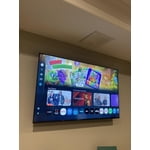
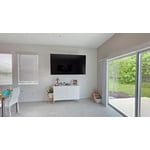
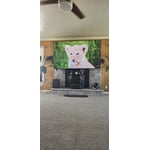
Member photos

  • +264 images
Sort by |
Showing 941-946 of 946 reviews
May 10, 2025
Heather
5 out of 5 stars review

Beautiful display

[This review was collected as part of a promotion.] I had never seen a picture more clear. I love this TV!

Review from Samsung US
Helpful?23IWKCJCPHCF15992409490
Apr 17, 2025
MissRobin
5 out of 5 stars review

This product does everything I want.

[This review was collected as part of a promotion.] I use it for streaming games and to surf the web. It does all functions I want it to do.

Review from Samsung US
Helpful?23IWKCJCPHCF15992409490
Apr 22, 2025
Jasha23
5 out of 5 stars review

This product has great smart features

[This review was collected as part of a promotion.] This tv is amazing. I highly recommend it to anyone.

Review from Samsung US
Helpful?23IWKCJCPHCF15992409490
May 30, 2025
Casper
5 out of 5 stars review

I love the quality of the picture

[This review was collected as part of a promotion.] Great picture on my PS5. Also love the free samsung TV plus. Lots of decent shows and movies

Review from Samsung US
Helpful?23IWKCJCPHCF15992409490
May 25, 2025
Techpup85
4 out of 5 stars review

Great TV but slow to load

[This review was collected as part of a promotion.] It's been a great t , v , though , after a few months of owning has gotten very slow

Review from Samsung US
Helpful?23IWKCJCPHCF15992409490
reply from Samsung Advisor

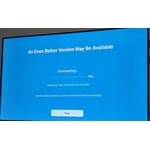
Hi Techpup85, We appreciate your feedback regarding response time. For optimal performance, please ensure your U8000F TV is running the latest firmware. You can check this by going to: Home > left directional key > Settings > Support > Software Update To further optimize performance, try running Device Care, which checks memory, clears unused cached data, and closes background apps: Home > left directional key > Settings > Support > Device Care > Start Device Care If issues continue, please reach Samsung Support at 1-800-SAMSUNG, available 8AM – 12AM EST, 7 days a week. LiveChat is also available via the ‘Support’ link on our website. ~ Samsung Advisor

Jun 5, 2025
Matt2me
5 out of 5 stars review

Never had a problem

[This review was collected as part of a promotion.] It is always clear and easy to use, set, reset, and adjust. Never have had a problem.

Review from Samsung US
Helpful?23IWKCJCPHCF15992409490