Skip to Main Content
Sam's Club
Sam's Club
All Departments
All Services
Customer reviews for SAMSUNG 58” Class U8000F Series 4K Crystal UHD Smart TV for
SAMSUNG 58” Class U8000F Series 4K Crystal UHD Smart TV
4.5 out of 5 stars
stars
3,436 ratings3,430 reviews
  1. 5 stars71% (2,439)
  2. 4 stars16% (535)
  3. 3 stars7% (226)
  4. 2 stars3% (111)
  5. 1 star4% (125)

Member photos

  • +1087 images
Sort by |
Showing 3,421-3,430 of 3,430 reviews
May 3, 2025
Reviewer name: Teevee
5 out of 5 stars
5 out of 5 stars review

Great features

[This review was collected as part of a promotion.] Use it everyday, great for sports and streaming. Love our TV

Review from Samsung US
Helpful?1U5QA8D4IAB615677157353
Jul 23, 2025
Reviewer name: Dtrainxp
5 out of 5 stars
5 out of 5 stars review

Any bigger ita home theatre viewing.. no lag

[This review was collected as part of a promotion.] Like sports action. Its like your there. Lights low is a great experience

Review from Samsung US
Helpful?1U5QA8D4IAB615677157353
Oct 21, 2025
Reviewer name: Fantasytv
5 out of 5 stars
5 out of 5 stars review

Quality tv

[This review was collected as part of a promotion.] Would recommend to a family. There are so many great options and ways to use this device.

Review from Samsung US
Helpful?1U5QA8D4IAB615677157353
Oct 12, 2025
Reviewer name: Jb2100
5 out of 5 stars
5 out of 5 stars review

This is the best tv I've seen in my life

[This review was collected as part of a promotion.] I use this tv to watch movies play video games and is the best tv to do those things

Review from Samsung US
Helpful?1U5QA8D4IAB615677157353
May 27, 2025
Reviewer name: Bruce145
5 out of 5 stars
5 out of 5 stars review

Small office tv
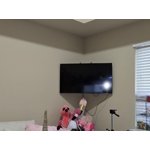
[This review was collected as part of a promotion.] I got this tv to be in my office to display my laptops screen and play music in the background other times. Great and light weight.

Review from Samsung US
Helpful?1U5QA8D4IAB615677157353
Apr 30, 2025
Reviewer name: Charan
5 out of 5 stars
5 out of 5 stars review

Good

Exlent model in samsung TV good latest models AI upscaling

Review from Samsung US
Helpful?1U5QA8D4IAB615677157353
Jun 5, 2025
Reviewer name: LuvSamung2
4 out of 5 stars
4 out of 5 stars review

Great sharpness and clarity, love it
[This review was collected as part of a promotion.] All the above, gaming, streaming, video sharing, everything is super sharp. Very impressive

Review from Samsung US
Helpful?1U5QA8D4IAB615677157353
Jun 1, 2025
Reviewer name: mjb7302
1 out of 5 stars
1 out of 5 stars review

Cheap TV

The remote control is a joke. NO NUMBERS for changing channels. Cheap move by Samsung and wish I had realized before installing.

Review from Samsung US
Helpful?1U5QA8D4IAB615677157353
reply from Samsung Advisor

Hi mjb7302, Thank you for your feedback. Please know the remote that comes with your TV has a number shortkey button available on the top left side of the remote control. We also understand if you prefer to use a third-party remote. If you run into any trouble or have compatibility questions, Samsung Support is happy to help. You can reach us at 1-800-SAMSUNG, 8AM – 12AM EST, 7 days a week. LiveChat agents are also available at the ‘Support’ link on our website. ~Samsung Advisor

Oct 20, 2025
Reviewer name: iphilmar
5 out of 5 stars
5 out of 5 stars review

Samsung TVs are better than any other TVs that I .
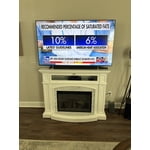
[This review was collected as part of a promotion.] It's the best TV I've ever had. I love Samsung TVs and sound systems.

Review from Samsung US
Helpful?1U5QA8D4IAB615677157353
Jul 14, 2025
Reviewer name: Robbo
1 out of 5 stars
1 out of 5 stars review

TV+ Sucks

Samsung TV+ Sucks it over rides my antenna input signal. No local channels

Review from Samsung US
Helpful?1U5QA8D4IAB615677157353
reply from Samsung Advisor

Hi Robbo, While your U8000F TV may default to Samsung TV Plus at startup, you can customize what happens when the TV powers on. Go to: Settings > All Settings > Advanced Features > Start Screen Option, then enable or disable: • Start with Smart Hub Home • Autorun Multi View Casting • Autorun Multi View Mirroring If you need help adjusting these options, feel free to reach out to Samsung Support at 1-800-SAMSUNG, 8AM – 12AM EST, 7 days a week. LiveChat agents are also available on our website under ‘Support’. ~ Samsung Advisor