Skip to Main Content
Sam's Club
Sam's Club
All Departments
All Services
Customer reviews for SAMSUNG 58” Class U8000F Series 4K Crystal UHD Smart TV for
SAMSUNG 58” Class U8000F Series 4K Crystal UHD Smart TV
4.5 out of 5 stars
stars
3,125 ratings3,119 reviews
  1. 5 stars71% (2,213)
  2. 4 stars16% (498)
  3. 3 stars7% (210)
  4. 2 stars3% (94)
  5. 1 star4% (110)

Member photos

  • +978 images
Sort by |
Showing 1,131-1,140 of 3,119 reviews
Jun 20, 2026
Reviewer name: Dave
5 out of 5 stars
5 out of 5 stars review

Great picture and I love the Apps.

[This review was collected as part of a promotion.] What a great TV! Sharp and bright and the apps are wonderful. I especially love to use YouTube as it is always ready with what I've been watching on my phone.

Review from Samsung US
Helpful?1U5QA8D4IAB615677157353
May 23, 2026
Reviewer name: Noonecares
1 out of 5 stars
1 out of 5 stars review

Hate it. Wish i had my lg back

[This review was collected as part of a promotion.] Will not stay connected to the internet, jumps in and out of game mode while playing a game (screen goes black in the middle of games and come back on brighter than before.

Review from Samsung US
Helpful?1U5QA8D4IAB615677157353
reply from Samsung Advisor

Hi Noonecares, Thank you for sharing your experience with the internet connection on your Samsung U8000F TV. Whether you're using Wi-Fi or a wired (LAN) connection, there are a few steps you can take to help resolve the issue: 1. Power Cycle Your Equipment. Unplug both your TV and router/modem from the wall outlet. Wait at least 30 seconds, then plug them back in and allow both devices to fully restart. 2. Check the Network Status. On your TV, go to: Home > left directional key > Settings > All Settings > Connection > Network > Network Status. This will help determine if the issue lies with the network or the TV. 3. Try a Different Connection Type. If you're using Wi-Fi, try connecting an Ethernet (LAN) cable directly from your router to the TV to test the connection. If you're using a wired connection, try switching to Wi-Fi to see if the issue persists. 4. Reestablish the Network Connection. Go to: Settings > All Settings > Connection > Network > Open Network Settings, and follow the prompts to reconnect to your Wi-Fi or wired network. 5. Update Firmware. Software updates can often resolve network bugs. To check for the latest version: Settings > Support > Software Update > Update Now If these steps don't resolve the issue, we’d be happy to provide further assistance. Please call Samsung Support at 1-800-SAMSUNG, (8AM – 9PM EST Mon – Fri, 8AM – 6PM Sat – Sun). LiveChat is also available at the ‘Support’ link on our website. ~Samsung Advisor

Jun 1, 2026
Reviewer name: Doug
5 out of 5 stars
5 out of 5 stars review

LOVE IT

[This review was collected as part of a promotion.] Great product with awesome clarity brightness. Contrast is great. Viewing is refreshing watching sports.

Review from Samsung US
Helpful?1U5QA8D4IAB615677157353
Jun 1, 2026
Reviewer name: Miika
5 out of 5 stars
5 out of 5 stars review

Picture

[This review was collected as part of a promotion.] Very good product can use it with my samsung phone. Easy to use picture quantity is great. I have 2 one in my bedroom one in my living room.

Review from Samsung US
Helpful?1U5QA8D4IAB615677157353
Jun 23, 2026
Reviewer name: Josh
5 out of 5 stars
5 out of 5 stars review

My Samsung TV

[This review was collected as part of a promotion.] my 43-in Samsung TV is amazing. The picture is eye popping. Sound quality is like your at the movies. 10 out of 10

Review from Samsung US
Helpful?1U5QA8D4IAB615677157353
Jun 1, 2026
Reviewer name: MellyMel
5 out of 5 stars
5 out of 5 stars review

Brightness and Clarity makes it worth the money
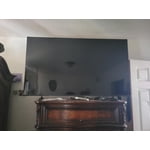
[This review was collected as part of a promotion.] The brightness and clarity is worth the money. The volume could use work, as well as the settings, but overall a great product.

Review from Samsung US
Helpful?1U5QA8D4IAB615677157353
Jul 6, 2026
Reviewer name: Nachotru
5 out of 5 stars
5 out of 5 stars review

Great sound and picture

[This review was collected as part of a promotion.] Had no problem with the tv after 4 years of using it! We are still amazed with its clarity and awesome sound! We wouldn't trade it for another tv brand. Callus "very satisfied!!

Review from Samsung US
Helpful?1U5QA8D4IAB615677157353
Jun 5, 2026
Reviewer name: Lulu
5 out of 5 stars
5 out of 5 stars review

Great TV

[This review was collected as part of a promotion.] This was our first Samsung TV. We are very pleased. It's our main TV where we watch 70% of the time. Our next TV will be a Samsung

Review from Samsung US
Helpful?1U5QA8D4IAB615677157353
Jun 29, 2026
Reviewer name: Trophy
4 out of 5 stars
4 out of 5 stars review

TV Review

[This review was collected as part of a promotion.] Overall good TV just wish it was a little bit more user-friendly as far as shiny you need to the settings and downloading apps

Review from Samsung US
Helpful?1U5QA8D4IAB615677157353
Jun 5, 2026
Reviewer name: Mike
2 out of 5 stars
2 out of 5 stars review

Slow response

[This review was collected as part of a promotion.] Compared to my older Samsung 65” this interface is horrible totally inconsistent with the other and slower than a Intel 286 processor

Review from Samsung US
Helpful?1U5QA8D4IAB615677157353
reply from Samsung Advisor

Hi Mike, We appreciate your feedback regarding your U8000FD TV’s performance. If you're experiencing freezing or lag in general response time, please try the following steps: 1. Check for firmware updates – Keeping your TV up to date can resolve many performance issues: Home > left directional key > Settings > Support > Software Update > Update Now 2. Run Device Care – This tool checks system memory, frees up cached data, and closes background apps that could be slowing things down: Home > left directional key > Settings > Support > Device Care > Start Device Care 3. Cold boot your TV – With the TV powered on, press and hold the Power button on your remote for 5+ seconds until the TV restarts. This helps refresh the system. If you're still noticing performance snags after these steps, please contact Samsung Support at 1-800-SAMSUNG (8AM – 9PM EST Mon – Fri, 8AM – 6PM Sat – Sun). You can also connect with a LiveChat agent via the ‘Support’ link on our website. ~ Samsung Advisor