Skip to Main Content
Sam's Club
Sam's Club
All Departments
All Services
Customer reviews for SAMSUNG 58” Class U8000F Series 4K Crystal UHD Smart TV for
SAMSUNG 58” Class U8000F Series 4K Crystal UHD Smart TV
4.5 out of 5 stars
stars
2,527 ratings2,521 reviews
  1. 5 stars72% (1,823)
  2. 4 stars16% (399)
  3. 3 stars6% (156)
  4. 2 stars3% (70)
  5. 1 star3% (79)

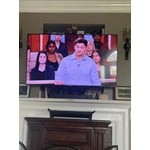
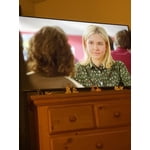
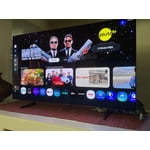
Member photos

  • +766 images
Sort by |
Showing 1,121-1,130 of 2,521 reviews
Jun 20, 2026
Kleg
1 out of 5 stars review

Poor quality

I've had the tv less than a year and the right 25% of the screen just went out. Extremely disappointing.

Review from Samsung US
Helpful?1U5QA8D4IAB615677157353
reply from Samsung Advisor

Hi Kleg, We’re sorry to hear about your experience with Samsung’s U8000F TV. We strive to provide the best quality and value, and each TV is backed by a 1-year limited manufacturer’s warranty when purchased new from an authorized retailer. This includes authorized service for eligible manufacturer defects. To view the full warranty details, simply enter your model number here: https://www.samsung.com/us/support/warranty/ Please don’t hesitate to contact Samsung Customer Support at 1-800-SAMSUNG (8AM – 9PM EST Mon – Fri, 8AM – 6PM Sat – Sun) or via LiveChat on our website under ‘Support.’ We’d be happy to assist. ~ Samsung Advisor

Jun 6, 2026
Lauren
4 out of 5 stars review

Tv

[This review was collected as part of a promotion.] Great tv. No surprises. Love apps and internet connectibility

Review from Samsung US
Helpful?1U5QA8D4IAB615677157353
Jun 1, 2026
Joe C
5 out of 5 stars review

Best tv i have

[This review was collected as part of a promotion.] Wonderful picture quality at low price. 10/10. Definitely recommend.

Review from Samsung US
Helpful?1U5QA8D4IAB615677157353
Jun 22, 2026
Maike
5 out of 5 stars review

Great features

Best product to purchase and im glad that I get to enjoy it everyday. Bought my tv for a while now and I hasn't gone out on me yet.

Review from Samsung US
Helpful?1U5QA8D4IAB615677157353
Jun 20, 2026
dougdude
5 out of 5 stars review

Good color

I would say the TV works as advertised; it was a little difficult setting up the cox remote, but all is good now.

Review from Samsung US
Helpful?1U5QA8D4IAB615677157353
Jun 2, 2026
Movie night
5 out of 5 stars review

Great picture

[This review was collected as part of a promotion.] The resolution on this TV is great whether watching sports, current/older movies.

Review from Samsung US
Helpful?1U5QA8D4IAB615677157353
Jun 5, 2026
Rosy
5 out of 5 stars review

Great tv

[This review was collected as part of a promotion.] Super nice resolution and brightness. Got tis a few months ago and super happy with this tv.

Review from Samsung US
Helpful?1U5QA8D4IAB615677157353
Jun 23, 2026
Mere
1 out of 5 stars review

Can't install anything

I can't install anything like YouTube I had this tv for my daughter for 3 months and I can't install anything. ATP I ready to send it back

Review from Samsung US
Helpful?1U5QA8D4IAB615677157353
reply from Samsung Advisor

Hi Mere, Thank you for your feedback. Please know the YouTube app is already installed on your TV. You can customize your Home screens by installing, removing or adding your favorite apps to Apps Home and/or For You Home screen. Here's how: Searching for & Installing Apps 1. From the Home screen, press up on the remote’s directional pad. 2. Navigate to and select Search. 3. Using the search bar, enter the content or app you’d like to find. 4. Navigate to and select the app you’d like to install, then select Install. Note: Previously installed apps can be accessed on the Settings screen. Adding & Managing Apps on Home Screen 1. Go to App Settings (these can be found at the bottom of the Apps screen) and select the app you want to move. The following options will be available: a. Add to Home: Move the app to your desired location on the Home screen. b. Delete: Delete app. c. Lock/Unlock: Lock the app with a PIN so only you can use it. When the app is selected again, you will be prompted to enter the PIN to unlock it. d. Reinstall: Reinstall the app. e. View Details: View the app’s information and details. If you need more help with app management, please don’t hesitate to reach Samsung Support at 1-800-SAMSUNG (8AM – 9PM EST Mon – Fri, 8AM – 6PM Sat – Sun), or reach us via text anytime. You can also visit ‘Support’ on our website for: • Live Chat • Manuals, Software, & Warranty Info ~ Samsung Advisor

Jun 13, 2026
Panda
5 out of 5 stars review

Awesomeness picture

[This review was collected as part of a promotion.] Samsung TVs are top notch I love Samsung devices they were together very well

Review from Samsung US
Helpful?1U5QA8D4IAB615677157353
Jun 22, 2026
Momzo
3 out of 5 stars review

Glare

The screen gets a glare unfortunately when its sunny and that is the only thing I do not care for on this tv.

Review from Samsung US
Helpful?1U5QA8D4IAB615677157353
reply from Samsung Advisor

Hi Momzo, We appreciate your feedback on screen reflections with the Samsung U8000F TV. Room lighting plays a significant role in how reflections appear, and while we aim to reduce glare where possible, complete elimination isn't guaranteed. For improved glare control, we recommend repositioning the TV to avoid direct light or consulting a professional installer. Samsung’s Glare Free screen is available starting with the QN90F Neo QLED 4K, while Anti Reflection technology is included on select models beginning with the S85F OLED and above. If you have any questions about features or setup, our team is here to help at 1-800-SAMSUNG (8AM – 9PM EST Mon – Fri, 8AM – 6PM Sat – Sun), or reach us via text anytime. You can also visit ‘Support’ on our website for: You can also chat with one of our agents by clicking the ‘Support’ link on our website for: • Live Chat • Manuals, Software, & Warranty Info ~ Samsung Advisor