Skip to Main Content
Sams Club
Sams Club
Customer reviews for SAMSUNG 83” Class S90FD Series 4K OLED Smart TV for
SAMSUNG 83” Class S90FD Series 4K OLED Smart TV
4.7 out of 5 stars
stars551 ratings551 reviews
  1. 5 stars83% (459)
  2. 4 stars11% (62)
  3. 3 stars2% (13)
  4. 2 stars2% (10)
  5. 1 star1% (7)

Member photos

  • +165 images
Sort by |
Showing 21-30 of 551 reviews
May 23, 2026
MikeR
4 out of 5 stars review

Refrseh

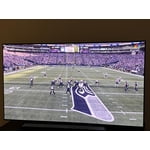
[This review was collected as part of a promotion.] Beautiful picture, even in ECO mode. Love the picture, love the package and how easy it is to control. Even Samsung TV isn't bad. But the picture can't keep up with higher speed video and I'm talking football games here. Disappointing.

Review from Samsung US
Helpful?3D37GPZDAAT215584057195
May 11, 2026
Alex M
5 out of 5 stars review

Samsung flagship

[This review was collected as part of a promotion.] It is a great great TV I've never seen TV like this before. I decided to buy s90d but this one has more features and better quality better resolution better clarity also is fast in motion the other thing if you adjust your contrast and brightness it would be the best TV ever I checked all of the preset adjustment but I chose change it little bit to the best accurate adjustment. Highly recommend for daily use also recommended for gaming the other thing I love it it's very thin also it's very lightweight and on top of it I love the remote control. My wife said all of the TVs in different brands that we had before were trash. I checked all other brands and finally found my TV. Remote chargers with the indoor lights

Review from Samsung US
Helpful?3D37GPZDAAT215584057195
May 20, 2026
Wojo
5 out of 5 stars review

Great TV

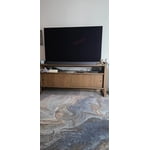
[This review was collected as part of a promotion.] The Samsung 65” S90FD OLED has a great picture ! Really good sound through TV without the sound bar. Glad Spectrum app through TV works along with all the others. Apps. A little to get use to but pretty perfect!

Review from Samsung US
Helpful?3D37GPZDAAT215584057195
May 13, 2026
Stevo
5 out of 5 stars review

Best value for the money. Great TV

[This review was collected as part of a promotion.] Wow. For the price you can not go wrong. We have had guest over and virtually all commented about how could not believe this TV cost a lot less than the thousands people spend. Picture quality 5 stars, figures are amazing

Review from Samsung US
Helpful?3D37GPZDAAT215584057195
May 20, 2026
JonnyDee
5 out of 5 stars review

Fantastic Picture

[This review was collected as part of a promotion.] The new Samsung TV is fantastic. Colors are brilliant, contrast is perfect, picture is so real looking, and the screen is so big. I can see all imprefections in the actors faces on close-ups. The clarity is superb.I can't believe how life like the picture is.

Review from Samsung US
Helpful?3D37GPZDAAT215584057195
May 5, 2026
Bob A
3 out of 5 stars review

EASE OF USE

[This review was collected as part of a promotion.] I find it difficult to use Samsung functions. The delete apps function is not easy to use. I tries to pair my hearing aids with the tv and when I did and used the hearing aids the tv speaker shut off. I bought a optical device that was to allow me to use it for my hearing aids while the tv sound continued to work. I went into settings and found an option to do this, I think, but I couldn't get it to work. My old, 10 years, Sony allowed me to do this with no problem.

Review from Samsung US
Helpful?3D37GPZDAAT215584057195
reply from Samsung Specialist

We appreciate you sharing your user experience. To help you get the most from your TV, you can download the full e-Manual and more by visiting Samsung’s website then navigating to: Support > Manual & Software > TVs & Home Theater. From there, you can search for and select your S90F TV model to view or download the available guides. The e-Manual and Remote Control Guide are also conveniently built into your TV: Settings > Support > Tips and User Guides If you need additional help, please contact Samsung Support at 1-800-SAMSUNG (8AM – 9PM EST Mon – Fri, 8AM – 6PM Sat – Sun). LiveChat agents are also available through the ‘Support’ link on our website. ~ Samsung Specialist

May 22, 2026
TM859
5 out of 5 stars review

Solid TV with a great picture

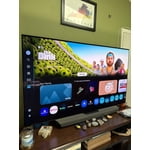
[This review was collected as part of a promotion.] Purchased the OLED S90FD 4K Vision AI Smart TV about a month ago to replace an older Samsung (10+ years old). Out of the box, the picture quality was very good, and with a few tweaks to the settings, it was even better. Lots of nice features available (with a few more that were "grayed out" on this model). The black areas are amazing (so much better than the old TV)--true black, so much so, I was able to turn down the contrast. Resolution is great and I didn't have to do anything with the brightness, color saturation or tone. The sound is heavy on bass, which I personally like, which is good because the equalizer isn't available on this model. There's an "Amplify" option on the sound but I didn't find that to be necessary as the sound is more than adequate on "Standard" mode. AI mode allows for adaptive sound settings but not adaptive picture (again, available only on a different model). You can add your streaming services apps from the Google store to the home page. Samsung TV Plus also provides a variety of streaming channels. I found it easy to set up, following the on-screen prompts and connecting to my Verizon FIOS box. The Verizon remote worked with the tv as soon as the box was hooked up (power, channels, volume, etc.). The only time you'd need the Samsung remote is to get into the settings. Overall, it's a great tv and I'm very pleased with the features and performance.

Review from Samsung US
Helpful?3D37GPZDAAT215584057195
May 20, 2026
Jim in SF
3 out of 5 stars review

Not Great at start up or loading apps

[This review was collected as part of a promotion.] This is my second Samsung TV. The first was a great TV and would have gotten 5 stars. This one gets only 3 stars because it takes so long to start up, and it also takes forever to load apps. I have to wait minutes before an app loads.

Review from Samsung US
Helpful?3D37GPZDAAT215584057195
reply from Samsung Specialist

We appreciate your feedback regarding response time. For optimal performance, please ensure your TV is running the latest firmware. You can check this by going to: Home > left directional key > Settings > Support > Software Update To further optimize performance, try running Device Care, which checks memory, clears unused cached data, and closes background apps: Home > left directional key > Settings > Support > Device Care > Start Device Care If issues continue, please reach Samsung Support at 1-800-SAMSUNG (8AM – 9PM EST Mon – Fri, 8AM – 6PM Sat – Sun). LiveChat is also available via the ‘Support’ link on our website. ~ Samsung Specialist

May 6, 2026
TV_expert
2 out of 5 stars review

Poor buggy software, poor color accuracy

[This review was collected as part of a promotion.] For how much Samsung touts their processor power, the interface freezes constantly, is slow to load and generally unresponsive. I finally gave up and bought an Apple TV. Color accuracy is off too .. filmmaker mode isn't bright enough and white balance/color drifts a bit too much in different brightness settings. Too many issues for a very expensive tv

Review from Samsung US
Helpful?3D37GPZDAAT215584057195
reply from Samsung Specialist

TV_expert, We appreciate your input on the picture quality of Samsung’s S90F TV. If the image isn’t meeting your expectations, there are several adjustments you can make to improve your viewing experience. First, please ensure your TV is running the latest firmware, as updates may include important picture quality enhancements. Go to: Home > Left directional button > Settings > Support > Software Update > Update Now Then, select a Picture Mode that best fits your environment: Home > Home > left directional key > Settings > All Settings > Picture > Picture Mode 1. Standard – Default mode for general viewing 2. Dynamic – Brighter and clearer in well-lit rooms 3. Eco – Optimized for energy saving 4. Movie – Best for watching in dark environments 5. Filmmaker Mode – Preserves content exactly as intended by creators You can also enhance your experience by enabling AI Mode, which automatically adjusts picture and sound based on your surroundings and usage patterns: Settings > All Settings > Advanced Features > AI Mode Settings > AI Mode If these adjustments don’t improve your picture quality, feel free to contact Samsung Customer Support at 1-800-SAMSUNG (8AM – 9PM EST Mon – Fri, 8AM – 6PM Sat – Sun). You can also LiveChat with an agent or find helpful guides by visiting the ‘Support’ section of our website. ~ Samsung Specialist

May 20, 2026
Jeeves
5 out of 5 stars review

Once in a Life Time Expetience

[This review was collected as part of a promotion.] I have never had a Smart TV or new TV since my Sony in 1989. My friends who are Engineers all said Samsung hands down. I am so excited and happy with my expensive purchase. On Disability it was allot but find Well Worth the payments. Winning the $500.would mean so much and allow paying for my necessities. Rehabbing is a pleasure laying with this TV. Brightens every day.

Review from Samsung US
Helpful?3D37GPZDAAT215584057195