
Skip to Main Content
Sam's Club
Sam's Club
All Departments
All Services
Customer reviews for SAMSUNG 50" Class U8000F Series 4K Crystal UHD Smart TV for
SAMSUNG 50" Class U8000F Series 4K Crystal UHD Smart TV
4.5 out of 5 stars
stars
1,732 ratings1,680 reviews
  1. 5 stars73% (1,261)
  2. 4 stars15% (261)
  3. 3 stars6% (104)
  4. 2 stars3% (51)
  5. 1 star3% (55)

Member photos

  • +487 images
Sort by |
Showing 221-230 of 1,680 reviews
Jul 5, 2026
Reviewer name: Gtag
2 out of 5 stars
2 out of 5 stars review

Not thrilled !

[This review was collected as part of a promotion.] I usually use my associated device to access programming. TV takes control and forces streaming which I don't want instead of starting with my Direct TV system. I also have a soundbar which it fights me to use. It does not want me to use the connected soundbar also , when I turn the TV off, it always comes back on by itself. Find it very frustrating.

Review from Samsung US
Helpful?0U87HKRK7K5R15580452247
May 31, 2026
Reviewer name: Sammie
5 out of 5 stars
5 out of 5 stars review

Great pic

[This review was collected as part of a promotion.] The picture is clear and bright, the sound is fantastic too! The ease of using the control, well it has been the easiest one I have ever used-it is simple not confusing. Every TV I own is a Samsung, wouldn't own anything else. Love It!!!!

Review from Samsung US
Helpful?0U87HKRK7K5R15580452247
Jun 5, 2026
Reviewer name: Linda
3 out of 5 stars
3 out of 5 stars review

Sound

[This review was collected as part of a promotion.] I am not pleased with this tv and would not recommend it to anyone. I've only had the TV about five months. I will be watching the program and all of a sudden the sound goes out. I have checked with the cable company and it's not them. It's my television.

Review from Samsung US
Helpful?0U87HKRK7K5R15580452247
reply from Samsung Advisor

Hi Linda, Thank you for your review and for sharing your experience with audio interruptions on your U8000FD TV. If you're experiencing sound dropouts, the steps below are designed to help you troubleshoot across different connection types. HDMI ARC / eARC Connection 1. Use a certified High-Speed HDMI cable with Ethernet and ensure it's firmly connected to the HDMI eARC ports on both the TV and soundbar/receiver. 2. Enable ARC/eARC settings on your TV: o Settings > All Settings > Sound > Expert Settings > HDMI eARC Mode = Auto o Settings > All Settings > General & Privacy > External Device Manager > Anynet+ (HDMI-CEC) = On 3. Adjust Digital Output Audio Format: o Settings > All Settings > Sound > Expert Settings > Digital Output Audio Format o Set this to Auto unless you're using a device that specifically requires Pass-Through. 4. Cold boot your TV by holding the power button on your remote for 5+ seconds. Optical Audio Connection 1. Power on your soundbar or receiver first, then connect the optical cable to ensure proper handshaking. 2. Set the TV’s audio output to Optical: Settings > All Settings > Sound > Sound Output = Optical 3. Ensure cables are secure and not damaged. Try a different optical cable if sound continues to cut out. Bluetooth Connection 1. Bluetooth connections can be sensitive to distance and interference. Keep the Bluetooth device close to the TV, and remove nearby sources of interference (e.g., wireless routers or other Bluetooth devices). 2. For improved stability, use a 5GHz Wi-Fi network if available. 3. If issues persist, we recommend switching to a wired connection (HDMI ARC or Optical) for a more reliable audio experience. Wi-Fi / Wireless Speaker Connections 1. Make sure both your TV and audio device are on the same network band (5GHz is ideal for stability). 2. If you're using Samsung’s Wireless Audio features (e.g., Wi-Fi Speaker Surround Setup), ensure your speaker system is properly added in: Settings > All Settings > Sound > Sound Output > Wi-Fi Speaker Surround Setup 3. If signal issues continue, disconnect and reconnect the speaker from the network and re-add it to the TV. Also Try: • Update your TV's firmware: Settings > Support > Software Update > Update Now • Run a Sound Test • to verify internal sound functions: Settings > Support > Device Care > Self Diagnosis > Sound Test If you’ve tried the steps above and are still experiencing issues, we’re here to help. You can call Samsung Support at 1-800-SAMSUNG (8AM – 9PM EST Mon – Fri, 8AM – 6PM Sat – Sun). Our LiveChat agents are also available by clicking the ‘Support’ link at Samsung.com. ~ Samsung Advisor

Jun 8, 2026
Reviewer name: Leo 3
2 out of 5 stars
2 out of 5 stars review

Good product…except…

[This review was collected as part of a promotion.] Tv itself is great. The channel changer controller is uncooperative and i can never seem to get the screen to the channel i want.The controller is much to small and I often tap the button i did not want. It then takes three or four more confusing steps to return to the screen where i was. Wretched set up. Price was good though.

Review from Samsung US
Helpful?0U87HKRK7K5R15580452247
reply from Samsung Advisor

Hi Leo 3, Thanks for your review. While Samsung remotes are designed for ease and versatility, universal remotes can also be used to control your TV. If you're using a third-party remote, please refer to its manufacturer guide for the correct Samsung code and setup process. If you run into any trouble or have compatibility questions, Samsung Support is happy to help. You can reach us at 1-800-SAMSUNG (8AM – 9PM EST Mon – Fri, 8AM – 6PM Sat – Sun). LiveChat agents are also available at the ‘Support’ link on our website. ~ Samsung Advisor

Jul 5, 2026
Reviewer name: Jimbo
4 out of 5 stars
4 out of 5 stars review

Good for the Money
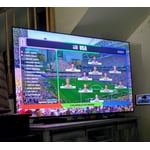
[This review was collected as part of a promotion.] So far so good after 2 weeks. Picture quality good, personally feel too many adjustments within the TV settings and adjusting them had very little discernible effect on any picture . Some moved quite a bit and 4 people in the room was asking if I was actually adjusting that particular setting . Do not like the remote at all. I used the remote for my 2019 model, with no issue, pointed at TV, worked like a charm. Time will tell...

Review from Samsung US
Helpful?0U87HKRK7K5R15580452247
Jun 26, 2026
Reviewer name: GreenEggs
5 out of 5 stars
5 out of 5 stars review

What else can I say?

[This review was collected as part of a promotion.] I'm really impressed with Samsung's stuff! I got a Samsung plasma TV back in 2014, and ever since then, I've been hooked on their products, like their phones and smartwatches. My new 65-inch Crystal TV really shows how far display tech has come. It gives you an amazing, immersive picture that's super clear. The 4K resolution is awesome for gaming, and the 120Hz refresh rate makes everything so smooth. Plus, the sound on the Crystal TV is great – it fills the whole room, so I don't even need extra speakers or a soundbar. What else can I say about the 65-inch Crystal TV? Lightweight, immersive sound, and top-quality picture – I'm all in on Samsung's ecosystem!

Review from Samsung US
Helpful?0U87HKRK7K5R15580452247
Jun 5, 2026
Reviewer name: Jays
5 out of 5 stars
5 out of 5 stars review

Great Viewing

[This review was collected as part of a promotion.] I would start by saying I love this set. I mostly watch sports on this television and let me tell you about the clarity. Get in your settings and play around for some of the best picture I've seen with a set in a while. Bright background light not a problem same clarity as if you're in pitch black room.

Review from Samsung US
Helpful?0U87HKRK7K5R15580452247
Jun 1, 2026
Reviewer name: AmberA
3 out of 5 stars
3 out of 5 stars review

Big Size Great Features Didn't Last
[This review was collected as part of a promotion.] Great television. Loaded apps fast. Beautiful picture. Very easy to use. I love the Samsung channels. I would get an extended warranty on it. Screen started to go out fast. I expected a better life for more expensive products but this one REALLY disappointed me in the longevity category. As hard as it is to oder, handle and mount these televisions they need to last longer.

Review from Samsung US
Helpful?0U87HKRK7K5R15580452247
Jun 22, 2026
Reviewer name: Efenefo101
5 out of 5 stars
5 out of 5 stars review

Great features!
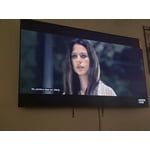
[This review was collected as part of a promotion.] This television have been the best choice so far... its huge bright contrast Screen, clear upscling pictures and energy saving is superb... i love the tv, it is very responsive when i use the smart things in my Samsung phone to gain control of the tv. The uniformity blows my family away when we watch our favorite programs.

Review from Samsung US
Helpful?0U87HKRK7K5R15580452247
Jul 15, 2026
Reviewer name: Bad Girl
5 out of 5 stars
5 out of 5 stars review

Wonderful except for remote

[This review was collected as part of a promotion.] I love the clarity and dimensions of the screen. The remote is overly complicated: to change a channel or figure out how to get access to all the channels and Samsung tv. I love the free extra channels from Samsung TV.

Review from Samsung US
Helpful?0U87HKRK7K5R15580452247









