Skip to Main Content
Sam's Club
Sam's Club
All Departments
All Services
Customer reviews for SAMSUNG 50" Class U8000F Series 4K Crystal UHD Smart TV for
SAMSUNG 50" Class U8000F Series 4K Crystal UHD Smart TV
4.5 out of 5 stars
stars
1,732 ratings1,680 reviews
  1. 5 stars73% (1,261)
  2. 4 stars15% (261)
  3. 3 stars6% (104)
  4. 2 stars3% (51)
  5. 1 star3% (55)

Member photos

  • +487 images
Sort by |
Showing 231-240 of 1,680 reviews
May 30, 2026
Reviewer name: Ashlynn
5 out of 5 stars
5 out of 5 stars review

Amazing Quality

[This review was collected as part of a promotion.] I love my Samsung TV. I have one in my bedroom and living room. The picture is amazing and I love how I can mirror my phone to them. They are easy to maneuver. I have only owned Samsung tvs and will never buy anything other

Review from Samsung US
Helpful?0U87HKRK7K5R15580452247
Jun 5, 2026
Reviewer name: BobW
2 out of 5 stars
2 out of 5 stars review

Issues may cause us to switch away from Samsung

[This review was collected as part of a promotion.] I may switch away from Samsung although I have purchased all my TVs and computer screens Samsung. Problem is the remote is too small and touchy, the mute same button as up/down volume is a bad choice, keep muting when only want to change volume. The remote only for on/off function some computer screens aggravating if using a PC. The menu on TV is frustrating to use and navigate. I can only say that someone over thought these products. Changing TV input frustrating to navigate to. Think Roku, keep it simple and adjust the remote so that each time you pick it up or put it down the buttons are not pressed and TV mute or changes. That NEVER happens with Roku type remote or the larger 3rd party remotes.

Review from Samsung US
Helpful?0U87HKRK7K5R15580452247
reply from Samsung Advisor

Hi BobW, Thank you for sharing your experience. Samsung remotes are designed to offer convenient control, but we understand if you’d prefer to use a universal remote. Many third-party remotes work well with Samsung TVs, though setup steps may vary by brand and model. To get started, we recommend checking the manufacturer’s instructions for programming codes and pairing methods. If you run into any trouble or have compatibility questions, Samsung Support is happy to help. You can reach us at 1-800-SAMSUNG (8AM – 9PM EST Mon – Fri, 8AM – 6PM Sat – Sun). LiveChat agents are also available at the ‘Support’ link on our website. ~ Samsung Advisor

Jul 5, 2026
Reviewer name: JoeSchmoe
4 out of 5 stars
4 out of 5 stars review

A lot to like

[This review was collected as part of a promotion.] Nice hardware (size, weight) and picture. Interface is a little less than intuitive but one catches on. Seems to favor certain sites/channels vs even playing ground. Like the Samsung games and such. As for the TV part of the tv - very nice! Happy with purchase.

Review from Samsung US
Helpful?0U87HKRK7K5R15580452247
Jun 5, 2026
Reviewer name: Anonymous
3 out of 5 stars
3 out of 5 stars review

My experience, just so-so

[This review was collected as part of a promotion.] A really nice picture and easy setup. But, the volume of commercials increases to an unbearable degree on some channels and there seems to be an over abundance of incidents of program buffering or freezing

Review from Samsung US
Helpful?0U87HKRK7K5R15580452247
reply from Samsung Advisor

Hi, Thank you for sharing your experience with volume fluctuations on your Samsung U8000FD TV. Sudden changes in volume can often be related to audio settings or content differences between sources or apps. Please try the following adjustments to help stabilize your TV's audio: 1. Enable Auto Volume. Go to: Settings > All Settings > Sound > Expert Settings > Auto Volume. This feature helps maintain a consistent volume level when switching channels or apps. 2. Change 3. . Try a different sound mode to see if one offers a more stable output: Settings > All Settings > Sound > Sound Mode (We recommend Standard or Amplify for more even performance.) 4. Check External Devices. If you're using a soundbar, receiver, or other audio device, check that its volume leveling or dynamic range settings aren’t interfering with the TV’s audio. 5. Update Firmware. Ensure your TV is running the latest software, as updates may include audio improvements: Settings > Support > Software Update > Update Now If the issue persists after these steps, please don’t hesitate to reach Samsung Customer Support at 1-800-SAMSUNG (8AM – 9PM EST Mon – Fri, 8AM – 6PM Sat – Sun). LiveChat is also available via the ‘Support’ link on our website. ~ Samsung Advisor

Jun 23, 2026
Reviewer name: Sam sung blue no more
5 out of 5 stars
5 out of 5 stars review

Great Value

[This review was collected as part of a promotion.] Great for the price. I picked this up at Costco. It is s vast improvement over our old 45" LG model. I connected my Samsung phone and everything just worked. It is clear and bright. Great value! The contrast is as expected. Good at that. The picture has good uniformity across the image. It is responsive enough. It does take a few seconds to boot. I like it.

Review from Samsung US
Helpful?0U87HKRK7K5R15580452247
Jul 5, 2026
Reviewer name: Jimbo
4 out of 5 stars
4 out of 5 stars review

Good for the Money
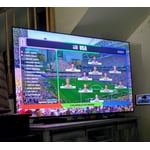
[This review was collected as part of a promotion.] So far so good after 2 weeks. Picture quality good, personally feel too many adjustments within the TV settings and adjusting them had very little discernible effect on any picture . Some moved quite a bit and 4 people in the room was asking if I was actually adjusting that particular setting . Do not like the remote at all. I used the remote for my 2019 model, with no issue, pointed at TV, worked like a charm. Time will tell...

Review from Samsung US
Helpful?0U87HKRK7K5R15580452247
Jun 22, 2026
Reviewer name: Heykitty
4 out of 5 stars
4 out of 5 stars review

Big Beautiful Computer Screen

[This review was collected as part of a promotion.] I don't actually watch TV that often. I use mine as big computer screen. I love the quality of streaming programs and podcasts. The only negative I have is that the TV disconnects from my computer when the computer goes into sleep mode. Sometimes I have to shut the computer down and reboot before the TV reconnects to it.

Review from Samsung US
Helpful?0U87HKRK7K5R15580452247
Jun 20, 2026
Reviewer name: Robert
3 out of 5 stars
3 out of 5 stars review

Sound is annoying

[This review was collected as part of a promotion.] I have several Samsung TV's. The newest TV I purchased a few months back will not allow me to turn the sound off when I turn the volume up or down. It repeats the channel numbers as I change channels. It is very annoying and confusing. Robert McLeod

Review from Samsung US
Helpful?0U87HKRK7K5R15580452247
reply from Samsung Advisor

Hi Robert, Thank you for your feedback. If your remote isn’t responding, here are a few quick steps to help determine if it’s working correctly: 1. Check the batteries: Remove the back cover of your remote and replace the batteries with a fresh set, ensuring they are inserted in the correct direction. 2. Test for infrared signal: Point the front of the remote at your smartphone camera. While holding down any button, you should see a flashing light through the camera screen. (For iPhone users, the front-facing camera works best.) If you see the light, your remote is working and may need to be re-paired with your TV. 3. Point the remote correctly: Try pointing the remote directly at the TV from about 5-6 feet away. This can help ensure a clearer signal between the remote and the TV. 4. Clean the remote: Gently wipe the top edge of the remote (where the infrared sensor is located) with a soft, dry cloth to remove any dust or debris that could interfere with functionality. If you still need assistance, please contact Samsung Support at 1-800-SAMSUNG (8AM – 9PM EST Mon – Fri, 8AM – 6PM Sat – Sun), or visit the ‘Support’ link on our website to start a LiveChat session. ~ Samsung Advisor

Jun 22, 2026
Reviewer name: Hoskat
5 out of 5 stars
5 out of 5 stars review

Samsung or nothing

[This review was collected as part of a promotion.] Its Samsung or nothing when it comes to phones,TVS or any general product Samsung makes. You cannot go wrong when choosing Samsung for all of your entertainment needs. The clarity, the color the response time as well as updates and easily accessible features. Samsung is always the right product for my family & my home and should be for whom it may concern!

Review from Samsung US
Helpful?0U87HKRK7K5R15580452247
Jul 8, 2026
Reviewer name: Hgrace
5 out of 5 stars
5 out of 5 stars review

Amazing view

[This review was collected as part of a promotion.] The home screen layout is super easy to navigate, especially for my grandmother. The picture is very clear and vivid. It almost looks like we are actually on set with the actors. The sound is exceptional! I dont have to set the volume over 20 because at its low volume level it is loud enough!

Review from Samsung US
Helpful?0U87HKRK7K5R15580452247