
Skip to Main Content
Sam's Club
Sam's Club
All Departments
All Services
Customer reviews for SAMSUNG 50" Class U8000F Series 4K Crystal UHD Smart TV for
SAMSUNG 50" Class U8000F Series 4K Crystal UHD Smart TV
4.5 out of 5 stars
stars
1,732 ratings1,680 reviews
  1. 5 stars73% (1,261)
  2. 4 stars15% (261)
  3. 3 stars6% (104)
  4. 2 stars3% (51)
  5. 1 star3% (55)

Member photos

  • +487 images
Sort by |
Showing 211-220 of 1,680 reviews
Jun 1, 2026
Reviewer name: Sassie
5 out of 5 stars
5 out of 5 stars review

Great features and picture

[This review was collected as part of a promotion.] This tv is amazing the brightness is everything and you can see it well in any settings. The resolution is great and it looks like real life things I love the contrast is perfect. And when needed you can refresh the TV in a great speed does not take long to boot up.

Review from Samsung US
Helpful?0U87HKRK7K5R15580452247
Jun 6, 2026
Reviewer name: Lori
3 out of 5 stars
3 out of 5 stars review

Remote problems.

[This review was collected as part of a promotion.] Nice television set. It has a real nice color. Only problem is for an unknown reason the remote doesn't work properly. The remote quits working. it freezes up. We have to unplug the tv and plug it back in for the remote to work. This has happened 3 times in the short time we have owned this set.

Review from Samsung US
Helpful?0U87HKRK7K5R15580452247
reply from Samsung Advisor

Hi Lori, Thank you for your feedback. If your remote isn’t responding, here are a few quick steps to help determine if it’s working correctly: 1. Check the batteries: Remove the back cover of your remote and replace the batteries with a fresh set, ensuring they are inserted in the correct direction. 2. Test for infrared signal: Point the front of the remote at your smartphone camera. While holding down any button, you should see a flashing light through the camera screen. (For iPhone users, the front-facing camera works best.) If you see the light, your remote is working and may need to be re-paired with your TV. 3. Point the remote correctly: Try pointing the remote directly at the TV from about 5-6 feet away. This can help ensure a clearer signal between the remote and the TV. If you still need assistance, please contact Samsung Support at 1-800-SAMSUNG (8AM – 9PM EST Mon – Fri, 8AM – 6PM Sat – Sun), or visit the ‘Support’ link on our website to start a LiveChat session. ~ Samsung Advisor

Jul 5, 2026
Reviewer name: Vettony
5 out of 5 stars
5 out of 5 stars review

I only buy Samsung TVs!!!

[This review was collected as part of a promotion.] This TV is perfect for our bedroom. The picture quality is outstanding. The factory settings didn't need any adjustments. Very easy set up ... I ditched the cable so we are streaming now and set up was quick and simple.

Review from Samsung US
Helpful?0U87HKRK7K5R15580452247
Jul 5, 2026
Reviewer name: Unhappy with Samsung
2 out of 5 stars
2 out of 5 stars review

TV Replaced 2 times. Annoying new OS.

[This review was collected as part of a promotion.] We purchase our first of these TVs about 1.5 years ago. Since then, we have had to have the TV replaced 2 times. The first two just stopped working, went to black screen and never came back on. Now, in May, there was an OS update from Samsung. Now I cannot access my cable stations unless I log in though the Samsun stations. I have checked for a work around but there is none. I am very unhappy with Samsung that they made this change in their new OS. Really annoying.

Review from Samsung US
Helpful?0U87HKRK7K5R15580452247
May 22, 2026
Reviewer name: Eli27
5 out of 5 stars
5 out of 5 stars review

Amazing Tv

[This review was collected as part of a promotion.] The television's brightness was ideal, and I never encountered any issues with it being excessively bright or dim. The refresh rate was exceptional for gaming, as were the resolution, viewing experience, and perfect contrast.

Review from Samsung US
Helpful?0U87HKRK7K5R15580452247
Jun 5, 2026
Reviewer name: Micah
4 out of 5 stars
4 out of 5 stars review

Great TV

[This review was collected as part of a promotion.] the TV is great for the most part love the resolution love the price love Samsung TV all the channels you get with that for free is totally crazy my only complaint is there doesn't seem to be enough computing power to get apps open quickly as I use my TV for all of my apps also there have been a few hiccups with not connecting to Wi-Fi when my Wi-Fi was on and functioning overall I love Samsung I'll always buy Samsung would highly recommend

Review from Samsung US
Helpful?0U87HKRK7K5R15580452247
Jun 22, 2026
Reviewer name: 3daniboy
4 out of 5 stars
4 out of 5 stars review

Solid Job for what it is

[This review was collected as part of a promotion.] Could do better on the brightness and glare. TV works well and is quick enough. Contrast I'd give it a B. This was a fairly cheap television, you get what you pay for. Not recommended for bright rooms.

Review from Samsung US
Helpful?0U87HKRK7K5R15580452247
Jun 1, 2026
Reviewer name: Traiveezy
5 out of 5 stars
5 out of 5 stars review

All in all it was well worth every penny spent.

[This review was collected as part of a promotion.] Great resolution. The color and contrast of the device were spot on and the brightness didn't affect any of the above mentioned negatively whatsoever. I didn't have to refresh the device as much either.

Review from Samsung US
Helpful?0U87HKRK7K5R15580452247
Jun 27, 2026
Reviewer name: MeowMix18
2 out of 5 stars
2 out of 5 stars review

Its not the best
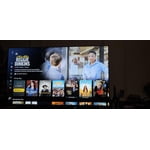
[This review was collected as part of a promotion.] Love the size and the screen. Connectivity is really poor. I make sure apps and softwares are update but its a constant struggle with any streaming services. Connecting to audio equipment with Bluetooth is another headache. Im constantly having to connect my Samsung sound bar to this TV.

Review from Samsung US
Helpful?0U87HKRK7K5R15580452247
reply from Samsung Advisor

Hi MeowMix18, We appreciate your feedback. To help ensure optimal performance, please try the following steps: 1. Check for firmware updates – An outdated version can affect overall performance: Home > left directional key > Settings > Support > Software Update > Update Now 2. Run Device Care – This tool clears unused cached memory and closes background apps: Home > left directional key > Settings > Support > Device Care > Start Device Care 3. Cold boot your TV – With the TV on, press and hold the Power button on your remote for about 5 seconds until the TV turns off and back on. This refreshes the system. 4. Power cycle the TV and any connected external devices – Unplug them from the power outlet, wait 30 seconds, then plug them back in. These steps often resolve issues with lag, freezing, or slow app performance. If the issue continues, please contact Samsung Support at 1-800-SAMSUNG (8AM – 9PM EST Mon – Fri, 8AM – 6PM Sat – Sun). LiveChat agents are also available through the ‘Support’ link on our website. ~ Samsung Advisor

Jun 19, 2026
Reviewer name: Stormii
5 out of 5 stars
5 out of 5 stars review

Great overall television

[This review was collected as part of a promotion.] The definition is amazing! It feels like you're watching at the movies. The sound is crisp and clear. The remote response is smooth. The brightness is not overpowering. Overall the television is a great purchase.

Review from Samsung US
Helpful?0U87HKRK7K5R15580452247









