Skip to Main Content
Sam's Club
Sam's Club
All Departments
All Services
Customer reviews for SAMSUNG 85” Class Q7FD Series 4K QLED Smart TV [Limited Inventory - Sold Out] for
SAMSUNG 85” Class Q7FD Series 4K QLED Smart TV [Limited Inventory - Sold Out]
4.6 out of 5 stars
stars
3,570 ratings3,570 reviews
  1. 5 stars78% (2,769)
  2. 4 stars15% (519)
  3. 3 stars4% (160)
  4. 2 stars1% (49)
  5. 1 star2% (73)

Member photos

  • +1110 images
Sort by |
Showing 3,151-3,160 of 3,570 reviews
Apr 25, 2025
Reviewer name: Zack112019
4 out of 5 stars
4 out of 5 stars review

Great tv, best I've ever seen

[This review was collected as part of a promotion.] The Samsung Q7F QLED 4K TV (2025) impresses with its vibrant colors, sleek design, and solid smart features. Its QLED panel delivers rich brightness and a wide color gamut, making HDR content pop. The Tizen OS is smooth and intuitive, with access to all major streaming apps. The minimalist One Connect box helps reduce cable clutter, and the TV looks stylish from any angle. However, it’s not without flaws. Black levels aren't as deep as OLED competitors due to its edge-lit VA panel, and picture quality drops off noticeably at wide viewing angles. Audio performance is average—good enough for casual use, but a soundbar is recommended for better immersion. Overall, the Q7F is a great all-around 4K TV for bright rooms and vibrant content, though serious movie watchers may prefer a display with better contrast and off-angle performance.

Review from Samsung US
Helpful?4WF2HDYGONT215579013784
Sep 7, 2025
Reviewer name: Sportsfanatic
5 out of 5 stars
5 out of 5 stars review

Best TV Purchase Ever

[This review was collected as part of a promotion.] ​I recently purchased the 75-inch Samsung QLED TV, and I couldn't be more thrilled with my choice. I'm absolutely fascinated with the picture quality. The colors are incredibly vibrant, and the contrast is so sharp and detailed. Watching movies and shows feels like a completely new experience; the images are so lifelike they practically jump off the screen. The large size is perfect for my living room, and it makes everything feel so cinematic. I am so very satisfied with my purchase and would highly recommend this TV to anyone looking to upgrade their home entertainment system.

Review from Samsung US
Helpful?4WF2HDYGONT215579013784
Sep 5, 2025
Reviewer name: Trying
3 out of 5 stars
3 out of 5 stars review

Good picture, but...

[This review was collected as part of a promotion.] We set up the Samsung television, but we are unable to get the remote to change the channels. We have Comcast for our cable and the Comcast remote works well on everything except changing the volume. So we have to use both remotes to watch TV. I have been unable to pair the sound bar with the TV also. Maybe eventually it will all come together?

Review from Samsung US
Helpful?4WF2HDYGONT215579013784
reply from Samsung Specialist

Hello, Thanks for your review. To change the channel using your SolarCell Remote, locate the thin rocker button just below the Play/Pause key and above the Prime Video shortcut. Push up (^) to go up one channel or push down (v) to go to the next channel. Just below the Back button and above the Netflix hotkey, you’ll find a thin rocker-style button with a (+) on top and a (–) below. Push up on this button to raise the volume, or down to lower it. To help you get the most from your TV and remote functions, you can download the full e-Manual and more by visiting Samsung’s website then navigating to: Support > Manual & Software > TVs & Home Theater. From there, you can search for and select your TV model to view or download the available guides. The e-Manual & Remote Control Guide are also conveniently built into your TV: Settings > Support > Tips and User Guides Learn TV Remote is another feature designed to help users become familiar with the layout and function of each button on the Samsung remote. When enabled, pressing any button (except the Power button, which will still turn off the TV) will prompt the TV to announce the button’s name and its purpose – without affecting TV operation. This teaching mode is especially useful for users who are visually impaired or new to Samsung remotes. To enable this feature, go to: Settings > All Settings > General & Privacy > Accessibility > Learn TV Remote. To exit, simply press the Return key twice. If you’d like more assistance with this feature, please reach Samsung Support at 1-800-SAMSUNG, available 8AM – 12AM EST, 7 days a week. LiveChat agents are also available through the ‘Support’ link on our website. ~ Samsung Specialist

Sep 5, 2025
Reviewer name: Sugar64
5 out of 5 stars
5 out of 5 stars review

Worth the money
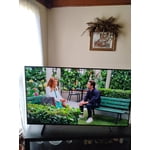
[This review was collected as part of a promotion.] I recently purchased this TV as a replacement TV however I am amazed with the picture and at the features on this TV, it is awesome it makes streaming a breeze and enjoyable. I only have to use one remote when using my fire stick, the TV remote controls both without having to set it up. It simple to navigate yet has big features and the setup was easy. This is my second Samsung TV , my old one from 2008 is still performing excellently.

Review from Samsung US
Helpful?4WF2HDYGONT215579013784
Apr 11, 2025
Reviewer name: jlahart1
5 out of 5 stars
5 out of 5 stars review

A pleasant surprise!

[This review was collected as part of a promotion.] The TV was delivered great, unpack was simple but two people would assure safety, Instructions were there, could have been a little more clearer, But once you start the setup of the TV walk through is a breeze and super impressed with the way its laid out to follow, set up took about ten minutes, that's how great it was, Wish the remote was a bit bigger but it's fine pretty cool you can charge your remote with usb cord, Now the best to com , the picture was outstanding , i know you can set it to one's desire but i didn't have to set it at all, it was dazzling, look at pictures, one word IMPRESSED!! Now i have a soundbar and it synced right to it and so easy, thank you I Am the person who tried and wrote the review

Review from The Insiders
Helpful?4WF2HDYGONT215579013784
Sep 15, 2025
Reviewer name: Jerrikim
5 out of 5 stars
5 out of 5 stars review

This product has very good features

[This review was collected as part of a promotion.] The best tv yet, feels like you are in the TV. I like the way I can hook up all my Samsung products together. Every year they keep getting better and better. I would highly recommend this brand and this TV to everyone. Thank you Samsung.

Review from Samsung US
Helpful?4WF2HDYGONT215579013784
Jul 4, 2025
Reviewer name: Rubydoobydoo
5 out of 5 stars
5 out of 5 stars review

Everything you want in a TV

[This review was collected as part of a promotion.] Our television is used for movies, gaming, and an extended screen for my laptop when working. The colors are beautiful. The ease of use between my phone, laptop, tablet and television is truly what it means to be in sync in your day.

Review from Samsung US
Helpful?4WF2HDYGONT215579013784
Sep 20, 2025
Reviewer name: RonFlo09
5 out of 5 stars
5 out of 5 stars review

The clarity and rich colors of our new Samsung
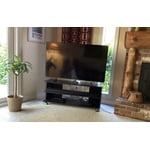
[This review was collected as part of a promotion.] Our new Samsung tv is amazing. The richness of colors and the sharp clarity of the screen is truly amazing. This tv replaces our 10 year old 55 inch but it a whole new experience of viewing. And we coupled it with a Samsung 5.1 surround system. The sound is immersive and together makes tv entertainment so much more enjoyable.

Review from Samsung US
Helpful?4WF2HDYGONT215579013784
Sep 20, 2025
Reviewer name: Toncat
1 out of 5 stars
1 out of 5 stars review

Terrible Audio

[This review was collected as part of a promotion.] The audio on this TV is the worst I have ever experienced! The volume is all over the map when commercials air. Auto Volume mode which is described to help with this problem is NOT available with external sound bars or speakers. We even purchased a new Samsung sound bar package and that was no help. Dave your money…… purchase another brand!

Review from Samsung US
Helpful?4WF2HDYGONT215579013784
reply from Samsung Specialist

Toncat, Thank you for sharing your experience with volume fluctuations on your Samsung Q7F TV. Sudden changes in volume can often be related to audio settings or content differences between sources or apps. Please try the following adjustments to help stabilize your TV's audio: 1. Enable Auto Volume. Go to: Settings > All Settings > Sound > Expert Settings > Auto Volume. This feature helps maintain a consistent volume level when switching channels or apps. 2. Change Sound Mode. Try a different sound mode to see if one offers a more stable output: Settings > All Settings > Sound > Sound Mode (We recommend Standard or Amplify for more even performance.) 3. Check External Devices. If you're using a soundbar, receiver, or other audio device, check that its volume leveling or dynamic range settings aren’t interfering with the TV’s audio. 4. Update Firmware. Ensure your TV is running the latest software, as updates may include audio improvements: Settings > Support > Software Update > Update Now If the issue persists after these steps, please don’t hesitate to reach Samsung Customer Support at 1-800-SAMSUNG, 8AM – 12AM EST, 7 days a week. LiveChat is also available via the ‘Support’ link on our website. ~ Samsung Specialist

Aug 28, 2025
Reviewer name: Butterfly
5 out of 5 stars
5 out of 5 stars review

This model is a must-have in your home

[This review was collected as part of a promotion.] Best experience ever,great picture ,sound is greatly made for this, when streaming it takes my breath away for this i love it, I'm telling everyone to purchase it right away, ima but like 1 for every room I got , to make my experience so great,when watching sports I get the chills how real it feels, when I'm at work and put it on kids run to my class room to sit and watch it best day ever they say on my mo ie day with them, family friends even complimented me on it ,

Review from Samsung US
Helpful?4WF2HDYGONT215579013784