Skip to Main Content
Sam's Club
Sam's Club
All Departments
All Services
Customer reviews for SAMSUNG 85” Class Q7FD Series 4K QLED Smart TV [Limited Inventory - Sold Out] for
SAMSUNG 85” Class Q7FD Series 4K QLED Smart TV [Limited Inventory - Sold Out]
4.6 out of 5 stars
stars
3,570 ratings3,570 reviews
  1. 5 stars78% (2,769)
  2. 4 stars15% (519)
  3. 3 stars4% (160)
  4. 2 stars1% (49)
  5. 1 star2% (73)

Member photos

  • +1110 images
Sort by |
Showing 3,141-3,150 of 3,570 reviews
Aug 19, 2025
Reviewer name: Tampa1
5 out of 5 stars
5 out of 5 stars review

Great picture for the price

[This review was collected as part of a promotion.] I’ve recently started doing a little more research on LED TVs. I have found some features that improves the viewing quality of the television without emptying your bank account. This QLED TV does that

Review from Samsung US
Helpful?4WF2HDYGONT215579013784
Jun 10, 2025
Reviewer name: Love3shop
5 out of 5 stars
5 out of 5 stars review

A very good experience
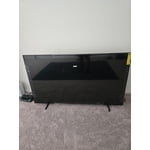
[This review was collected as part of a promotion.] Upon initial power-up, I experienced seamless connectivity across all my devices, with rapid internet establishment. I particularly appreciate the screwless, one-click base design of the TV; its robust construction and slim bezels maximize screen real estate, providing excellent value. Integration with Bixby is exceptionally smooth. Work perfectly with my phone, and the volume is precise, I like the new remote design specially the fact that I don't need batteries any more.

Review from Samsung US
Helpful?4WF2HDYGONT215579013784
Jul 4, 2025
Reviewer name: Rubydoobydoo
5 out of 5 stars
5 out of 5 stars review

Everything you want in a TV

[This review was collected as part of a promotion.] Our television is used for movies, gaming, and an extended screen for my laptop when working. The colors are beautiful. The ease of use between my phone, laptop, tablet and television is truly what it means to be in sync in your day.

Review from Samsung US
Helpful?4WF2HDYGONT215579013784
Jun 16, 2025
Reviewer name: Junebug87
4 out of 5 stars
4 out of 5 stars review

Best tv evrr

[This review was collected as part of a promotion.] I love everything about this TV from the graphics to the high-def to the sound to how movies look it looks so real and unbelievable I've never had another TV like this my kids is games are almost virtually real it's like you actually in the game the sound is so there's a whistle other than how expensive this TV was there's nothing I don't like about it I love everything about it and I'm sure this to anyone and everyone hands down best TV out there

Review from Samsung US
Helpful?4WF2HDYGONT215579013784
Jun 27, 2025
Reviewer name: CRYSTALCLEAR
5 out of 5 stars
5 out of 5 stars review

I felt like I was there!

[This review was collected as part of a promotion.] When I first turn this television on I felt as if I was there the picture and sound quality for the amount I paid and what was on the market at the time was unmatched by miles! Mirroring my galaxy to the television made not even want to pick up my phone for awhile I had a bigger version of my phone(TV) to watch the game on versus holding the phone for a little over an hour and a half.

Review from Samsung US
Helpful?4WF2HDYGONT215579013784
Aug 20, 2025
Reviewer name: NewTV4us
4 out of 5 stars
4 out of 5 stars review

Where’s the remote?

[This review was collected as part of a promotion.] Love the TV, color, channel choices, size are all great! The remote is so small that I’m afraid I’ll loose it or easily misplace it!! Why isn’t there a guide option on the remote? It’s nice that the remote is chargeable, I like that!!

Review from Samsung US
Helpful?4WF2HDYGONT215579013784
reply from Samsung Specialist

NewTV4us, We appreciate you sharing your experience with the included remote. To help you get the most from your TV and remote functions, you can download the full e-Manual and more by visiting Samsung’s website then navigating to: Support > Manual & Software > TVs & Home Theater. From there, you can search for and select your Q7F TV model to view or download the available guides. The e-Manual & Remote Control Guide are also conveniently built into your TV: Settings > Support > Tips and User Guides Learn TV Remote is another feature designed to help users become familiar with the layout and function of each button on the Samsung remote. When enabled, pressing any button (except the Power button, which will still turn off the TV) will prompt the TV to announce the button’s name and its purpose – without affecting TV operation. This teaching mode is especially useful for users who are visually impaired or new to Samsung remotes. To enable this feature, go to: Settings > All Settings > General & Privacy > Accessibility > Learn TV Remote. To exit, simply press the Return key twice. If you’d like more assistance with this feature, please reach Samsung Support at 1-800-SAMSUNG, available 8AM – 12AM EST, 7 days a week. LiveChat agents are also available through the ‘Support’ link on our website. ~ Samsung Specialist

May 24, 2025
Reviewer name: Ilashes
5 out of 5 stars
5 out of 5 stars review

Immerse yourself into any movie or TV show

[This review was collected as part of a promotion.] Best TV I have ever owned to date. You get totally immersed into anything you are watching as it is so clear and crisp. My whole family cannot stop watching their shows on this TV and our Movie nights have gotten 100% upgraded. Thank you Samsung!! My only regret is that I should have gone larger, lol.

Review from Samsung US
Helpful?4WF2HDYGONT215579013784
Apr 11, 2025
Reviewer name: CurtFahl
1 out of 5 stars
1 out of 5 stars review

Does not yet support Spectrum TV app

I purchased on 4/9/2025 and after setup realize the TV does not support Spectrum TV app. I may need to return it if the next software update doesn't include Spectrum. See my support ticket number: 2318140600. Please notify me when this TV will support Spectrum TV app.

Review from Samsung US
Helpful?4WF2HDYGONT215579013784
reply from Samsung Specialist

[April 25, 2025 at 2:42 PM EDT] Hi CurtFahl, We wanted to provide you with some good news - the Spectrum app is now available to install on your 2025 TV. If you need any help installing or using the app, please reach us via either of the below contact options. ~ Samsung Specialist ---------------------------------------------------------- [April 11, 2025 at 1:08 PM EDT] CurtFahl, Thank you for sharing your review. We understand the frustration when a specific app isn’t available. App availability is determined through collaboration with our content partners and may vary by TV model and region. We continue to work on expanding our app library, so we recommend checking the App Home Screen periodically for the latest updates. You may also want to contact Spectrum directly for the most accurate information regarding app compatibility and configuration with Samsung's 2025 models. If you have any further concerns or need assistance with your Q7F TV, our Support team is available daily from 8AM to 12AM EST at 1-800-SAMSUNG, or you can reach us on the Samsung website and click on the ‘Support’ link for: • LiveChat • Manuals, Software, & Warranty Info ~ Samsung Specialist

Jul 28, 2025
Reviewer name: MoonMegs
5 out of 5 stars
5 out of 5 stars review

Samsung tv Plus

[This review was collected as part of a promotion.] I'm not a big fan of 4K, honestly, so I use my Roku on game mode to watch most of my TV (4k makes me dizzy, and feel weird, and I just can't get used to it). But I recently found out that Samsung TV has a pokemon channel, and I've been watching pokemon between watching other stuff. The picture is amazing, it's bright and colorful, and just so pretty. I did have to do a factory reset after getting some weird notifications, but ever since, it's been fine.

Review from Samsung US
Helpful?4WF2HDYGONT215579013784
Sep 13, 2025
Reviewer name: David P
1 out of 5 stars
1 out of 5 stars review

Missing optical audio output connector

I had to take it back. 1 it was a pain to setup, but I finally got it setup and went to start hooking it up to my surround system... that's problem #2 WHERE IS THE OPTICAL AUDIO OUPT!?! I was looking at cheaper tvs that had it so why was this tv missing it? Needless to say I took it back and got a LG and it's far superior.

Review from Samsung US
Helpful?4WF2HDYGONT215579013784
reply from Samsung Specialist

Hi David P, Thank you for sharing your thoughts on the available inputs for the Q7F. If an Optical port is a crucial part of your setup needs, you’ll find that connection starting with our Q8F Series and above. For future purchases, we recommend double-checking the product specs on Samsung's site to ensure the model you choose has the ports you need. You can find this by clicking on “Specs” (just beneath the Product Title), then "See All Specs" for the full list of available inputs and more: https://www.samsung.com/us/tvs/qled-tv/55-class-qled-tv-q7f-sku-qn55q7faafxza/ Should you ever need assistance with your TV, Samsung is here for you. Reach out by calling 1-800-SAMSUNG between 8AM - 12AM EST, any day of the week. You can also chat with us online by visiting the ‘Support’ section of our website. ~ Samsung Specialist