Skip to Main Content
Sam's Club
Sam's Club
All Departments
All Services
Customer reviews for SAMSUNG 55” Class S90FD Series 4K OLED Smart TV for
SAMSUNG 55” Class S90FD Series 4K OLED Smart TV
4.7 out of 5 stars
stars
566 ratings565 reviews
  1. 5 stars80% (450)
  2. 4 stars14% (79)
  3. 3 stars4% (22)
  4. 2 stars2% (11)
  5. 1 star1% (4)

Member photos

  • +172 images
Sort by |
Showing 71-80 of 565 reviews
Jun 5, 2026
Reviewer name: J Gregory
5 out of 5 stars
5 out of 5 stars review

What a clear, sharp picture!

[This review was collected as part of a promotion.] Bright, clear, and a satisfying viewing experience. That is what I found when upgrading to this TV. I love watching golf, and could never really find the ball! Now it's clearly visible on the greens and against the sky. But golf is not the only thing I enjoy on this set. The dramas, comedies, and even the ugly daily news is so much more pleasant to watch since the colors are vivid.

Review from Samsung US
Helpful?57VM8815Z2DU15574802533
May 23, 2026
Reviewer name: MikeR
4 out of 5 stars
4 out of 5 stars review

Refrseh

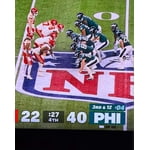
[This review was collected as part of a promotion.] Beautiful picture, even in ECO mode. Love the picture, love the package and how easy it is to control. Even Samsung TV isn't bad. But the picture can't keep up with higher speed video and I'm talking football games here. Disappointing.

Review from Samsung US
Helpful?57VM8815Z2DU15574802533
Jul 14, 2026
Reviewer name: Anonymous
5 out of 5 stars
5 out of 5 stars review

Great Picture and Upgrade
[This review was collected as part of a promotion.] Love the vivid colors, non-reflective screen, picture quality and detail. Samsung channels are an upgrade and surprisingly enough we find the remote control easy to use and don't even miss the number pad. Quickly learned and adapted to the new remote. Only issue we had was we had to purchase next generation TABLO over the air channel DVR and bit of a challenge to get TABLO App on TV and get it in the App lineup.

Review from Samsung US
Helpful?57VM8815Z2DU15574802533
Jun 21, 2026
Reviewer name: Cnsm3r
5 out of 5 stars
5 out of 5 stars review

Best viewing in bright rooms from any angle *****

[This review was collected as part of a promotion.] I have wanted an OLED and finally decided to pull the trigger - didn't think it could be any better than my nanoQLED but I was wrong. Blacks are inkier and the bright daylight doesn't seem to make movies (which seem inherently dark) recede into the background any more. Can't wait for football season to start, basketball and soccer are great but . . . Highly recommend - you won't regret the upgrade, I promise.

Review from Samsung US
Helpful?57VM8815Z2DU15574802533
Jul 5, 2026
Reviewer name: Kellie
5 out of 5 stars
5 out of 5 stars review

Samsung OLED 4K 65" TV

[This review was collected as part of a promotion.] It's gorgeous. We love this TV. And the 4K option? It is top notch. Wish more programs were in 4k. My 1st experience with the 4k was the halftime show of the 2025 NFL Thanksgiving Day game that featured Jack White. I turned to the 4k station during his performance and it literally took my breath away. It was almost like I was there! Amazing!

Review from Samsung US
Helpful?57VM8815Z2DU15574802533
Jul 7, 2026
Reviewer name: Larry L
5 out of 5 stars
5 out of 5 stars review

Beautiful picture.

[This review was collected as part of a promotion.] Outstanding picture! The video quality of this TV is Amazing. This OLED TV can be viewed from any angle even in a bright room. I worked in Broadcast TV for 43 years and my job was to monitor for poor or inconsistent video. I haven't seen anything to complain about yet (after 40 days). I do have one issue, the remote control is totally black, hard to read and not intuitive. However, the remote app for Android works MUCH better. Given the price, a little more attention to the remote would have been nice.

Review from Samsung US
Helpful?57VM8815Z2DU15574802533
Jul 13, 2026
Reviewer name: Javierale21
5 out of 5 stars
5 out of 5 stars review

Dream TV

[This review was collected as part of a promotion.] Beautiful TV, colors and you hired to watch the World Cup football games makes you feel like you are in the stadium, the sounds contrast them, I love my TV and my wife the same. And on movie nights, it makes us feel inside the cinema with its colors and dark.

Review from Samsung US
Helpful?57VM8815Z2DU15574802533
Jul 20, 2026
Reviewer name: juness
2 out of 5 stars
2 out of 5 stars review

Disappointed

[This review was collected as part of a promotion.] Disappointed with top of the line 77 inch tv. Sound is horrible and volume needs to be turned up high in the 30s just to barely hear dialogue. Set doesn't turn on sporadically and it sometimes takes up to 15 minutes to power up and on. Samsung soundbar B650/za does not enhance anything.

Review from Samsung US
Helpful?57VM8815Z2DU15574802533
reply from Samsung Advisor

Hi juness, Thank you for choosing the Samsung S90FD TV and for sharing your feedback. If the overall volume seems low, there are several settings and features you can adjust to improve your sound experience: Volume Features to Check: • Auto Volume: Automatically balances volume when switching channels or inputs. Go to: Settings > All Settings > Sound > Expert Settings > Auto Volume • Sound Modes: Choose from preset sound profiles to better suit your preferences: Settings > All Settings > Sound > Sound Mode • AI Mode Settings: Enable AI Mode to let your TV analyze your environment and content, optimizing sound in real time. This includes: o Adaptive Sound o Active Voice Amplifier (AVA) – Raises dialogue levels when ambient noise is detected o Adaptive Volume Go to: Settings > All Settings > Advanced Features > AI Mode Settings > AI Mode Also Check: • External Devices: If you're using a cable box, streaming device, Blu-ray player, or game console, make sure the volume on those devices isn’t turned down. Also verify that all cables are properly connected and try reseating them. • Software Update: Make sure your TV is running the latest firmware for the best audio performance: Settings > Support > Software Update > Update Now If you continue to have issues with your TV, resetting the Smart Hub may help: Settings > Support > Device Care > Self Diagnosis > Reset Smart Hub. If you continue to experience issues, Samsung Support is here to assist at 1-800-SAMSUNG (8AM – 9PM EST Mon – Fri, 8AM – 6PM Sat – Sun). LiveChat and additional support resources are also available through the Support link on our website. ~ Samsung Advisor

Jun 22, 2026
Reviewer name: Mike2334
5 out of 5 stars
5 out of 5 stars review

Overall Great TV

[This review was collected as part of a promotion.] Love this TV Im big on Samsung devices they all work so seamlessly and the TV has all the smart features plus the picture to back it up especially picture quality for movies and shows , gaming is also a 5 with 120hz refresh rate. I would buy one for every room if I could afford it!!!

Review from Samsung US
Helpful?57VM8815Z2DU15574802533
Jun 6, 2026
Reviewer name: Pill
2 out of 5 stars
2 out of 5 stars review

Love Samsung but disappointed.

[This review was collected as part of a promotion.] I love Samsung TVs. 7 of my 9 TVs are Samsung. In the future I plan to buy only Samsung or Sony TVs. But this latest buy has disappointed me. The skin tones of people change shades as we are watching TV. It is very distracting. I want it fixed.

Review from Samsung US
Helpful?57VM8815Z2DU15574802533
reply from Samsung Advisor

Hi Pill, Thank you for your feedback regarding the screen abnormalities you're seeing on your TV. To help determine if the issue is related to the panel itself, we recommend starting with a Picture Test, which displays a high-definition image you can examine for flaws: Settings > Support > Device Care > Self Diagnosis > Picture Test If the issue appears during the test and across all sources (built-in apps, HDMI devices, etc.), it may indicate a panel-related concern. You can also try displaying solid-color test videos (red, green, blue, black, white) from a USB drive or YouTube. This can help you identify whether any pixels are stuck or not functioning properly. In some cases, unplugging the TV for a few minutes and rebooting it can help resolve stuck pixels caused by temporary display behavior. If the problem persists after these steps, the TV may require service. To set up a service appointment, please contact Samsung Support at 1-800-SAMSUNG (8AM – 9PM EST Mon – Fri, 8AM – 6PM Sat – Sun). LiveChat and additional support resources are also available through the Support link on our website. ~ Samsung Advisor