
 Customer reviews for SAMSUNG 55" Class U8000F Series 4K Crystal UHD Smart TV for
Member photos

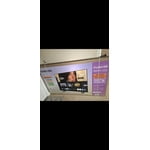
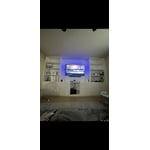
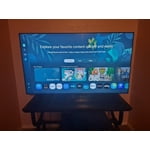
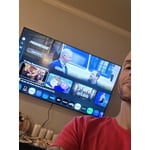

 +590 images
Samsung is it.
[This review was collected as part of a promotion.] It has a great picture. The resolution is really good. The audio is very good. As a whole, you can't beat the quality of Samsung. They stand behind their products. Their televisions are just great. That is the only brand I will buy and we have five televisions.
Great features for the price
[This review was collected as part of a promotion.] This 75-inch TV is absolutely wonderful. It actually appears much bigger once it's set up, making it a true standout in the room. The colors are vibrant, the contrast is excellent, and the brightness and resolution are incredibly sharp and clear. The refresh rate is really smooth, and even while using internet apps and streaming, everything loads and refreshes quickly without lag. Another great feature is that it's not overly heavy for its size, which makes setup much easier. It looks amazing whether mounted on the wall or placed on a TV stand. Overall, this TV has exceeded expectations in every way and truly stands out as a high-quality, one-of-a-kind television.
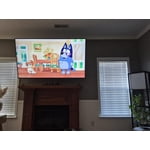
Very happy with these smart TVs
[This review was collected as part of a promotion.] These are very nice TVs, I have multiple sizes of this model TV. Crystal clear picture, vivid and bright. Very lightweight and easy to mount. Easy navigation throughout. You could use these for your home or for your business, In fact I have mounted four of them together for a large panel display. Sound is better than most current TVs on the market. Highly recommend.
Lydi's Electronics
[This review was collected as part of a promotion.] and the brightness on the TV is perfect the color is awesome it's got very good color on the TV the contrast is perfect when he refresh the TV turning it off and on it comes on just perfectly fine and turns off perfectly fine no hesitations no taking a long time in order for it to come on and off the charts
There Just Is No Other Competition
[This review was collected as part of a promotion.] This TV & all of my 6 TV's in my home are and have always been Samsung! They are the best by far as far as clarity, brightness, amazing contrast. This TV brings everything to the table with its quick responsiveness, the picture upscaling and uniformity. I have buying Samsung products for years, they are whom I trust who it comes to spending my monies. My entire is nothing but SAMSUNG!! You know, for the smartness and simplicity of life, IT'S SAMSUNG!
Great TV for the price range.
[This review was collected as part of a promotion.] Easy setup interface guides you through every step. Great Apps included plus you can download more from the Samsung App Store right from the TV. Really nice picture quality in all areas of brightness, contrast and resolution. Watching anything on the Streaming Apps is super fast with a high quality refresh rate. The remote is excellent also.
Terrible picture quality
[This review was collected as part of a promotion.] the picture quality on this television it makes everything appear as if it is a low budget movie I'm not understanding why it looks that way it didn't look that way at the store but by far is the worst quality picture out of all the televisions that I own I will not buy a Samsung television again
Hi Rharris, We appreciate your feedback on the picture quality of Samsung’s U8000F TV. If the image doesn’t quite match your preferences, there are several adjustments you can make to better suit your viewing environment and content type. First, please ensure your TV is running the latest firmware, as updates may include important picture quality enhancements. Go to: Home > Left directional button > Settings > Support > Software Update > Update Now To explore picture mode options, navigate to: Home > Left directional button > Settings > All Settings > Picture > Picture Mode. Options include: • Standard – Ideal for general viewing • Dynamic – Brighter and more vibrant for well-lit spaces • Eco – Optimized for energy efficiency • Movie – Best for viewing in low light • Filmmaker Mode – Preserves the content creator’s intent and disables motion smoothing for supported content You can further customize your image by going to: Settings > All Settings > Picture > Expert Settings, where you can adjust Brightness, Contrast, Color Tone, Sharpness, Contrast Enhancer and more. If you’d like help finding the best picture settings for your preferences, please don’t hesitate to contact Samsung Support at 1-800-SAMSUNG (8AM – 9PM EST Mon – Fri, 8AM – 6PM Sat – Sun). You can also LiveChat with an agent or explore additional resources on our website by clicking the ‘Support’ link. ~ Samsung Advisor
Big Beautiful Computer Screen
[This review was collected as part of a promotion.] I don't actually watch TV that often. I use mine as big computer screen. I love the quality of streaming programs and podcasts. The only negative I have is that the TV disconnects from my computer when the computer goes into sleep mode. Sometimes I have to shut the computer down and reboot before the TV reconnects to it.
Sound
[This review was collected as part of a promotion.] I am not pleased with this tv and would not recommend it to anyone. I've only had the TV about five months. I will be watching the program and all of a sudden the sound goes out. I have checked with the cable company and it's not them. It's my television.
Hi Linda, Thank you for your review and for sharing your experience with audio interruptions on your U8000FD TV. If you're experiencing sound dropouts, the steps below are designed to help you troubleshoot across different connection types. HDMI ARC / eARC Connection 1. Use a certified High-Speed HDMI cable with Ethernet and ensure it's firmly connected to the HDMI eARC ports on both the TV and soundbar/receiver. 2. Enable ARC/eARC settings on your TV: o Settings > All Settings > Sound > Expert Settings > HDMI eARC Mode = Auto o Settings > All Settings > General & Privacy > External Device Manager > Anynet+ (HDMI-CEC) = On 3. Adjust Digital Output Audio Format: o Settings > All Settings > Sound > Expert Settings > Digital Output Audio Format o Set this to Auto unless you're using a device that specifically requires Pass-Through. 4. Cold boot your TV by holding the power button on your remote for 5+ seconds. Optical Audio Connection 1. Power on your soundbar or receiver first, then connect the optical cable to ensure proper handshaking. 2. Set the TV’s audio output to Optical: Settings > All Settings > Sound > Sound Output = Optical 3. Ensure cables are secure and not damaged. Try a different optical cable if sound continues to cut out. Bluetooth Connection 1. Bluetooth connections can be sensitive to distance and interference. Keep the Bluetooth device close to the TV, and remove nearby sources of interference (e.g., wireless routers or other Bluetooth devices). 2. For improved stability, use a 5GHz Wi-Fi network if available. 3. If issues persist, we recommend switching to a wired connection (HDMI ARC or Optical) for a more reliable audio experience. Wi-Fi / Wireless Speaker Connections 1. Make sure both your TV and audio device are on the same network band (5GHz is ideal for stability). 2. If you're using Samsung’s Wireless Audio features (e.g., Wi-Fi Speaker Surround Setup), ensure your speaker system is properly added in: Settings > All Settings > Sound > Sound Output > Wi-Fi Speaker Surround Setup 3. If signal issues continue, disconnect and reconnect the speaker from the network and re-add it to the TV. Also Try: • Update your TV's firmware: Settings > Support > Software Update > Update Now • Run a Sound Test • to verify internal sound functions: Settings > Support > Device Care > Self Diagnosis > Sound Test If you’ve tried the steps above and are still experiencing issues, we’re here to help. You can call Samsung Support at 1-800-SAMSUNG (8AM – 9PM EST Mon – Fri, 8AM – 6PM Sat – Sun). Our LiveChat agents are also available by clicking the ‘Support’ link at Samsung.com. ~ Samsung Advisor
My experience, just so-so
[This review was collected as part of a promotion.] A really nice picture and easy setup. But, the volume of commercials increases to an unbearable degree on some channels and there seems to be an over abundance of incidents of program buffering or freezing
Hi, Thank you for sharing your experience with volume fluctuations on your Samsung U8000FD TV. Sudden changes in volume can often be related to audio settings or content differences between sources or apps. Please try the following adjustments to help stabilize your TV's audio: 1. Enable Auto Volume. Go to: Settings > All Settings > Sound > Expert Settings > Auto Volume. This feature helps maintain a consistent volume level when switching channels or apps. 2. Change 3. . Try a different sound mode to see if one offers a more stable output: Settings > All Settings > Sound > Sound Mode (We recommend Standard or Amplify for more even performance.) 4. Check External Devices. If you're using a soundbar, receiver, or other audio device, check that its volume leveling or dynamic range settings aren’t interfering with the TV’s audio. 5. Update Firmware. Ensure your TV is running the latest software, as updates may include audio improvements: Settings > Support > Software Update > Update Now If the issue persists after these steps, please don’t hesitate to reach Samsung Customer Support at 1-800-SAMSUNG (8AM – 9PM EST Mon – Fri, 8AM – 6PM Sat – Sun). LiveChat is also available via the ‘Support’ link on our website. ~ Samsung Advisor