
 Customer reviews for SAMSUNG 55" Class U8000F Series 4K Crystal UHD Smart TV for
Member photos









 +494 images
Great Picture Quality!
[This review was collected as part of a promotion.] The overall quality of this TV is superb the only reason why I gave it a four is because the menu and how to navigate through different things it's a bit confusing and takes some time to really understand it aside from that I have no complaints I wouldn't even really consider that one a complaint but it would be easier if there wasn't so many steps to get to another for simple tasks.

Amazing TV and customer service from Bruce
I bought this product 02/20/2025 in Yuma, AZ. Bruce in Electronics assisted me with this purchase. I was looking for a Samsung Smart TV 55 inches. There was not one in the Electronics area in a box. Bruce said he has one, went over to a display model and scanned the bar code. He stated that there were some, but they were on the second shelf and wrapped in plastic wrap. My heart sank. I thought I would have to wait until it got rotated down, whenever that would be. But Bruce turned to me and said to give him a few minutes to find a forklift driver to bring that pallet down. Bruce made it happen. I got my TV that I wanted for over 15 years, some great headphone, and really nice surge protected extension cords. The TV is so crystal clear that I can see it fine without my glasses. It was easy to set up and very light. It fit my TV stand perfectly. The quality of the sound and picture is amazing. So, if you are in Yuma, AZ and need a new TV, definitely check this one out, go to Sam's Club and ask for Bruce in Electronics. You will be amazed too.

Continously poor glitchy functionality.
[This review was collected as part of a promotion.] The TV was a piece of junk. I returned it. The video would hang while the audio continued. The navigation was terrible. It would go to an app and just show a black screen. I had to back out and go back in to the app to get a picture. I repeatedly thought I could probably live with all the glitches but finally gave up and returned the TV.
Hi Fedup, We appreciate your feedback on the U8000F TV. If you choose to try another Samsung TV down the road, we’re ready to help with setup and support every step of the way. Call 1-800-SAMSUNG (8AM – 9PM EST Mon – Fri, 8AM – 6PM Sat – Sun), or visit our website and click ‘Support’ to connect with a LiveChat agent. ~Samsung Advisor
I've had this TV for one month. Three times it has not been able to connect to my network so I have had to (per instructions) unplug my at%26t fiber box %26 TV for a minute each %26 then plug them both back in for the TV to connect. Doing one or the other wouldn't do the trick, I had to do them both together. This was in no way do to my at%26t. Returning this TV.
Hi Stephanie,<br /><br />Thank you for sharing your experience with the internet connection on your Samsung U8000F TV. Whether you're using Wi-Fi or a wired (LAN) connection, there are a few steps you can take to help resolve the issue:<br /><br />1. Power Cycle Your Equipment. Unplug both your TV and router/modem from the wall outlet. Wait at least 30 seconds, then plug them back in and allow both devices to fully restart.<br />2. Check the Network Status. On your TV, go to: Home > left directional key > Settings > All Settings > Connection > Network > Network Status. This will help determine if the issue lies with the network or the TV.<br />3. Try a Different Connection Type. If you're using Wi-Fi, try connecting an Ethernet (LAN) cable directly from your router to the TV to test the connection. If you're using a wired connection, try switching to Wi-Fi to see if the issue persists.<br />4. Reestablish the Network Connection. Go to: Settings > All Settings > Connection > Network > Open Network Settings, and follow the prompts to reconnect to your Wi-Fi or wired network.<br />5. Update Firmware. Software updates can often resolve network bugs. To check for the latest version: Settings > Support > Software Update > Update Now<br /><br />If these steps don't resolve the issue, we’d be happy to provide further assistance. Please call Samsung Support at 1-800-SAMSUNG, (8AM – 9PM EST Mon – Fri, 8AM – 6PM Sat – Sun). LiveChat is also available at the ‘Support’ link on our website.<br /><br />~Samsung Advisor
Not up to Samsung quality.
[This review was collected as part of a promotion.] my biggest complaint is that it comes on in the Samsung TV and it takes two or three minutes to be able to switch it my cable my old one came on in the cable . my second complaint is that it routinely shuts off the sound. The only way I can get it to come back on is to unplug it from the wall it is extremely difficult because I am somewhat disabled so no I am not happy with this TV and I also cannot add apps to it. I pay for subscription to Angel Network was not able to download the app.
Hi Granny P, Thank you for reaching out to us regarding the sound issues you are experiencing. If you're experiencing sound dropouts, the steps below are designed to help you troubleshoot across different connection types. HDMI ARC / eARC Connection 1. Use a certified High-Speed HDMI cable with Ethernet and ensure it's firmly connected to the HDMI eARC ports on both the TV and soundbar/receiver. 2. Enable ARC/eARC settings on your TV: o Settings > All Settings > Sound > Expert Settings > HDMI eARC Mode = Auto o Settings > All Settings > General & Privacy > External Device Manager > Anynet+ (HDMI-CEC) = On 3. Adjust Digital Output Audio Format: o Settings > All Settings > Sound > Expert Settings > Digital Output Audio Format o Set this to Auto unless you're using a device that specifically requires Pass-Through. 4. Cold boot your TV by holding the power button on your remote for 5+ seconds. Bluetooth Connection 1. Bluetooth connections can be sensitive to distance and interference. Keep the Bluetooth device close to the TV, and remove nearby sources of interference (e.g., wireless routers or other Bluetooth devices). 2. For improved stability, use a 5GHz Wi-Fi network if available. 3. If issues persist, we recommend switching to a wired connection (HDMI ARC or Optical) for a more reliable audio experience. Wi-Fi / Wireless Speaker Connections 1. Make sure both your TV and audio device are on the same network band (5GHz is ideal for stability). 2. If you're using Samsung’s Wireless Audio features (e.g., Wi-Fi Speaker Surround Setup), ensure your speaker system is properly added in: Settings > All Settings > Sound > Sound Output > Wi-Fi Speaker Surround Setup 3. If signal issues continue, disconnect and reconnect the speaker from the network and re-add it to the TV. Also Try: • Update your TV's firmware: Settings > Support > Software Update > Update Now • Run a Sound Test to verify internal sound functions: Settings > Support > Device Care > Self Diagnosis > Sound Test If you continue to have issues, please call us at 1-800-SAMSUNG, available daily from 8AM – 9PM EST Mon – Fri, 8AM – 6PM Sat – Sun. You can also visit the Samsung website and click on ‘Support’ for: • Live Chat • Manuals, Software, & Warranty Info ~ Samsung Advisor
Awesome television
[This review was collected as part of a promotion.] Resolution, brightness and contrast all good in a variety of of different lighting situations. No issues with refresh. Interface is still a learning process for this human. I have no found a way to set a fixed, over the air antenna channel when first turning the device on.
Nice TV
[This review was collected as part of a promotion.] Very nice television. Beautiful picture and clarity. The size is just right. The only problems I have are in changing and keeping channels. It seems to want to turn to whatever channel it wants at times. When I turn the tv off I expect it will come back on to the channel I was last watching but that rarely happens. I shouldn't have to search through multiple channels/options to get to where I need to go. But maybe I am just not as smart as my smart TV and don't know how to program it properly.
Amazing TV for the price!
[This review was collected as part of a promotion.] Such an easy setup! I only own Samsung products.. and being able to use the Smart Things app helps immensely! The clarity of the screen.. vivid colors.. and sound are impeccable! I highly recommend!

Great TV at a great price.
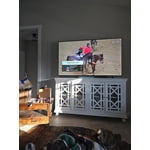
[This review was collected as part of a promotion.] The Samsung Crystal UHD 50" smart tv is a great option. It has a great picture, great sound and a great size for watching movies and playing video games. The smart functions make it easy to watch your favorite streaming app. The built-in wireless LAN connection also allows you to place your TV where ever you want without worry. The only drawback is it does not have a optical audio in.
No surprises with Samsung televisions
[This review was collected as part of a promotion.] very happy with the product very happy with the products everything works as very happy with the product everything works as it should user friendly have several Samsung televisions and please with everything about them