Skip to Main Content
Sam's Club
Sam's Club
All Departments
All Services
Customer reviews for SAMSUNG 55" Class U8000F Series 4K Crystal UHD Smart TV for
SAMSUNG 55" Class U8000F Series 4K Crystal UHD Smart TV
4.5 out of 5 stars
stars
1,770 ratings1,701 reviews
  1. 5 stars72% (1,279)
  2. 4 stars15% (269)
  3. 3 stars6% (107)
  4. 2 stars3% (51)
  5. 1 star4% (64)

Member photos

  • +494 images
Sort by |
Showing 181-190 of 1,701 reviews
Sep 11, 2026
Reviewer name: Amyc1
4 out of 5 stars
4 out of 5 stars review

Great TV

Great picture sound is okay, remote is fine but buttons do wear quite a bit over time . Very simple adding apps , easy to connect and get online, voice works good. Great TV, no problems.

Review from Samsung US
Helpful?43WYLKDSIONN15546751433
Aug 29, 2026
Reviewer name: Sassy
5 out of 5 stars
5 out of 5 stars review

Tv

I love my new TV the picture is very clear Just the whole setting is great . I'm really enjoying my TV and the sound on it is clear I'm so glad I got a new TV and I'm glad it's a Samsung

Review from Samsung US
Helpful?43WYLKDSIONN15546751433
Sep 16, 2026
Reviewer name: Aesquivel
5 out of 5 stars
5 out of 5 stars review

Compatible with my remote!
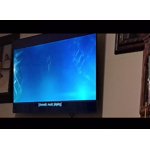
[This review was collected as part of a promotion.] The quality is good, picture is crisp and I like the fact that I can still my previous Samsung remote as I did not like the one it came with. I like the number pad.

Review from Samsung US
Helpful?43WYLKDSIONN15546751433
May 24, 2026
Reviewer name: Watcher
3 out of 5 stars
3 out of 5 stars review

Visuals

[This review was collected as part of a promotion.] Brightness, contrast, and color aren’t as good as they look in the store and home. There is some noticeable difference between close up photography (film) movies and scenes whereas the scenes are much better.

Review from Samsung US
Helpful?43WYLKDSIONN15546751433
reply from Samsung Advisor

Hi Watcher, We appreciate your feedback on the picture quality of Samsung’s U8000F TV. If the image doesn’t quite match your preferences, there are several adjustments you can make to better suit your viewing environment and content type. First, please ensure your TV is running the latest firmware, as updates may include important picture quality enhancements. Go to: Home > Left directional button > Settings > Support > Software Update > Update Now To explore picture mode options, navigate to: Home > Left directional button > Settings > All Settings > Picture > Picture Mode. Options include: • Standard – Ideal for general viewing • Dynamic – Brighter and more vibrant for well-lit spaces • Eco – Optimized for energy efficiency • Movie – Best for viewing in low light • Filmmaker Mode – Preserves the content creator’s intent and disables motion smoothing for supported content You can further customize your image by going to: Settings > All Settings > Picture > Expert Settings, where you can adjust Brightness, Contrast, Color Tone, Sharpness, Contrast Enhancer and more. If you’d like help finding the best picture settings for your preferences, please don’t hesitate to contact Samsung Support at 1-800-SAMSUNG, available 8AM – 9PM EST Mon – Fri, 8AM – 6PM Sat – Sun. You can also LiveChat with an agent or explore additional resources on our website by clicking the ‘Support’ link. ~ Samsung Advisor

Jul 5, 2026
Reviewer name: rl54
1 out of 5 stars
1 out of 5 stars review

Bad interface.

[This review was collected as part of a promotion.] I hate it. Can’t get it to start where I want it. I have directv and it takes a lot of work to get it to start. Would be ok if I could default to that and not Samsung stuff. It often takes multiple attempts to get it where I want. Not user friendly! If I could I’d return it and get another brand!

Review from Samsung US
Helpful?43WYLKDSIONN15546751433
Jul 20, 2026
Reviewer name: Rosie820
5 out of 5 stars
5 out of 5 stars review

Samsung tv

[This review was collected as part of a promotion.] When I bought this TV . I was very happy with the way it operated Picture was clear Sound was great didn't even need a sound bar Easy easy to go from one place to another highly recommend this product

Review from Samsung US
Helpful?43WYLKDSIONN15546751433
Jul 7, 2026
Reviewer name: Bread0fLife490
5 out of 5 stars
5 out of 5 stars review

Love this tv

[This review was collected as part of a promotion.] We've had this TV for a little while now, and it's exceeded our expectations. The 85-inch screen is huge and completely changed the feel of our basement. The picture is bright, sharp, and clear with great color, whether we're watching sports, movies, or just regular TV. Setup was simple, and the smart features were easy to get up and running. We also paired it with a Sonos soundbar, and the experience is fantastic—it really feels like having a movie theater at home. For the price, I don't think you can beat the value. If you're on the fence about going with an 85-inch TV, I'd say go for it. We were worried it might be too big, but it ended up being the perfect size for our space. Overall, we're extremely happy with this purchase and would definitely recommend it to anyone looking for a big-screen TV with excellent picture quality and great performance.

Review from Samsung US
Helpful?43WYLKDSIONN15546751433
Jun 5, 2026
Reviewer name: Lucky
2 out of 5 stars
2 out of 5 stars review

Not great don't care for Samsung

[This review was collected as part of a promotion.] I don't really like the Samsung TV sometimes it just freezes my cable box and I can't change the channel or turn off the cable. I have to try and turn everything off in the middle of whatever I'm watching and lose whatever I'm watching and turn it back on to have it get out of that mode not always the best I cannot put the icon for Paramount+ on my list. I have to go to the Internet and search for it every time I wanna watch Yellowstone.

Review from Samsung US
Helpful?43WYLKDSIONN15546751433
reply from Samsung Advisor

Hi Lucky, We appreciate your feedback regarding response time. For optimal performance, please ensure your TV is running the latest firmware. You can check this by going to: Home > left directional key > Settings > Support > Software Update To further optimize performance, try running Device Care, which checks memory, clears unused cached data, and closes background apps: Home > left directional key > Settings > Support > Device Care > Start Device Care If issues continue, please reach Samsung Support at 1-800-SAMSUNG (8AM – 9PM EST Mon – Fri, 8AM – 6PM Sat – Sun). LiveChat is also available via the ‘Support’ link on our website. ~ Samsung Advisor

Jul 6, 2026
Reviewer name: Shark
2 out of 5 stars
2 out of 5 stars review

Slow processor

[This review was collected as part of a promotion.] Picture is fine, the processor is very slow and buffers way too much. I have conducted speed tests close to the tv and it receives excellent speeds. It's as if the tv is running 100 programs in the background.

Review from Samsung US
Helpful?43WYLKDSIONN15546751433
Jul 5, 2026
Reviewer name: Vettony
5 out of 5 stars
5 out of 5 stars review

I only buy Samsung TVs!!!

[This review was collected as part of a promotion.] This TV is perfect for our bedroom. The picture quality is outstanding. The factory settings didn't need any adjustments. Very easy set up ... I ditched the cable so we are streaming now and set up was quick and simple.

Review from Samsung US
Helpful?43WYLKDSIONN15546751433