Join Now
Skip to Main Content
Sam's Club
Sam's Club
All Departments
All Services
Customer reviews for SAMSUNG 55" Class U8000F Series 4K Crystal UHD Smart TV for
SAMSUNG 55" Class U8000F Series 4K Crystal UHD Smart TV
4.5 out of 5 stars
stars
2,032 ratings1,963 reviews
  1. 5 stars72% (1,460)
  2. 4 stars15% (311)
  3. 3 stars6% (118)
  4. 2 stars3% (69)
  5. 1 star4% (74)

Member photos

  • +590 images
Sort by |
Showing 1,431-1,440 of 1,963 reviews
Jul 5, 2026
Reviewer name: Blackbuck
5 out of 5 stars
5 out of 5 stars review

Great television set!

[This review was collected as part of a promotion.] Great television set! Response is very fast. Picture is crystal clear and sharp. Love it!

Review from Samsung US
Helpful?43WYLKDSIONN15546751433
Jul 5, 2026
Reviewer name: Mike70
4 out of 5 stars
4 out of 5 stars review

SmartTV

[This review was collected as part of a promotion.] I like that I can watch all kinds of different programming

Review from Samsung US
Helpful?43WYLKDSIONN15546751433
Jun 20, 2026
Reviewer name: Cheap guy
3 out of 5 stars
3 out of 5 stars review

Great picture and features for the price.

[This review was collected as part of a promotion.] Wish it have a number pad for easy access to stations.

Review from Samsung US
Helpful?43WYLKDSIONN15546751433
reply from Samsung Advisor

Hi, Thank you for sharing your experience. Samsung remotes are designed to offer convenient control, but we understand if you’d prefer to use a universal remote. Many third-party remotes work well with Samsung TVs, though setup steps may vary by brand and model. To get started, we recommend checking the manufacturer’s instructions for programming codes and pairing methods. If you run into any trouble or have compatibility questions, Samsung Support is happy to help. You can reach us at 1-800-SAMSUNG (8AM – 9PM EST Mon – Fri, 8AM – 6PM Sat – Sun). LiveChat agents are also available at the ‘Support’ link on our website. ~ Samsung Advisor

Jul 20, 2026
Reviewer name: Luther loves tv
5 out of 5 stars
5 out of 5 stars review

Great color and easy set up

[This review was collected as part of a promotion.] My 2nd Samsung , I love the easy functions and set up. I would highly recommend this tv

Review from Samsung US
Helpful?43WYLKDSIONN15546751433
May 11, 2026
Reviewer name: Colin
5 out of 5 stars
5 out of 5 stars review

Love the 85 inch
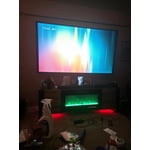
[This review was collected as part of a promotion.] Love the tv, great image, great sound, abd a great ui.

Review from Samsung US
Helpful?43WYLKDSIONN15546751433
May 20, 2026
Reviewer name: theresa
4 out of 5 stars
4 out of 5 stars review

local channels

[This review was collected as part of a promotion.] everything is fine but you can't get your local channels

Review from Samsung US
Helpful?43WYLKDSIONN15546751433
Jul 5, 2026
Reviewer name: Mert
3 out of 5 stars
3 out of 5 stars review

Picture problem

[This review was collected as part of a promotion.] Disappointed that there is a line across the screen and shaded area at the bottom

Review from Samsung US
Helpful?43WYLKDSIONN15546751433
Jun 1, 2026
Reviewer name: Ramon
5 out of 5 stars
5 out of 5 stars review

Blown pixle

[This review was collected as part of a promotion.] Picture is great however one of the pixels has gone black

Review from Samsung US
Helpful?43WYLKDSIONN15546751433
Jun 21, 2026
Reviewer name: REFa
3 out of 5 stars
3 out of 5 stars review

Sound Issues

[This review was collected as part of a promotion.] Having trouble with the sound. Sometimes I have no sound & other times it is coming in too heavy.

Review from Samsung US
Helpful?43WYLKDSIONN15546751433
reply from Samsung Advisor

Hi REFa, Thank you for sharing your experience with your U8000F TV. If you’re hearing no sound or the sound occasionally drops and you’re not using any external devices like a soundbar or receiver, the following steps may help restore or stabilize your TV audio: 1. Check your Sound Output. Make sure the TV is set to use its internal speakers: Home > left directional key > Settings > All Settings > Sound > Sound Output > TV Speaker 2. Run a Sound Test. This will help determine whether the issue lies with the TV’s speakers: Settings > Support > Device Care > Self Diagnosis > Sound Test. If you don’t hear audio during the Sound Test, the TV may require service. 3. Cold Boot the TV. This will refresh the system and can resolve temporary audio glitches. With the TV on, press and hold the Power button on the remote until the TV turns off and back on. Alternatively, unplug the TV from power for 30 seconds, then plug it back in. 4. Reset Sound Settings. If sound settings were changed or became corrupted, you can reset them to factory defaults: Settings > All Settings > Sound > Expert Settings > Reset Sound 5. Check for Firmware Updates. Software updates can improve audio performance and fix known issues: Settings > Support > Software Update > Update Now If the issue persists after trying the steps above, we recommend contacting Samsung Support for further assistance. You can reach us at 1-800-SAMSUNG (8AM – 9PM EST Mon – Fri, 8AM – 6PM Sat – Sun). LiveChat agents are also available through the ‘Support’ link on our website. ~ Samsung Advisor

Jul 17, 2026
Reviewer name: Cliff
1 out of 5 stars
1 out of 5 stars review

Faulty Remote I

[This review was collected as part of a promotion.] TV Remote navigation ring foward position has never worked consistently.

Review from Samsung US
Helpful?43WYLKDSIONN15546751433