 Customer reviews for SAMSUNG 75" Class QN70FD Series 4K Neo QLED Smart TV for
Member photos
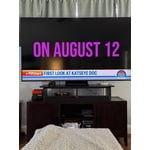
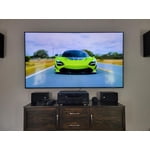


 +268 images
Amazing prpduct high class engineering truly the b
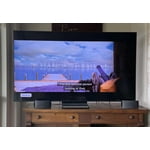
[This review was collected as part of a promotion.] I recently purchased the tv, and I couldn’t be more impressed. From unboxing to setup, everything was seamless. The design is sleek and minimalist, fitting perfectly into a modern living room without drawing too much attention—until it’s on. The picture quality is stunning: colors are vivid, blacks are deep, and the 4K resolution brings every detail to life, whether you're watching nature documentaries or action-packed blockbusters. The HDR performance stands out especially in dim lighting, where contrast and depth really shine. Motion handling is smooth with virtually no blur, even during fast-paced sports or gaming. Speaking of which, the built-in game mode dramatically reduces input lag, making it a great choice for console users. The smart TV interface is intuitive and snappy, with all major streaming apps preloaded and easy to navigate. Voice control integration works surprisingly well—it's responsive and makes switching inputs or finding shows incredibly convenient. Sound quality is impressive for a flat panel, with rich mid-tones and clear dialogue. Still, I paired it with a soundbar to round out the audio experience, and together they create a true home theater feel. Overall, this TV punches well above its weight class. It delivers premium performance at a competitive price point, making it a fantastic value. Whether you're a casual viewer or a cinephile, this model won’t disappoint.
Samsung for the Win
[This review was collected as part of a promotion.] Another oustanding TV by Samsung. Have owned Samsungs for the past 15 years and this one is no different. They continue to build on their excellent quality TVs and make the UI better. This UI is much better for a smart TV compared to the TV I purchased 4 years ago. It is much cleaner, easier to use, and well rounded. The picture on this TV is phenomenal for being their 70 version. I've owned their 80, 90, and a 95 model in the past and this TV is excellent compared to those. Just shows how far the technology has come through the years. The picture quality is very excellent and the blacks are very good for QLED. My biggest gripe about this TV is how they advertise these to be able to display pictures and art gallery. Which is great if you plan to use your own pictures. However, to use their premade picture gallery they require you to pay a monthly fee. They give a handful of free options but that's it. This is rather annoying and infuriates me with how they continue to try to make you pay for a subscription for everything. But this is not why I have the TV. I have the TV to watch shows and use the smart features.
Great Viewing Angles & Thin
[This review was collected as part of a promotion.] There are a few features that separate this from other TV's and from previous year models. First is the size, or lack thereof For a 55" TV, it is significantly thinner and lighter than other TV's . Very easy to unbox and manage. If you have a place where you need a TV really close to a wall, this is a great choice. Second, the viewing angles are impressive. The colors and brightness are not washed out from an extreme viewing angle. It close to an OLED from an extreme angle. Finally, the color consistency is great throughout the image and there's no signs of any brightness bleeding anywhere on the image. The only suggestion I'd look for is a little more powerful processor. The interface is one of the most snappy I've experienced on a Samsung TV and I'm pleased with it - just wish it was a touch more responsive. If possible, I'd recommend setting up the device through the SmartThings app. The setup using the remote control isn't bad, but not as easy as the app. Coming from another Samsung TV was very easy using the restore process so all my apps came over without needing to pick them all from the app store again. All this together, I'd recommend this as a great TV. It's not quite an OLED, but the value is great.

First Samsung Television
My old television quit working the other day, so thought I would try a Samsung TV. I did find the set up to be a little difficult. The television had a hard time connecting to the internet, it finally made the connection. The picture is so clear and bright. The sound is very clear. So far, this seems like a great set.
Very Impressed
[This review was collected as part of a promotion.] I find the AI features on my new television quite interesting, and I haven't yet fully explored its capabilities due to its recent purchase. However, I don't anticipate ever owning a television with a display technology inferior to MiniLED or OLED, nor one with a refresh rate below 120Hz. This is entirely due to my overwhelmingly positive experience with this particular model. The image quality is superb, with vibrant and beautiful colors. The integrated Game Pass is a surprisingly valuable feature, and I especially appreciate the television's smooth operation. If you're seeking a budget-friendly MiniLED television, I highly recommend this one; and if you subscribe to Game Pass, I can't imagine a better option.
Everything you need at a great price
[This review was collected as part of a promotion.] This TV has all the bells and whistles you could possibly need but at a great price. The sound is unmatched, it features Object Tracking Sound Lite and Q-symphony. So the sound is seamless from scene to scene, I no longer find myself turning the volume up and down every few minutes. The picture quality is superb. We watch a lot of sports, and a previous problem was lagging. This TV features Motion Xcelerator Turbot+ which aids to keep lag to a minimum while providing exceptional clarity.
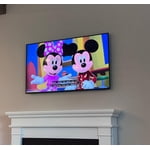

Amazing picture quality
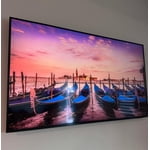
[This review was collected as part of a promotion.] Wow! The picture and sound quality are absolutely amazing. Thanks to the Quantum Matrix Technology your shows and movies will look better than ever - images are sharp and the contrast is unmatched! From the news to cartoons, the colors are vibrant and smooth. As for darker shows, the HDR Brightness Optimizer allows details to be defined even in the darkest of images. The AI processor elevates the TV even more, ensuring your picture and sound will be unmatched! I couldn't imagine a better TV at this price point. This replaced a 5 year old TV and the difference is incredible. It was so easy to set up and easily connected to other devices! Our old remote connected which is great for us as our little ones are constantly losing the remote! I love the wallpaper feature. I would highly recommend this TV

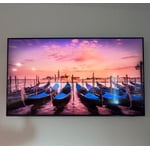
Best tv for kids
[This review was collected as part of a promotion.] My tv is so great i use it as everything , tv , ipad , gaming consol i have my remote on my phone and every app from my phone is conected to it . Parental controle is easy to use , i feel safe with my Kids using it alone
Great Picture But User Experience Needs Work
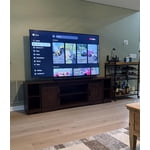
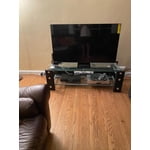
[This review was collected as part of a promotion.] This tv gives our family a big upgrade compared to the 10 year old model it replaced. It is smaller but has a larger screen. Unboxing was easy. The stand goes together in a snap. There was a little more wobble in the legs then I would have preferred but it seems stable. I am not a big guy but I was able to get the tv onto the stand by myself. My initial installation was to a cable box. That was easy and worked well enough. I then downloaded my cable providers streaming app to ditch the cable box. This was a little more challenging. Once I got the app installed on the tv I was able to stream. Unfortunately the tv likes to default to the Samsung plus channel offerings. This is not something I use and getting to the streaming app is not intuitive or consistent. Ideally I would want to default to streaming. Picture quality is great and so is the sound. Loading Amazon prime or Netflix is so much faster than my old tv. My bigger gripe is with the remote. It looks like it was patterned after an MP3 player. It is way too small and will easily get misplaced. The minimalist design is not appreciated. With a number pad I can enter a 4 digit change in 2 seconds without one I have to scroll around to enter each number. It is error prone and takes much much longer. There are icons on the remote with obscure icons. No included manual so I will have to go online to figure them out. The microphone icon seems like what I would use to enter voice commands but it wants to open Alexa. Still a great tv but needs to be more user friendly for those of us that aren't tech wizards.
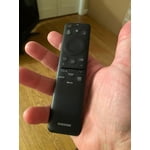
RJBlack, Thank you for sharing your experience. While your QN70F TV may currently default to Samsung TV Plus when powered on, you can customize what your TV does at startup by adjusting the Start Screen Options. To do this, navigate to: Settings > All Settings > Advanced Features > Start Screen Option and choose from the following: 1. Start with Smart Hub Home – Automatically launches Smart Hub when the TV is turned on. You can enable or disable this option based on your preference. 2. Autorun Multi View Casting – If you cast YouTube content from your mobile device, the TV will automatically display the content using Multi View. 3. Autorun Multi View Mirroring – When you screen mirror your mobile device, Multi View will automatically open to show your device’s screen. If you press the mic button on your remote and Alexa app opens, this means your voice assistant has not yet been setup. To begin, you’ll need to select which Voice Assistant you’d like to use to help control your TV, and ensure your TV is connected to the internet. After selecting your preferred Voice Assistant, you can adjust settings by going to: Settings > All Settings > Advanced Features > Voice > Voice Assistant Once activated, just press the Microphone button on your remote to search for content, adjust the volume, or navigate menus using your voice. To help you get the most from your TV, you can download the full e-Manual and more by visiting Samsung’s website then navigating to: Support > Manual & Software > TVs & Home Theater. From there, you can search for and select your TV model to view or download the available guides. The e-Manual and Remote Control Guide are also conveniently built into your TV: Settings > Support > Tips and User Guides If you need additional help, please contact Samsung Support at 1-800-SAMSUNG, 8AM – 12AM EST, 7 days a week. LiveChat agents are also available through the ‘Support’ link on our website. ~ Samsung Specialist
Next Level
[This review was collected as part of a promotion.] I was excited to get this TV and it certainly hasn't dissappointed! The picture quality and the responsiveness with the remote or voice are wonderful. I love the artwork feature to make it more than just a blank TV when not in use as well. The 4K AI upscaling makes a huge difference in the picture quality and takes anything you watch to a way more up close and personal level. This along with the motion xcelerator means way more life-like and almost 3D viewing that doesn't strain your eyes. This has upped our watching experience as well as the aesthetic of our home!