Skip to Main Content
Sam's Club
Sam's Club
All Departments
All Services
Customer reviews for SAMSUNG 55” Class QN70FD Series 4K Neo QLED Smart TV for
SAMSUNG 55” Class QN70FD Series 4K Neo QLED Smart TV
4.7 out of 5 stars
stars
255 ratings252 reviews
  1. 5 stars84% (213)
  2. 4 stars11% (29)
  3. 3 stars3% (7)
  4. 2 stars0% (1)
  5. 1 star2% (5)

Member photos

  • +72 images
Sort by |
Showing 71-80 of 252 reviews
Jan 20, 2026
Texan
3 out of 5 stars review

Flash Bomb!

Being a long time Samsung owner the quality of the picture is excellent as expected but I am experiencing what I call (Picture Flash Bombs!). We will be watching a movie and all of the sudden you get a bright flash of light from your screen that’s over so quick that you wonder if you really even happened but I can assure you that after dozens of times and other people seeing it, It did happen. I bought this particular TV because of the lighting feature that allows you to see what’s in the background of a dark movie scene and from other owners that seems to be the problem. Some of the solutions seem to recommend turning it OFF! WHAT! This is the feature that I love the best. Disappointed Texan!

Review from Samsung US
Helpful?3ZU0LY9BX4K615535573121
reply from Samsung Specialist

Texan, We appreciate you sharing details about the brightness fluctuations you’ve experienced on your Samsung QN70FD TV. This behavior may be related to energy-saving features, AI-powered optimizations, or dynamic picture settings that automatically adjust screen brightness based on content and viewing environment. Please try disabling the following features: Settings > All Settings > General & Privacy > Power and Energy Saving > Brightness Optimization, Energy Saving Solution, and Motion Lighting If these are already off, check if Contrast Enhancer is enabled, which can also cause brightness to shift depending on scene changes: Settings > All Settings > Picture > Expert Settings > Contrast Enhancer Samsung’s newer TVs also include AI-powered features designed to adapt picture settings automatically. While many viewers enjoy this enhancement, others prefer more manual control. To adjust these features, go to: Settings > All Settings > Advanced Features > AI Mode Settings To ensure optimal performance, please also confirm your TV is running the latest firmware: Settings > Support > Software Update > Update Now We hope these steps help stabilize your screen brightness. If you continue to experience issues, please don’t hesitate to contact Samsung Customer Support at 1-800-SAMSUNG (8AM – 12AM EST, 7 days a week). LiveChat is also available via the ‘Support’ link on our website. ~ Samsung Specialist

Feb 22, 2026
Kenneth
5 out of 5 stars review

Love my television

[This review was collected as part of a promotion.] WOW what color, superb resolution. Fantastic television. Hope it lasts. I even Playstation 4 gaming on this. Have Blu-ray disc player, DVD player , VHS recorder and Laserdisc player.. all working great. Yeah I need to convert composite/ component to HDMI interface but it's ok.

Review from Samsung US
Helpful?3ZU0LY9BX4K615535573121
Mar 5, 2026
Junaid
5 out of 5 stars review

Great colors and deeper darks

[This review was collected as part of a promotion.] This is an awesome tv. The resolution, the contrast, and color vibrancy is great. The brightness is awesome with deeper darks, which makes the overall quality amazing. Overall refresh rate is also great. Specially the in game performance is so pleasing.

Review from Samsung US
Helpful?3ZU0LY9BX4K615535573121
Jun 30, 2026
JL2017
4 out of 5 stars review

Remote control needs lights

It would’ve been very nice if the remote control had lights instead of needing to use a flashlight to see the buttons.

Review from Samsung US
Helpful?3ZU0LY9BX4K615535573121
Jul 5, 2026
GMOM
5 out of 5 stars review

Exactly what I wanted!

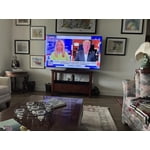
Replaced a huge wall entertainments system with a wall mounted 85” Samsung! It’s big, but no squinting.

Review from Samsung US
Helpful?3ZU0LY9BX4K615535573121
Jul 5, 2026
Jenn
5 out of 5 stars review

Great picture

[This review was collected as part of a promotion.] Love the clear picture! So impressed with this TV, so easy to set up!!!

Review from Samsung US
Helpful?3ZU0LY9BX4K615535573121
Jul 1, 2026
Danny
5 out of 5 stars review

TV is wonderful!

Brightness is good, contrast and uniformity at its best, responsiveness is immediate, and the upscale, can't be better.

Review from Samsung US
Helpful?3ZU0LY9BX4K615535573121
Jul 20, 2026
Dakotagirl
5 out of 5 stars review

Great TV/Great Features

We absolutely love our Samsung TV! The picture is so clear! Samsung is the only brand of TV we will ever buy!

Review from Samsung US
Helpful?3ZU0LY9BX4K615535573121
May 11, 2026
Cjigg
3 out of 5 stars review

Disappointing value

[This review was collected as part of a promotion.] My old qnfde65 qled had better whites and blacks. And was msrp half the price. Great picture but poor value

Review from Samsung US
Helpful?3ZU0LY9BX4K615535573121
reply from Samsung Specialist

Thanks for your review. If there’s anything we can assist with, please don’t hesitate to call us at 1-800-SAMSUNG (8AM – 9PM EST Mon – Fri, 8AM – 6PM Sat – Sun), or reach us via text anytime. You can also visit ‘Support’ on our website for: • Live Chat • Manuals, Software, & Warranty Info ~ Samsung Specialist

Apr 20, 2026
ckredwing
4 out of 5 stars review

Works great for xbox

[This review was collected as part of a promotion.] Works really well with my Xbox series x. I wish it had a better refresh rate, but then I'd need to upgrade further.

Review from Samsung US
Helpful?3ZU0LY9BX4K615535573121