Skip to Main Content
Sam's Club
Sam's Club
All Departments
All Services
Customer reviews for SAMSUNG 43" Class U8000F Series 4K Crystal UHD Smart TV for
SAMSUNG 43" Class U8000F Series 4K Crystal UHD Smart TV
4.5 out of 5 stars
stars
3,388 ratings3,289 reviews
  1. 5 stars72% (2,429)
  2. 4 stars15% (520)
  3. 3 stars6% (219)
  4. 2 stars3% (101)
  5. 1 star4% (119)

Member photos

  • +1024 images
Sort by |
Showing 981-990 of 3,289 reviews
Mar 23, 2026
Reviewer name: Katgamer
5 out of 5 stars
5 out of 5 stars review

Very Vibrant

[This review was collected as part of a promotion.] The tv is very easy to use. Everything is very organized. The resolution is great for gaming. The tv is very vibrant and the brightness is top quality. I've used it for a while, no burn in on the screen. Security is a great feature.

Review from Samsung US
Helpful?22SEGSGR5O6Z15524966302
Apr 20, 2026
Reviewer name: BV51
5 out of 5 stars
5 out of 5 stars review

Awesome television

[This review was collected as part of a promotion.] Resolution, brightness and contrast all good in a variety of of different lighting situations. No issues with refresh. Interface is still a learning process for this human. I have no found a way to set a fixed, over the air antenna channel when first turning the device on.

Review from Samsung US
Helpful?22SEGSGR5O6Z15524966302
Apr 14, 2026
Reviewer name: Daisy937
5 out of 5 stars
5 out of 5 stars review

Great TV except going to apps

[This review was collected as part of a promotion.] The only problem I have with my TV is that it's hard to move to my apps. There is a long line of them across the screen, but I can't click on them and go to an app. I have to open apps to find them.

Review from Samsung US
Helpful?22SEGSGR5O6Z15524966302
May 20, 2026
Reviewer name: Matt
5 out of 5 stars
5 out of 5 stars review

My first Samsung 4K Smart TV

[This review was collected as part of a promotion.] I purchased my first Samsung 4K Smart TV and it's better than I ever could have expected. The TV has excellent picture quality. I also bought my first Samsung sound bar with the TV. This brought my entertainment experience to much higher level. I was able to connect my TV to my cable box and my VCR/DVD player with ease. I was able to connect to my WIFI and quickly have access to all my streaming apps. Samsung TV and sound bar were both excellent choices.

Review from Samsung US
Helpful?22SEGSGR5O6Z15524966302
Feb 28, 2026
Reviewer name: Mel M
5 out of 5 stars
5 out of 5 stars review

Great TV

[This review was collected as part of a promotion.] Great television. I purchased as a long time samsund user and wanted to connect with my eco system. I love streaming quality, access to various apps including the internet. Quality sound loud without sound bar pairs excellent with my JBL turntable.

Review from Samsung US
Helpful?22SEGSGR5O6Z15524966302
May 5, 2026
Reviewer name: Debsings2
4 out of 5 stars
4 out of 5 stars review

Good TV for the money.

[This review was collected as part of a promotion.] We wanted a a lower profile smart TV that was still big enough to give us a good viewing experience. This set fills that need. It has great color and contrast. The picture is really sharp. The preloaded apps were adequate, but could have offered more, most notably YouTubeTV. The remote is user friendly, only lacking a voice control option.

Review from Samsung US
Helpful?22SEGSGR5O6Z15524966302
Nov 22, 2025
Reviewer name: Blessed2shop
5 out of 5 stars
5 out of 5 stars review

This product is more than i expected
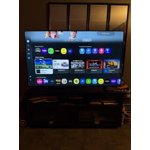
[This review was collected as part of a promotion.] This model is impressively easy to use and can also work without a cable package. I love the Samsung hub, the games , live tv, and endless amounts of downloadable apps and content. All I needed was to have WiFi service. Price was really affordable for its size and brand. The awesome colors and clean and clear picture is impeccable. I must say, I'd buy this product again if needed to. I highly recommend this product to my friends and family, who were also impressed by the size ,price, and quality of this product. Definitely worth the purchase.

Review from Samsung US
Helpful?22SEGSGR5O6Z15524966302
Mar 24, 2026
Reviewer name: Jackie
5 out of 5 stars
5 out of 5 stars review

Samsung Crystal

[This review was collected as part of a promotion.] We got this 70" crystal tv brand new & it is spectacular! I can clearly see the difference from our old 65'' samsung curve tv. The view is so good I think its right in front of me! Everything is so smooth, the picture to picture or scene to scene, the skin tones are on point & I love the volume on it. Usually tv's havent been loud enough w/out a speaker or soundbar, but this 1 is awesome! It seems like the tv auto adjusts lighting too..i love it! I havent had an issue w/my Samsung or Google accounts either..tht process was smooth 2. Havent had an issue w/security either.

Review from Samsung US
Helpful?22SEGSGR5O6Z15524966302
May 25, 2026
Reviewer name: Jazz
5 out of 5 stars
5 out of 5 stars review

Great living room TV

[This review was collected as part of a promotion.] Overall, this TV is amazing for the whole family. It is not only wide, but the audio can be heard for everyone on the couch. Samsung products is something that this family loves, so when we got this TV, we knew it wouldn't be short of amazing. My family and I enjoy watching alone or all together because this TV is perfect for whatever your viewing needs are. The visual specs are great and the quality is astounding! I highly recommend if you are in the market for better and bigger TV that something you and the family can enjoy.

Review from Samsung US
Helpful?22SEGSGR5O6Z15524966302
May 20, 2026
Reviewer name: Evie
3 out of 5 stars
3 out of 5 stars review

Some issues I've found

[This review was collected as part of a promotion.] I like the tv, however it is difficult to set the tv's start up channel. I finally got it so I don't have to use 2 remotes to get to regular stations. I have Comcast remote & tv remote. Another issue is that every once in a 5, when I turn the tv on, there is no sound. It's a pain to get the tv remote and toggle through the options to get the sound back on. Outside of those flaws, the tv is ok.

Review from Samsung US
Helpful?22SEGSGR5O6Z15524966302
reply from Samsung Advisor

Hi Evie, Thank you for your review and for sharing your experience with your U8000F TV. If you’re not hearing any sound, whether using TV speakers or an external audio device, here are several steps that can help get things working again. 1. Start with Basic Checks • Make sure the TV isn’t muted and the volume is turned up. • If using an external audio device, ensure it’s powered on, set to the correct source, and the volume is turned up there as well. • Unplug your TV for 30 seconds, then plug it back in and power it on. 2. HDMI ARC / eARC Connection • Use a certified High-Speed HDMI cable with Ethernet. Connect it to the HDMI eARC ports on both the TV and the soundbar/receiver. • Enable these settings: o Settings > All Settings > Sound > Expert Settings > HDMI eARC Mode = Auto o Settings > All Settings > General & Privacy > External Device Manager > Anynet+ (HDMI-CEC) = On • Check the digital audio format: Settings > All Settings > Sound > Expert Settings > Digital Output Audio Format o If you're not sure what your connected device supports, set it to Auto. 4. Bluetooth Audio Connection • Pair your Bluetooth device: Settings > All Settings > Sound > Sound Output > Bluetooth Speaker List • If your Bluetooth device doesn’t appear or won’t connect, move it closer to the TV, ensure it’s in pairing mode, and select Scan. • If paired but no sound, unpair the device and try reconnecting. 5. Wi-Fi / Wireless Speakers • Confirm the speakers and the TV are on the same Wi-Fi network. Use: Settings > All Settings > Sound > Sound Output > Wi-Fi Speaker Surround Setup • Reboot both the TV and the Wi-Fi speakers, and check your router for connection strength. 6. Other Helpful Tips • Run a Sound Test: Settings > Support > Device Care > Self Diagnosis > Sound Test • Update TV firmware to rule out compatibility issues: Settings > Support > Software Update > Update Now • If using a cable box or external streaming device, double-check that the device’s audio output settings are set to HDMI or the appropriate output. If you still don’t hear sound after following these steps, please don’t hesitate to reach out so we can assist further. You can call Samsung Support at 1-800-SAMSUNG, 8AM – 9PM EST Mon – Fri, 8AM – 6PM Sat – Sun. Our LiveChat agents are also available by clicking the ‘Support’ link at Samsung.com. ~ Samsung Advisor