Skip to Main Content
Sam's Club
Sam's Club
All Departments
All Services
Customer reviews for SAMSUNG 43" Class U8000F Series 4K Crystal UHD Smart TV for
SAMSUNG 43" Class U8000F Series 4K Crystal UHD Smart TV
4.5 out of 5 stars
stars
3,746 ratings3,647 reviews
  1. 5 stars71% (2,668)
  2. 4 stars15% (575)
  3. 3 stars6% (240)
  4. 2 stars3% (126)
  5. 1 star4% (137)

Member photos

  • +1153 images
Sort by |
Showing 961-970 of 3,647 reviews
May 11, 2026
Reviewer name: Anonymous
4 out of 5 stars
4 out of 5 stars review

I like how accessible settings are to get to.
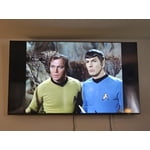
[This review was collected as part of a promotion.] Our tv is very user friendly, has a great picture and sound is decent quality. I like that you can customize multiple set settings for each user and time/lighting of the day. My only complaint is the remote no longer has the number buttons, the buttons make pins more discrete when typing infront of children.

Review from Samsung US
Helpful?22SEGSGR5O6Z15524966302
Jul 5, 2026
Reviewer name: sanajar
4 out of 5 stars
4 out of 5 stars review

Great size and brand
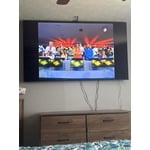
[This review was collected as part of a promotion.] When I used it the second day after installation, it got frozen when I was navigating thru the Samsung Channels; I had to unplug it and then plugged it back again. The remote control didn't help. Hasn't happened since then, but didn't feel good when that occurred

Review from Samsung US
Helpful?22SEGSGR5O6Z15524966302
Jul 20, 2026
Reviewer name: Merlino
3 out of 5 stars
3 out of 5 stars review

First Time, Last Time

[This review was collected as part of a promotion.] It's performance is ok. Hangs about 25 percent of the time, requiring a reboot, which is far too often for my taste. Connectivity to various bluetooth devices is inconsistent. The picture is more than adequate, but frankly, the controls are not. I would not buy another Samsung.

Review from Samsung US
Helpful?22SEGSGR5O6Z15524966302
Jul 27, 2026
Reviewer name: SMJC
2 out of 5 stars
2 out of 5 stars review

Excellent Display, Unreliable Sound

[This review was collected as part of a promotion.] The picture quality is bright, sharp, and looks fantastic. Unfortunately, the audio experience has been very frustrating. The TV frequently fails to recognize my Samsung speaker, sometimes says it's connected when no sound plays, and other times even the built-in TV speakers stop working until I power cycle the TV. I've also experienced times when sound returns but the volume controls don't respond. The display is excellent, but the ongoing audio issues make this difficult for me to recommend.

  • +1 image
Review from Samsung US
Helpful?22SEGSGR5O6Z15524966302
Jun 30, 2026
Reviewer name: Jennbenn
5 out of 5 stars
5 out of 5 stars review

Great tv

[This review was collected as part of a promotion.] This TV has the sharpest first picture I've seen on a TV in my whole life responsive with the remote The responsive with the remote the voice command works well and it's just a great value for the price I'm the brightness is great the color is an amazing the contrast is amazing

Review from Samsung US
Helpful?22SEGSGR5O6Z15524966302
Jun 20, 2026
Reviewer name: Ironjack
5 out of 5 stars
5 out of 5 stars review

Excellent Picture Quality

[This review was collected as part of a promotion.] I would cover two topics at once. This 65" UHD TV is everything it is advertised to be. The picture quality is superb - bright with excellent contrast. The picture quality is the same quality anywhere on the screen - edge to edge all wonderful picture quality.

Review from Samsung US
Helpful?22SEGSGR5O6Z15524966302
Jul 5, 2026
Reviewer name: Sandi987
4 out of 5 stars
4 out of 5 stars review

I love the improved clarity in the new TV.

[This review was collected as part of a promotion.] This is my 5th Samsung TV and I've loved them all. My only recommendation would be to restore the old remote as the new style remote is too small to read and lacks all the features of my other Samsung TV remotes. The picture is much improved as are all the new Samsung products.

Review from Samsung US
Helpful?22SEGSGR5O6Z15524966302
May 5, 2025
Reviewer name: bnastali
5 out of 5 stars
5 out of 5 stars review

Bigger is Better

[This review was collected as part of a promotion.] Focus on this: Me going from 50" to 85" and seeing detail like never before in my fave movies and games. I am thrilled everytime I turn on my Samsung and get lost in the colors, smooth movement, great sound, and feeling life is better with this epic TV!

Review from Samsung US
Helpful?22SEGSGR5O6Z15524966302
Jul 5, 2026
Reviewer name: LuvSamsung
5 out of 5 stars
5 out of 5 stars review

Great phone!

[This review was collected as part of a promotion.] Been using the s26 ultra for about 2 weeks now and I'm glad I made the upgrade. Was using a s23 ultra for a few years and I would definitely recommend the upgrade. The responsiveness of this phone is amazing. But the big thing is like is the battery life. If course that depends on your use of the phone just like any other phone. But I've been able to have the battery last all day. Taken off the charger around 7am and it lasts until I get home around 8pm with battery life to spare. I'm also looking the privacy feature. I use it to hide notifications and it works pretty good. Overall I'm very happy with the upgrade and recommend it to anyone looking.

Review from Samsung US
Helpful?22SEGSGR5O6Z15524966302
Jun 6, 2026
Reviewer name: Lori
3 out of 5 stars
3 out of 5 stars review

Remote problems.

[This review was collected as part of a promotion.] Nice television set. It has a real nice color. Only problem is for an unknown reason the remote doesn't work properly. The remote quits working. it freezes up. We have to unplug the tv and plug it back in for the remote to work. This has happened 3 times in the short time we have owned this set.

Review from Samsung US
Helpful?22SEGSGR5O6Z15524966302
reply from Samsung Advisor

Hi Lori, Thank you for your feedback. If your remote isn’t responding, here are a few quick steps to help determine if it’s working correctly: 1. Check the batteries: Remove the back cover of your remote and replace the batteries with a fresh set, ensuring they are inserted in the correct direction. 2. Test for infrared signal: Point the front of the remote at your smartphone camera. While holding down any button, you should see a flashing light through the camera screen. (For iPhone users, the front-facing camera works best.) If you see the light, your remote is working and may need to be re-paired with your TV. 3. Point the remote correctly: Try pointing the remote directly at the TV from about 5-6 feet away. This can help ensure a clearer signal between the remote and the TV. If you still need assistance, please contact Samsung Support at 1-800-SAMSUNG (8AM – 9PM EST Mon – Fri, 8AM – 6PM Sat – Sun), or visit the ‘Support’ link on our website to start a LiveChat session. ~ Samsung Advisor