Skip to Main Content
Sam's Club
Sam's Club
All Departments
All Services
Customer reviews for SAMSUNG 43" Class U8000F Series 4K Crystal UHD Smart TV for
SAMSUNG 43" Class U8000F Series 4K Crystal UHD Smart TV
4.5 out of 5 stars
stars
3,372 ratings3,273 reviews
  1. 5 stars72% (2,416)
  2. 4 stars15% (517)
  3. 3 stars6% (219)
  4. 2 stars3% (101)
  5. 1 star4% (119)

Member photos

  • +1010 images
Sort by |
Showing 571-580 of 3,273 reviews
Jun 6, 2026
Reviewer name: Lori
3 out of 5 stars
3 out of 5 stars review

Remote problems.

[This review was collected as part of a promotion.] Nice television set. It has a real nice color. Only problem is for an unknown reason the remote doesn't work properly. The remote quits working. it freezes up. We have to unplug the tv and plug it back in for the remote to work. This has happened 3 times in the short time we have owned this set.

Review from Samsung US
Helpful?22SEGSGR5O6Z15524966302
reply from Samsung Advisor

Hi Lori, Thank you for your feedback. If your remote isn’t responding, here are a few quick steps to help determine if it’s working correctly: 1. Check the batteries: Remove the back cover of your remote and replace the batteries with a fresh set, ensuring they are inserted in the correct direction. 2. Test for infrared signal: Point the front of the remote at your smartphone camera. While holding down any button, you should see a flashing light through the camera screen. (For iPhone users, the front-facing camera works best.) If you see the light, your remote is working and may need to be re-paired with your TV. 3. Point the remote correctly: Try pointing the remote directly at the TV from about 5-6 feet away. This can help ensure a clearer signal between the remote and the TV. If you still need assistance, please contact Samsung Support at 1-800-SAMSUNG (8AM – 9PM EST Mon – Fri, 8AM – 6PM Sat – Sun), or visit the ‘Support’ link on our website to start a LiveChat session. ~ Samsung Advisor

Jul 5, 2026
Reviewer name: BodyBag
2 out of 5 stars
2 out of 5 stars review

Can't think of any from this one

[This review was collected as part of a promotion.] Brightness is good responsiveness is ok but not good. The things that I don't like are the voice assistant keeps turning itself back on tge game dashboard is hard to find to TURN IT OFF and samsung updates messed up my samsung soundbar have to hard rest every other day to get it to connect to my tv all the time since that stupid update. Movies any where will not play in 4k only on this TV. Xfinity stream app doesn't fit screen and its been like this since 2024 on all samsung tvs. They don't care to fix the aspect format so everyone is stretched out and tall for old tv shows. I think samsung really doesn't care

Review from Samsung US
Helpful?22SEGSGR5O6Z15524966302
Jun 22, 2026
Reviewer name: Efenefo101
5 out of 5 stars
5 out of 5 stars review

Great features!
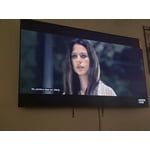
[This review was collected as part of a promotion.] This television have been the best choice so far... its huge bright contrast Screen, clear upscling pictures and energy saving is superb... i love the tv, it is very responsive when i use the smart things in my Samsung phone to gain control of the tv. The uniformity blows my family away when we watch our favorite programs.

Review from Samsung US
Helpful?22SEGSGR5O6Z15524966302
Jun 5, 2026
Reviewer name: Anonymous
3 out of 5 stars
3 out of 5 stars review

My experience, just so-so

[This review was collected as part of a promotion.] A really nice picture and easy setup. But, the volume of commercials increases to an unbearable degree on some channels and there seems to be an over abundance of incidents of program buffering or freezing

Review from Samsung US
Helpful?22SEGSGR5O6Z15524966302
reply from Samsung Advisor

Hi, Thank you for sharing your experience with volume fluctuations on your Samsung U8000FD TV. Sudden changes in volume can often be related to audio settings or content differences between sources or apps. Please try the following adjustments to help stabilize your TV's audio: 1. Enable Auto Volume. Go to: Settings > All Settings > Sound > Expert Settings > Auto Volume. This feature helps maintain a consistent volume level when switching channels or apps. 2. Change 3. . Try a different sound mode to see if one offers a more stable output: Settings > All Settings > Sound > Sound Mode (We recommend Standard or Amplify for more even performance.) 4. Check External Devices. If you're using a soundbar, receiver, or other audio device, check that its volume leveling or dynamic range settings aren’t interfering with the TV’s audio. 5. Update Firmware. Ensure your TV is running the latest software, as updates may include audio improvements: Settings > Support > Software Update > Update Now If the issue persists after these steps, please don’t hesitate to reach Samsung Customer Support at 1-800-SAMSUNG (8AM – 9PM EST Mon – Fri, 8AM – 6PM Sat – Sun). LiveChat is also available via the ‘Support’ link on our website. ~ Samsung Advisor

Jun 22, 2026
Reviewer name: 3daniboy
4 out of 5 stars
4 out of 5 stars review

Solid Job for what it is

[This review was collected as part of a promotion.] Could do better on the brightness and glare. TV works well and is quick enough. Contrast I'd give it a B. This was a fairly cheap television, you get what you pay for. Not recommended for bright rooms.

Review from Samsung US
Helpful?22SEGSGR5O6Z15524966302
Jul 5, 2026
Reviewer name: Gene
4 out of 5 stars
4 out of 5 stars review

Great picture quality

[This review was collected as part of a promotion.] Brightness, Contrast, Responsiveness, are all great. How ever channel selection with the remote leaves a lot to be desired. You can't just select a channel without going to the guide and searching for it. That gets difficult and confusing.

Review from Samsung US
Helpful?22SEGSGR5O6Z15524966302
Jul 8, 2026
Reviewer name: Hgrace
5 out of 5 stars
5 out of 5 stars review

Amazing view

[This review was collected as part of a promotion.] The home screen layout is super easy to navigate, especially for my grandmother. The picture is very clear and vivid. It almost looks like we are actually on set with the actors. The sound is exceptional! I dont have to set the volume over 20 because at its low volume level it is loud enough!

Review from Samsung US
Helpful?22SEGSGR5O6Z15524966302
Jun 6, 2026
Reviewer name: Melissa
5 out of 5 stars
5 out of 5 stars review

85" Class Crystal UHD U8000F 4K Smart TV
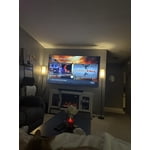
[This review was collected as part of a promotion.] We absolutely love this TV! Its sleek design fits perfectly on our wall and makes us feel like we're in a mini movie theater. The picture is so clear and the colors are very vibrant! The resolution is perfect in my opinion. We haven't encountered any problems with its operation. I'm so glad we decided on this purchase. Zero regrets plus we got a great deal on it truly making it a “Best Buy” definitely recommend

Review from Samsung US
Helpful?22SEGSGR5O6Z15524966302
Jul 5, 2026
Reviewer name: Dfoushee
5 out of 5 stars
5 out of 5 stars review

Unbelievable … Value

[This review was collected as part of a promotion.] I really like Samsung. It's my third TV for my home. The operation, color and picture make it an attractive addition. We have been having so many tornado events here in Iowa, we wanted a nice TV for our basement shelter area.

Review from Samsung US
Helpful?22SEGSGR5O6Z15524966302
Jul 5, 2026
Reviewer name: Skins
3 out of 5 stars
3 out of 5 stars review

85 inch TV

[This review was collected as part of a promotion.] The TV is incredible. However, the Samsung App Store is limited. I couldn't download the MLB app from it and was looking forward to watching my favorite out of market team play on the big screen. Very disappointing!

Review from Samsung US
Helpful?22SEGSGR5O6Z15524966302