Skip to Main Content
Sams Club
Sams Club
Customer reviews for SAMSUNG 43" Class U8000F Series 4K Crystal UHD Smart TV for
SAMSUNG 43" Class U8000F Series 4K Crystal UHD Smart TV
4.7 out of 5 stars
stars1,091 ratings992 reviews
  1. 5 stars79% (866)
  2. 4 stars13% (145)
  3. 3 stars4% (39)
  4. 2 stars2% (20)
  5. 1 star2% (21)
Write a review

Customer photos

  • +292 images
Sort by |
Showing 501-510 of 992 reviews
Sep 22, 2025
Bobsponge2
4 out of 5 stars review

Good tv for the price

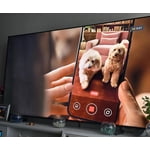
[This review was collected as part of a promotion.] It's a nice big tv works well with my xbox series x I dont use the tv to stream i found it a little slow to open apps if you can keep the room dark it's easier to see but if you adjust the shadow setting you can get it to your liking I hooked mine to a samsung sound bar wich make it alot better than it already is it also like the mirror screen tech works seamlessly with the Samsung smart phones

Review from Samsung US
Helpful?22SEGSGR5O6Z15524966302
Dec 6, 2025
ILoveSamsung
2 out of 5 stars review

Disappointed...

[This review was collected as part of a promotion.] The rating for this unit is strictly based on the fact that this model does not include an optical sound connection, so please do not attribute it to quality of the picture. I should note that I love Samsung products and that I purchased a different model to replace this one.

Review from Samsung US
Helpful?22SEGSGR5O6Z15524966302
reply from Samsung Advisor

Hi ILoveSamsung, Thank you for sharing your thoughts on the available inputs for the U8000F. If an Optical port is a crucial part of your setup needs, you’ll find that connection starting with our Q8F Series and above. For future purchases, we recommend double-checking the product specs on Samsung's site to ensure the model you choose has the ports you need. You can find this by clicking on “Specs” (just beneath the Product Title), then "See All Specs" for the full list of available inputs and more: https://www.samsung.com/us/tvs/qled-tv/55-class-qled-tv-q7f-sku-qn55q7faafxza/ Should you ever need assistance with your TV, Samsung is here for you. Reach out by calling 1-800-SAMSUNG between 8AM - 12AM EST, any day of the week. You can also chat with us online by visiting the ‘Support’ section of our website. ~ Samsung Advisor

Sep 21, 2025
Shamalamadingdong
4 out of 5 stars review

Samsung TV Review

[This review was collected as part of a promotion.] We always have bought Samsung TVs but as time has progressed it definitely feels like the quality in regards to longevity has diminished. While the TV is functional they're great but don't seem to have much more life than 2-3 years.

Review from Samsung US
Helpful?22SEGSGR5O6Z15524966302
Dec 2, 2025
Bubulubu
5 out of 5 stars review

Great as computer monitor/TV

[This review was collected as part of a promotion.] I use this TV also as computer monitor and works great, plenty of desktop space and text is clear at 4k resolution. Also it comes with a RDP application to connect to remote computers, which is great when used with mouse and keyboard.

Review from Samsung US
Helpful?22SEGSGR5O6Z15524966302
Jan 5, 2026
MeToo
4 out of 5 stars review

Screensaver

I would like to have the screensaver adjustable for time out because there are many times when you don't want to turn off the TV, but you do not want the distraction of everything of the screen. On my model TV, the screensaver only kicks in only after two hours of non-activity.

Review from Samsung US
Helpful?22SEGSGR5O6Z15524966302
Nov 17, 2025
Samsung4ever
5 out of 5 stars review

Loved our Samsung tv

[This review was collected as part of a promotion.] Our TV was great it was a good value for 4k, the modern slim design gave it a premium feel. We very much enjoyed the smart features and free content via Samsung tv plus. It had reasonable power consumption and the color it gave was excellent it made every viewing experience enjoyable.

Review from Samsung US
Helpful?22SEGSGR5O6Z15524966302
Oct 14, 2025
SamsungPro
4 out of 5 stars review

Amazing TV for the price

[This review was collected as part of a promotion.] I use my TV for just about everything except for work. For the price I got the TV, it has been fantastic. There is a small issue with the light in my house reflecting off the TV screen and making the spot that it reflects off hard to see, but it's usually just a small spot on the TV. I have always loved using Samsung TVs and their Tizen OS is better than any of the other TV operating systems I've used in the past. I will eventually upgrade to the Fram pro TV, but for now, this TV does everything I need it to and more.

Review from Samsung US
Helpful?22SEGSGR5O6Z15524966302
Oct 14, 2025
Trobert765
1 out of 5 stars review

Picture quality

[This review was collected as part of a promotion.] The picture quality is poor when watching sports. The image is very blurry. Tried adjusting the picture settings but it did not improve the quality. Using an older model for our primary TV. Very disappointing!

Review from Samsung US
Helpful?22SEGSGR5O6Z15524966302
reply from Samsung Advisor

Hi Trobert765, Thank you for your feedback on the Samsung U8000F TV and your experience when watching fast-motion content. If the picture appears blurry or unnatural during high-speed scenes, there are several settings you can adjust to improve motion clarity. Go to: Home > left directional key > Settings > All Settings > Picture > Expert Settings, and review these key settings: Picture Clarity Settings • Off: Disables all motion enhancement • Auto: Automatically adjusts motion clarity based on content • Custom: Enables manual control of: o Judder Reduction: Smooths motion in film-based content o LED Clear Motion: Increases sharpness during fast movement o Noise Reduction: Helps reduce distortion in lower-quality sources Additional Picture Controls • Brightness – Adjust overall image brightness • Contrast – Controls the difference between light and dark areas • Sharpness – Enhances the definition of object edges • Color – Adjusts color intensity for more natural or vivid tones We hope these settings help improve your viewing experience, especially with fast-moving content. If you'd like further assistance, feel free to reach out to Samsung Support at 1-800-SAMSUNG, 8AM – 12AM EST, 7 days a week. LiveChat is also available via the ‘Support’ link on our website. ~ Samsung Advisor

Oct 13, 2025
Quemero73
5 out of 5 stars review

Great TV! Picture quality and OS are excellent!

[This review was collected as part of a promotion.] I recently upgraded from an older 65" Samsung to the new U8000FD, and it has exceeded my expectations. The picture quality is stunning, offering a truly noticeable improvement. I'm also impressed with the streamlined homepage navigation; it's much easier and quicker to use than previous iterations. A standout feature is the picture-in-picture (PiP) option, which is perfect for catching two games simultaneously on the weekend! Overall, I couldn't be happier with this purchase. Thank you, Samsung, for another high-quality product!

Review from Samsung US
Helpful?22SEGSGR5O6Z15524966302
Dec 5, 2025
Randy1
4 out of 5 stars review

Great picture and value

[This review was collected as part of a promotion.] We have had the 75" version of this TV since September so far I am pleased with the picture. The colors lights and darks are vibrant and the contrast is amazing. The Smart features are just what we would expect from Samsung. Having Samsung products in the house complement the Smart things eco system. Only 2 small issues keep me from giving a 5 star review. First the speakers are not great so to truly match the picture and have an immersive experience I had to pick up a Samsung soundbar with the wireless woofer. The second issue is the Samsung TV plus app is very buggy, the intro sound is way too loud and half the time the live TV guide does not load properly. Overall the experience has been positive on this TV.

Review from Samsung US
Helpful?22SEGSGR5O6Z15524966302