Skip to Main Content
Sam's Club
Sam's Club
All Departments
All Services
Customer reviews for SAMSUNG 43" Class U8000F Series 4K Crystal UHD Smart TV for
SAMSUNG 43" Class U8000F Series 4K Crystal UHD Smart TV
4.5 out of 5 stars
stars
3,372 ratings3,273 reviews
  1. 5 stars72% (2,416)
  2. 4 stars15% (517)
  3. 3 stars6% (219)
  4. 2 stars3% (101)
  5. 1 star4% (119)

Member photos

  • +1010 images
Sort by |
Showing 381-390 of 3,273 reviews
Sep 5, 2026
Reviewer name: BearMan
3 out of 5 stars
3 out of 5 stars review

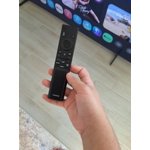
worst remote in the world

[This review was collected as part of a promotion.] the remote sucks, press press press, why can't one press do the job, and the directional ring is no better, worst remote i've ever encountered!!!!!!!!!!!!!!!!!!!!!!!

Review from Samsung US
Helpful?22SEGSGR5O6Z15524966302
Jul 25, 2026
Reviewer name: Saif
5 out of 5 stars
5 out of 5 stars review

Amazing tv

[This review was collected as part of a promotion.] I bought this TV 2 days ago It's a really good TV backlight is good really good Sound system amazing TV for the price

Review from Samsung US
Helpful?22SEGSGR5O6Z15524966302
Jun 11, 2026
Reviewer name: Dkrae715
2 out of 5 stars
2 out of 5 stars review

Remote works inconsistently.

[This review was collected as part of a promotion.] Remote doesn't work consistently. I have purchased additional remotes and they behave the same way so it must be the tv. It's so frustrating.

Review from Samsung US
Helpful?22SEGSGR5O6Z15524966302
reply from Samsung Advisor

Hi Dkrae715, Thank you for your feedback. If your remote isn’t responding, here are a few quick steps to help determine if it’s working correctly: 1. Re-pair the remote – Stand within 1 foot of your TV and press Return and Play/Pause simultaneously for at least 5 seconds. A message should appear confirming it's connected. 2. Check the battery level – Go to: Home > left directional key > Settings > All Settings > General & Privacy > Remote Control 3. Change the batteries. 4. Update your TV’s firmware – Go to: Settings > Support > Software Update > Update Now 5. Run Device Care to clear memory and close background apps that may slow performance: Settings > Support > Device Care > Start Device Care Finally, please ensure you are pointing the remote at the IR Sensor, located below the Samsung logo at the bottom of your TV. If these steps don’t resolve the issue, please contact Samsung Support at 1-800-SAMSUNG (8AM – 9PM EST Mon – Fri, 8AM – 6PM Sat – Sun). LiveChat is also available through the ‘Support’ link on our website. ~Samsung Advisor

Sep 5, 2026
Reviewer name: Tresemt
5 out of 5 stars
5 out of 5 stars review

Great Features!
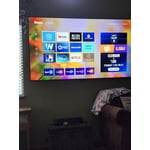
[This review was collected as part of a promotion.] This TV has a very clear picture. The contrast with colors is very life like. The picture refreshes very fast. Watching a baseball game is enjoyable!

Review from Samsung US
Helpful?22SEGSGR5O6Z15524966302
Sep 3, 2026
Reviewer name: Freecody88
4 out of 5 stars
4 out of 5 stars review

Awesome TV with refreshing Menu!

[This review was collected as part of a promotion.] The brightness is I'd say four out of five contrast three out of five refresh rate three out of five smoothness three out of five and upscaling four out of five

Review from Samsung US
Helpful?22SEGSGR5O6Z15524966302
Sep 6, 2026
Reviewer name: The Dude
5 out of 5 stars
5 out of 5 stars review

Works for me

[This review was collected as part of a promotion.] All my TVs are Samsung, very easy to use, nice remote, picture quality is great, connectivity with Samsung phones excellent.

Review from Samsung US
Helpful?22SEGSGR5O6Z15524966302
Sep 5, 2026
Reviewer name: CloFer
5 out of 5 stars
5 out of 5 stars review

Everything TV, true look size

[This review was collected as part of a promotion.] The value was the best. Sound quality needs work, but overall I love it to the 5th power! I would get the same tv but a larger one as well.

Review from Samsung US
Helpful?22SEGSGR5O6Z15524966302
Sep 20, 2026
Reviewer name: lynnd2929
5 out of 5 stars
5 out of 5 stars review

Excellent product

[This review was collected as part of a promotion.] We've had Samsungs for 30+ years and they just keep getting better. With our 85” it's like sitting in a movie theater ⭐️⭐️⭐️⭐️⭐️⭐️

Review from Samsung US
Helpful?22SEGSGR5O6Z15524966302
Jun 7, 2026
Reviewer name: Judi
4 out of 5 stars
4 out of 5 stars review

Great TV. Just one question.

[This review was collected as part of a promotion.] The color picture sound are great. However when I'm watching a show and put on hold then turn off tv it doesn't go back to the hold. Have to start over. ??

Review from Samsung US
Helpful?22SEGSGR5O6Z15524966302
Jun 21, 2026
Reviewer name: gma2010
5 out of 5 stars
5 out of 5 stars review

Enjoying my TV

[This review was collected as part of a promotion.] I am enjoying my new tv. At first I was somewhat intimidated by the new technology but soon became an expert user of the features.

Review from Samsung US
Helpful?22SEGSGR5O6Z15524966302