Join Now
Skip to Main Content
Sam's Club
Sam's Club
All Departments
All Services
Customer reviews for SAMSUNG 43" Class U8000F Series 4K Crystal UHD Smart TV for
SAMSUNG 43" Class U8000F Series 4K Crystal UHD Smart TV
4.5 out of 5 stars
stars
3,746 ratings3,647 reviews
  1. 5 stars71% (2,668)
  2. 4 stars15% (575)
  3. 3 stars6% (240)
  4. 2 stars3% (126)
  5. 1 star4% (137)

Member photos

  • +1153 images
Sort by |
Showing 3,481-3,490 of 3,647 reviews
Jul 17, 2025
Reviewer name: Helel13666
5 out of 5 stars
5 out of 5 stars review

Pristine visuals

[This review was collected as part of a promotion.] Amazing quality, beautiful screen, none can compare, truly the best. I defy you to try and find better quality!

Review from Samsung US
Helpful?22SEGSGR5O6Z15524966302
Oct 4, 2025
Reviewer name: Tj1990
5 out of 5 stars
5 out of 5 stars review

Five stars

[This review was collected as part of a promotion.] TV is awesome! Great picture, teamed up with a wireless surround system thst has no lag. The "Smart" features are easy to use and convenient!

Review from Samsung US
Helpful?22SEGSGR5O6Z15524966302
May 5, 2025
Reviewer name: Heather145
5 out of 5 stars
5 out of 5 stars review

Great picture!
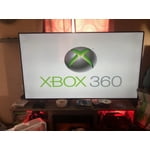
[This review was collected as part of a promotion.] I am very impressed with this tv's picture. The color is amazing. It makes movies more interesting. Especially for kids. I'm very happy with my purchase and will buy more in the future.

Review from Samsung US
Helpful?22SEGSGR5O6Z15524966302
Sep 19, 2025
Reviewer name: Neil
2 out of 5 stars
2 out of 5 stars review

Good TV but the user interface stinks

If I could get the stations I want and mute the audio when I need it to be quiet I'd give it a 5. However, the user interface, both the native remote and via the SmartThings app on my phone, just pain sucks.

Review from Samsung US
Helpful?22SEGSGR5O6Z15524966302
reply from Samsung Advisor

Hi Neil, We appreciate your thoughts on the U8000F TV’s remote. While it may appear minimal at first glance, many of the buttons are designed with dual or long-press functions to help reduce clutter without sacrificing functionality. For example: • Volume rocker: Push UP/DOWN to adjust volume; press and release quickly to MUTE. • Long-press Volume button: Hold for more than 1 second to access Accessibility Shortcuts. • RETURN button: Press to go back to the previous screen or menu; when watching TV, it takes you back to the previous channel. These combined functions help create a cleaner design while keeping everything you need just a button away. If you ever need help with your remote or want to learn more shortcuts, we’re here to assist. You can reach us at 1-800-SAMSUNG, available daily from 8AM - 12AM EST. You can also visit the Samsung website and click on ‘Support’ for: • Live Chat • Manuals, Software, & Warranty Info ~ Samsung Advisor

May 29, 2025
Reviewer name: Dennisthemenace
4 out of 5 stars
4 out of 5 stars review

Great features but apps sometimes bug out

[This review was collected as part of a promotion.] I love the quality and display but some apps bug out and it can be slow the remote is not the best

Review from Samsung US
Helpful?22SEGSGR5O6Z15524966302
Oct 14, 2025
Reviewer name: VirginiaViewer
3 out of 5 stars
3 out of 5 stars review

Poor color quality

[This review was collected as part of a promotion.] Use tv for sports, movies and typical entertainment. Color vividness is not nearly as good as my 11 year old curved 65” Samsung!

Review from Samsung US
Helpful?22SEGSGR5O6Z15524966302
reply from Samsung Advisor

Hi VirginiaViewer, Thank you for sharing your thoughts on the picture quality of Samsung’s U8000F TV. If the image doesn’t look quite right to you, there are several adjustments that can help optimize performance for your space and preferences. First, make sure your TV is up to date. Firmware updates often include picture quality enhancements. To check for the latest version, go to: Home > Left directional button > Settings > Support > Software Update > Update Now Next, explore available Picture Modes under: Settings > All Settings > Picture > Picture Mode Each mode is tailored to a different viewing style: • Standard – Balanced settings for everyday use • Dynamic – Brighter and sharper for brightly lit rooms • Movie – Softer tones ideal for low-light viewing • Eco – Reduces power consumption by adjusting brightness • Filmmaker Mode – Preserves the creator’s original color, contrast, and motion settings You can also customize the image further under: Settings > All Settings > Picture > Expert Settings, where you’ll find detailed controls for Brightness & Contrast, Color & Tint, Sharpness, and more. If you’d like help fine-tuning your display or exploring these settings, please call Samsung Customer Support at 1-800-SAMSUNG, available 8AM – 12AM EST, 7 days a week, or visit the ‘Support’ section on our website to LiveChat with an agent. ~ Samsung Advisor

Jul 24, 2025
Reviewer name: Lady J
5 out of 5 stars
5 out of 5 stars review

Verified Purchase

?

Great picture

Helpful?22SEGSGR5O6Z15524966302
Sep 10, 2025
Reviewer name: Shopper
5 out of 5 stars
5 out of 5 stars review

Verified Purchase

Great TV

Easy to connect

Helpful?22SEGSGR5O6Z15524966302
Oct 22, 2025
Reviewer name: Penny
5 out of 5 stars
5 out of 5 stars review

Verified Purchase

Great price

Has a clear picture!

Helpful?22SEGSGR5O6Z15524966302
Nov 6, 2025
Reviewer name: Mimi
5 out of 5 stars
5 out of 5 stars review

Verified Purchase

Yes please

Excellent for the price

Helpful?22SEGSGR5O6Z15524966302