Skip to Main Content
Sam's Club
Sam's Club
All Departments
All Services
Customer reviews for SAMSUNG 43" Class U8000F Series 4K Crystal UHD Smart TV for
SAMSUNG 43" Class U8000F Series 4K Crystal UHD Smart TV
4.5 out of 5 stars
stars
3,761 ratings3,662 reviews
  1. 5 stars71% (2,681)
  2. 4 stars15% (576)
  3. 3 stars6% (241)
  4. 2 stars3% (126)
  5. 1 star4% (137)

Member photos

  • +1173 images
Sort by |
Showing 2,971-2,980 of 3,662 reviews
Mar 24, 2026
Reviewer name: Benno
4 out of 5 stars
4 out of 5 stars review

Excellent picture
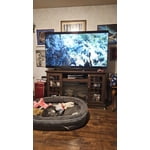
[This review was collected as part of a promotion.] The price was good and good resolution but needs more hdmi ports

Review from Samsung US
Helpful?22SEGSGR5O6Z15524966302
Mar 23, 2026
Reviewer name: Warpaint58
4 out of 5 stars
4 out of 5 stars review

great picture

[This review was collected as part of a promotion.] great for gaming, love the brightness,color and contrast

Review from Samsung US
Helpful?22SEGSGR5O6Z15524966302
Mar 23, 2026
Reviewer name: Thinkingclearly
5 out of 5 stars
5 out of 5 stars review

Amazing picture quality

[This review was collected as part of a promotion.] Crystal clear picture wish I would have bought the 75inch!!!

Review from Samsung US
Helpful?22SEGSGR5O6Z15524966302
Mar 23, 2026
Reviewer name: Anthony
5 out of 5 stars
5 out of 5 stars review

Great user friendly tv

[This review was collected as part of a promotion.] The picture is sharp and the accessories are user friendly, the remote control is extra special

Review from Samsung US
Helpful?22SEGSGR5O6Z15524966302
Mar 23, 2026
Reviewer name: Laceranger
5 out of 5 stars
5 out of 5 stars review

Great picture

[This review was collected as part of a promotion.] Worked great picture but broke on my move when taking pads off bottom was not sturdy enough

Review from Samsung US
Helpful?22SEGSGR5O6Z15524966302
Feb 17, 2026
Reviewer name: Tony
5 out of 5 stars
5 out of 5 stars review

Easy interface great investment 👌

[This review was collected as part of a promotion.] Absolutely great product. Bought one for my sister.

Review from Samsung US
Helpful?22SEGSGR5O6Z15524966302
Mar 1, 2026
Reviewer name: Tvbuff
2 out of 5 stars
2 out of 5 stars review

Too dark

[This review was collected as part of a promotion.] screen is too dark any scenes that take place at night or in the dark are not really viewable

Review from Samsung US
Helpful?22SEGSGR5O6Z15524966302
reply from Samsung Advisor

Hi Tvbuff, We’re sorry to hear you’re not fully satisfied with the picture quality on your Samsung U8000F TV. If the image appears too dark, we suggest disabling certain energy-saving features, which can automatically adjust brightness and affect how the screen looks. Go to: Settings > All Settings > General & Privacy > Power and Energy Saving, then turn off Brightness Optimization, Energy Saving Solution, Motion Lighting, and/or Contrast Enhancer. You can also adjust the Picture Mode to better suit your environment: Settings > All Settings > Picture > Picture Mode • Standard – Default mode for general viewing • Dynamic – Brighter and clearer, ideal for well-lit rooms • Movie – Best for dark room viewing • Eco – Energy-saving mode • Filmmaker Mode – Preserves content as intended by creators To fine-tune brightness, go to: Home > left directional key > Settings > All Settings > Picture > Expert Settings, then adjust the Brightness level (0–50) to your preference. Lastly, please make sure your TV is running the latest firmware: Home > Home > left directional key > Settings > Support > Software Update > Update Now We hope these tips help improve your viewing experience. If you need further support, feel free to contact us at 1-800-SAMSUNG, 8AM – 12AM EST, 7 days a week. LiveChat is also available via the ‘Support’ link on our website. ~ Samsung Advisor

Mar 23, 2026
Reviewer name: Mr1207
5 out of 5 stars
5 out of 5 stars review

Great features

[This review was collected as part of a promotion.] Great TV,, definitely worth it . Excellent picture great resolution

Review from Samsung US
Helpful?22SEGSGR5O6Z15524966302
Feb 17, 2026
Reviewer name: Zinzoid
3 out of 5 stars
3 out of 5 stars review

Tv

[This review was collected as part of a promotion.] Tv is ok picture not clear could be better and sound could be better

Review from Samsung US
Helpful?22SEGSGR5O6Z15524966302
reply from Samsung Advisor

Hi Zinzoid, Thank you for your feedback on the sound quality of your Samsung U8000F TV. First, ensure your TV is running the latest firmware: Home > Settings > Support > Software Update To improve your sound, try different Sound Modes (Standard, Optimized, Amplify), or fine-tune your setup in Expert Settings under: Settings > All Settings > Sound. To explore picture mode options, navigate to: Home > Left directional button > Settings > All Settings > Picture > Picture Mode. Options include: • Standard – Ideal for general viewing • Dynamic – Brighter and more vibrant for well-lit spaces • Eco – Optimized for energy efficiency • Movie – Best for viewing in low light • Filmmaker Mode – Preserves the content creator’s intent and disables motion smoothing for supported content You can further customize your image by going to: Settings > All Settings > Picture > Expert Settings, where you can adjust Brightness, Contrast, Color Tone, Sharpness, Contrast Enhancer and more. If you’d like help finding the best settings for your preferences, please don’t hesitate to contact Samsung Support at 1-800-SAMSUNG, available 8AM – 12AM EST, 7 days a week. You can also LiveChat with an agent or explore additional resources on our website by clicking the ‘Support’ link. ~ Samsung Advisor

Feb 7, 2026
Reviewer name: Tammy
3 out of 5 stars
3 out of 5 stars review

Great picture and simplicity

[This review was collected as part of a promotion.] Easy to use and also filled with great apps clear picture

Review from Samsung US
Helpful?22SEGSGR5O6Z15524966302
reply from Samsung Advisor

Hi Tammy, Thank you for your purchase. It's great to hear you are enjoying your U8000F TV. If you have any questions or need help, we’re always here. Call 1-800-SAMSUNG from 8AM - 12AM EST, seven days a week, or connect with a LiveChat agent anytime by selecting ‘Support’ on our website. ~ Samsung Advisor