Skip to Main Content
Sam's Club
Sam's Club
All Departments
All Services
Customer reviews for SAMSUNG 43" Class U8000F Series 4K Crystal UHD Smart TV for
SAMSUNG 43" Class U8000F Series 4K Crystal UHD Smart TV
4.5 out of 5 stars
stars
2,919 ratings2,820 reviews
  1. 5 stars72% (2,106)
  2. 4 stars15% (449)
  3. 3 stars6% (180)
  4. 2 stars3% (90)
  5. 1 star3% (94)

Member photos

  • +871 images
Sort by |
Showing 2,651-2,660 of 2,820 reviews
Jul 3, 2025
Reviewer name: Skeels22
4 out of 5 stars
4 out of 5 stars review

Solid TV, amazing picture.
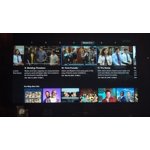
[This review was collected as part of a promotion.] I'm so happy with my new Samsung TV. It has a great picture and easy to navigate menus. Setup was a cinch and it automatically sets up any connected devices. The motion xcelerator makes the picture quality amazing. The only negative is that there are only 3 HDMI ports, where other TV's I've had in the past have 5-6.

Review from The Insiders
Helpful?22SEGSGR5O6Z15524966302
Aug 11, 2025
Reviewer name: Wcharris26
5 out of 5 stars
5 out of 5 stars review

Samsung Crystal UHD ForTheWin

[This review was collected as part of a promotion.] Id first like to start off by stating an opinion of mine that is so close to being a fact that I 100% believe it to be. Samsung doesn't miss! No matter the product or category, if it has Samsung's name on it, its top 2. Their TVs are the epitome of perfection! The picture, colors, and brightness on this TV is unbelievable for the price. I use this for streaming mostly but I also plug my cpu into it and use it to play robot and NBA 2K. It's the "Swiss army knife" of televisions!

Review from Samsung US
Helpful?22SEGSGR5O6Z15524966302
Jun 25, 2025
Reviewer name: Connected22
5 out of 5 stars
5 out of 5 stars review

Great Value and excellent quality
[This review was collected as part of a promotion.] Really enjoy the high quality picture, simple use, integrated apps and connection to Alexa for voice control and surround sound system. Great end to end picture. Was thinking initially 75 inches but 70 inches is excellent and fits really well in the decorative style and size of our living room. In a new home so eventually will move this to the entertainment guest room and upgrade to a larger size and more features. Great that I could integrate with Samsung and Alexa and my smart things app. The menu is simple and easy to navigate. Set up was just as easy. ( did it myself 😁) TV is very thin so great for wall hanging . A few minuses, no voice control on remote, glare is minimal but when there is sun light reflection not as crisp. Overall Pic is good 👍 By the way the TV speaker also works well. Im a long time Samsung user, also have the fold phone and it works great with sharing to the screen without multiple steps. Also have the ability to use phone as remote and TV guide if necessary. If your a Samsung user the Samsung free TV is a nicely added bonus.. The ability to customize the channels and apps are also seamless and intuitive. We are a streaming family , we unplugged so youtube and YouTube TV are excellent for everyday viewing. Love the children apps as we have the nephews over for overnight visit. Had a fun movie night watching a couple of there favorites. Me and fiance enjoy watching our favorite shows or endless loop of subscriptions from YouTube.

Review from Samsung US
Helpful?22SEGSGR5O6Z15524966302
Apr 27, 2025
Reviewer name: Samsungowner
4 out of 5 stars
4 out of 5 stars review

Very good TV, great for streaming

[This review was collected as part of a promotion.] I have several Samsung devices and trust the brand. I use my TV mainly for streaming and gaming. With its ability to download apps, it makes a great streaming companion. Since I have other Samsung products such an a phone, tablet, and watch, they can all link functions seamlessly.

Review from Samsung US
Helpful?22SEGSGR5O6Z15524966302
Jul 30, 2025
Reviewer name: James12
5 out of 5 stars
5 out of 5 stars review

Another Great TV in the living room

[This review was collected as part of a promotion.] It shows perfectly clear picture and again all the Channels have great clarity i really enjoy watching Movies News and everything else Samsung is a perfect Company for making TVs any Sizes work Great Thank you for a perfect TV experience.

Review from Samsung US
Helpful?22SEGSGR5O6Z15524966302
Jun 24, 2025
Reviewer name: Love4myboys
5 out of 5 stars
5 out of 5 stars review

This TV has top quality

[This review was collected as part of a promotion.] I use my TV for everyday daily use to watch movies TV shows okay Xbox and much much more. The kiddos enjoy it alot. They love how big it is..lol my 8 yr old wants one in his own room. Yea right buddy.. mommy n daddy just laugh. If we could afford to we wud.

Review from Samsung US
Helpful?22SEGSGR5O6Z15524966302
May 20, 2025
Reviewer name: luis233
5 out of 5 stars
5 out of 5 stars review

Exceed my expectations

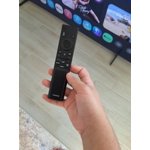
[This review was collected as part of a promotion.] This TV is beyond expectations! The screen is beautiful and produces the most incredible colors and details! Very easy to set up. I loved that already come with most used apps but if you don't see the one that uses you can upload it. My favorite app so far is Smart Things you can see all your house devices connected to this app and manage it use with the TV. And if you can't find your cellphone simply go to the TV and use (Ring my phone) and it send a signal and rings your cellphone isn't that great? Speed of TV is amazing. We really enjoy watching movies or our favorite series. The only thing I don't like as much is the control remote I think is very simple and it needs more features, at least a microphone to use bixby voice since it doesn't have any number buttons. So far we are very happy with this TV and totally recommend it.

Review from The Insiders
Helpful?22SEGSGR5O6Z15524966302
Jun 26, 2025
Reviewer name: JeyRizzy
5 out of 5 stars
5 out of 5 stars review

65" u800f 4k TV

[This review was collected as part of a promotion.] I like this size. It's big enough for my needs and use case. Picture quality is very nice. This TV is very beneficial if you have other Samsung items with Smart Things capability as they can work together with ease. So, bonus points if you are part of the current Samsung ecosystem. In my case, I have a soundbar that paired easily with this TV that utilizes Q-symphony. Setup was very easy if you hook everything up prior and let it run it's start-up process. I think it's great for my intended need which is primarily show and movie watching. Not really a knock, but I would prefer another HDMI slot or two, and maybe a digital optical out for this particular model.

Review from The Insiders
Helpful?22SEGSGR5O6Z15524966302
Jul 5, 2025
Reviewer name: LiketheSamsungbrand
3 out of 5 stars
3 out of 5 stars review

Crystal Samsung TV
[This review was collected as part of a promotion.] We have bought many TVs in our 70 years. This tv was so hard to setup. Installing was no problem. Once it turned on we needed the phone to scan a code and it was misery from there. Too hard for seniors and we are computer literate! We got the app from that QR code and it kept picking up my LR tv and wouldn't let me add the BR tv. Once we got it to work, it doesn't last the tv channels like my LR tv does. Not liking it but I guess it will s cheap enough to watch tv to go to bed.

Review from Samsung US
Helpful?22SEGSGR5O6Z15524966302
reply from Samsung Advisor

Hi LiketheSamsungbrand, We understand sometimes there is a learning curve when you get a new TV! This is why we created step-by-step guides, to make it easier for you. To learn about your TV go to https://www.samsung.com/us/support/answer/ANS00062199/. We are also always available and happy to help you with any questions you may have. You can call us at 1-800-SAMSUNG, 8 AM - 12 AM EST, seven days a week. Our LiveChat agents are also available by clicking on the ‘Support’ link on our website. ~Samsung Advisor

Jul 1, 2025
Reviewer name: Stubby
2 out of 5 stars
2 out of 5 stars review

Do not buy a samsung

Do not buy a Samsung. I should have listened to people but I didn't. I will never buy a Samsung tv. Every tv in my house will connect to a network just fine but this tv always says not connected to a network and then always says check your internet provider. It's not my internet it's the tvs. It's also lags when trying to do the volume or navigate the guide. I've changed the picture several times and anything with a dark scene in a tv program is very hard to see. Very dark picture. But the network thing is very true if you read reviews.

Review from Samsung US
Helpful?22SEGSGR5O6Z15524966302
reply from Samsung Specialist

Stubby, Thank you for sharing your experience with the internet connection on your Samsung U8000F TV. Whether you're using Wi-Fi or a wired (LAN) connection, there are a few steps you can take to help resolve the issue: 1. Power Cycle Your Equipment. Unplug both your TV and router/modem from the wall outlet. Wait at least 30 seconds, then plug them back in and allow both devices to fully restart. 2. Check the Network Status. On your TV, go to: Home > left directional key > Settings > All Settings > Connection > Network > Network Status. This will help determine if the issue lies with the network or the TV. 3. Try a Different Connection Type. If you're using Wi-Fi, try connecting an Ethernet (LAN) cable directly from your router to the TV to test the connection. If you're using a wired connection, try switching to Wi-Fi to see if the issue persists. 4. Reestablish the Network Connection. Go to: Settings > All Settings > Connection > Network > Open Network Settings, and follow the prompts to reconnect to your Wi-Fi or wired network. 5. Update Firmware. Software updates can often resolve network bugs, as well as image quality and overall performance. To check for the latest version: Settings > Support > Software Update > Update Now If the image appears too dark, we suggest disabling certain energy-saving features, which can automatically adjust brightness and affect how the screen looks. Go to: Settings > All Settings > General & Privacy > Power and Energy Saving, then turn off Brightness Optimization, Energy Saving Solution, Motion Lighting, and/or Contrast Enhancer. You can also adjust the Picture Mode to better suit your environment: Settings > All Settings > Picture > Picture Mode • Standard – Default mode for general viewing • Dynamic – Brighter and clearer, ideal for well-lit rooms • Movie – Best for dark room viewing • Eco – Energy-saving mode • Filmmaker Mode – Preserves content as intended by creators To fine-tune brightness, go to: Home > left directional key > Settings > All Settings > Picture > Expert Settings, then adjust the Brightness level (0–50) to your preference. We hope these tips help improve your experience. If you need further support, feel free to contact us at 1-800-SAMSUNG, 8AM – 12AM EST, 7 days a week. LiveChat is also available via the ‘Support’ link on our website. ~ Samsung Specialist