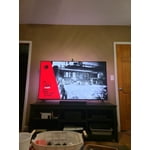
Customer reviews for SAMSUNG 43" Class U8000F Series 4K Crystal UHD Smart TV forMember photos


+501 images
Sweet TV choice
[This review was collected as part of a promotion.] The value you get for the price that you pay is great. I would not pay more for a better picture as I believe you get to a point where you really can't tell. This TV does everything that it needs to and it does it well
Samsung TV
[This review was collected as part of a promotion.] What can I say.. I love Samsung TVs. All 6 of my TVs are Samsung, plus my cell phone. The Samsung I just bought and am reviewing was a replacement for a cheap TV I got for my porch. Let me just say that we didn't like it and replaced it with a 43 inch Samsung. I probably never should have bought the cheap TV but I was worried about it being on the porch. We have had no problems with the TV being on the porch. Very happy with the new 43 inch Samsung.
Amazing Features
I am not going to lie, up until recently I was a diehard LG Fanboy. I think I have been fully converted to Samsung. This Class Crystal UHD display is excellent and exceeds the quality of our previous LG Smart TV that claimed to posses an ultra HDTV display. Whatever it was the picture was nearly impossible to watch during the day time due to excessive darkness. This Samsung class crystal has a picture that's visible on the most sunny days you could imagine! The start up from unboxing to watching TV is a matter of minutes not hours as long as you possess the most basic knowledge of Smartphones and TVs it basically sets itself up for you. Only had it for about a week now and I'm still discovering new and amazing Lil'features and perks especially after linking it to my Galaxy S24 Ultra.
Would not recommend
I purchased this TV one month ago. Had a Onn before this. The picture on this TV is great! But the sound is always out of sync. If you do the steps to fix this it may last a day or two before you have to do it again. If you play video games there are lines going through the screen, it also goes black for a few seconds. Again there is a fix but it doesn't last. The operating system is very confusing. You have to go to different screens to get to the app you need. There is also just way too much stuff on the screen. Not user friendly. I would not recommend this TV to anyone. But again the picture is great! Just disappointed.
Hi JenB, Thank you for your feedback. I have a few recommendations that may resolve some of the issues you are experiencing. First, let's ensure your Firmware is up to date. Go to Settings> Support> Software Update. Next, the black out issue may likely be caused by either the type of HDMI cables and/or the source being used. Please check the following, as it may help resolve this: 1. Check the external device. Make sure your console is running the latest firmware version. If possible, we also recommend connected another external device to check for similar issues. 2. Check the HDMI cable. Make sure to use a High Speed Certified HDMI Cable. If you’re still having screen blackouts after performing the above, please give Samsung Support a call to further diagnose the issue. You can reach us at 1-800-SAMSUNG, 8AM - 12AM EST, 7 days a week. LiveChat with an agent as well as manuals, software, and warranty info can be found at the ‘Support’ link on our Samsung website. ~ Samsung Advisor
Very good TV, great for streaming
[This review was collected as part of a promotion.] I have several Samsung devices and trust the brand. I use my TV mainly for streaming and gaming. With its ability to download apps, it makes a great streaming companion. Since I have other Samsung products such an a phone, tablet, and watch, they can all link functions seamlessly.
Great tv with a few flaws
[This review was collected as part of a promotion.] This is a great tv. The clarity of the picture is absolutely amazing. There’s no shadowing, the color booster makes the images bright and colorful and the picture is crisp and clear. The Crystal Processor 4K gives a good 4K image that makes for a great movie experience. The only downfalls I found about this tv is there aren’t many HDMI ports. The one on the back of the tv is pretty useless if you wall mount your tv. We had to adjust it in just the right spot that it wouldn’t interfere with the wall mount. The HDMI still pushes into the wall and pushes the tv out a little but at least it’s useable now, and there is no optical cord input for us to connect our soundbar. Luckily our soundbar has Bluetooth but this would have been a big issue for us a few years ago because internet wasn’t available in our area back then. If you have many devices like Blu ray players, gaming systems and such it’s a little difficult because of limited ports but the clarity of the picture does make up for it. I’m also not a fan of the Samsung program on the tv. It’s difficult for me to navigate to where I want to be. If I go to my recents and click on what I was watching it will start playing in the tiny frame and rarely opens to a larger frame for me. I’ll have to exit out to something else then go back in and that usually works. The Motion Xcelerator 60Hz does a good job for fast movements but there is definitely room for improvement. If you’re a gamer, this tv might be lacking.
This innovative technology seamlessly integrates i
[This review was collected as part of a promotion.] This innovative technology seamlessly integrates into modern life. The visual display offers a stunning and immersive experience. Controlling everything from one central point simplifies daily routines. The user-friendly interface makes navigating a breeze. It truly enhances the way we interact with our connected world.
This TV has an amazing screen
[This review was collected as part of a promotion.] This TV has been more impressive than I thought it'd be. Theres been features that I didn't think id find helpful to have, like the Samsung smart things connectivity capabilities to the amazing picture quality compared to previous televisions I have owned. No matter what I'm watching its a great experience
Clear HD picture
[This review was collected as part of a promotion.] We use it for gaming and movies. Gaming: The HD makes the graphics look real like they're not animated. It's a very clear sharp picture. Movies: also have a amazing picture. The all around quality is incredible. The color, the sharpness, just visually beautiful
Beautiful TV
[This review was collected as part of a promotion.] This is a beautiful tv with an AMAZING picture. The screen is bright (even with the anti-reflective coating) vivid, and has an amazing picture quality. Where i have some issues is that whether it's the processor or the ram, the smart functionality is slow (a lot) and sometimes even stutters a little in it's response to my inputs. Also I'm kinda annoyed that the smart remote this year is larger and takes batteries instead of being rechargeable. I understand it was probably a cost savings measure, I just don't like it. I really like the game mode. It's a great idea, it's implemented quite well. And the streaming games, although have occasional pretty bad latency (lag) issues, works great. Other then the issues I mentioned previously (which to be fair and completely honest are actually very minor) this is an exceptionally great tv for the price. This is an ABSOLUTELY amazing midrange tv. I just wish i could have afforded a neo-qled.
Hi Sammynerd83, We appreciate your feedback regarding your U8000F TV’s performance. If you're experiencing slow apps, freezing, or lag in general response time, try the following steps: 1. Check for firmware updates – Keeping your TV up to date can resolve many performance issues: Home > left directional key > Settings > Support > Software Update > Update Now 2. Run Device Care – This tool checks system memory, frees up cached data, and closes background apps that could be slowing things down: Home > left directional key > Settings > Support > Device Care > Start Device Care 3. Cold boot your TV – With the TV powered on, press and hold the Power button on your remote for 5+ seconds until the TV restarts. This helps refresh the system. If you're still noticing performance issues after these steps, please contact Samsung Support at 1-800-SAMSUNG, 8AM – 12AM EST, 7 days a week. You can also connect with a LiveChat agent via the ‘Support’ link on our website. ~ Samsung Advisor