Skip to Main Content
Sam's Club
Sam's Club
All Departments
All Services
Customer reviews for SAMSUNG 43" Class U8000F Series 4K Crystal UHD Smart TV for
SAMSUNG 43" Class U8000F Series 4K Crystal UHD Smart TV
4.5 out of 5 stars
stars
3,395 ratings3,296 reviews
  1. 5 stars72% (2,435)
  2. 4 stars15% (521)
  3. 3 stars6% (219)
  4. 2 stars3% (101)
  5. 1 star4% (119)

Member photos

  • +1026 images
Sort by |
Showing 1,871-1,880 of 3,296 reviews
Mar 21, 2026
Reviewer name: Russell149
5 out of 5 stars
5 out of 5 stars review

Great tv

[This review was collected as part of a promotion.] It connected to wifi very easy and quick ! Picture is excellent and the remote is easy to use . We have it in the bedroom and it fits nice and looks good .

Review from Samsung US
Helpful?22SEGSGR5O6Z15524966302
Mar 5, 2026
Reviewer name: RMORGAN1963
4 out of 5 stars
4 out of 5 stars review

MORE THAN I EXPECTED

[This review was collected as part of a promotion.] SAMSUNG PLUS WAS A VERY WELCOME SURPRISE. I THE SOUND AND PICTURE OF THE TV IS FANTASTIC AND ITS BLUETOOTH AUDIO CONNECTION IS GREAT.

Review from Samsung US
Helpful?22SEGSGR5O6Z15524966302
May 20, 2026
Reviewer name: Jimmyz
4 out of 5 stars
4 out of 5 stars review

Remote control

[This review was collected as part of a promotion.] Would have been nice if it would have come with the voice activated remote. So it basically makes that feature useless.

Review from Samsung US
Helpful?22SEGSGR5O6Z15524966302
Apr 23, 2026
Reviewer name: Deezy
5 out of 5 stars
5 out of 5 stars review

Dark spots

[This review was collected as part of a promotion.] Screen is big Sound is great Nice n bright for gaming Sports viewing is epic Social gathering location

Review from Samsung US
Helpful?22SEGSGR5O6Z15524966302
Apr 20, 2026
Reviewer name: Daytona
5 out of 5 stars
5 out of 5 stars review

Great picture

[This review was collected as part of a promotion.] The brightness is easy on the eyes, adjustable if desired. Has great resolution that makes for a refreshed viewing experenince. Easy to refresh settings. Perfect contrast

Review from Samsung US
Helpful?22SEGSGR5O6Z15524966302
Feb 17, 2026
Reviewer name: Greg
5 out of 5 stars
5 out of 5 stars review

Quality pic

[This review was collected as part of a promotion.] Very nice tv love it even gaming is amazing Streaming is nice Gaming Monitor Camera hdr hooked through it

Review from Samsung US
Helpful?22SEGSGR5O6Z15524966302
Mar 24, 2026
Reviewer name: Skarlet
5 out of 5 stars
5 out of 5 stars review

Great features!

[This review was collected as part of a promotion.] I'm in love with this tv. Amazing brightness, resolution, the view is magnificent, give a refresh touch in my living room, contrast with the decoration. I'm sure I made a good choice 😌

Review from Samsung US
Helpful?22SEGSGR5O6Z15524966302
May 25, 2026
Reviewer name: Cam0616
5 out of 5 stars
5 out of 5 stars review

Great tv for living room
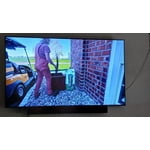
[This review was collected as part of a promotion.] Love the tv but the remote is too sensitive and just reaching for it, you constantly hit a button logging you into a different icon.

Review from Samsung US
Helpful?22SEGSGR5O6Z15524966302
Feb 17, 2026
Reviewer name: Phillipsrich
5 out of 5 stars
5 out of 5 stars review

Great ecosystem

[This review was collected as part of a promotion.] I love the capabilities and apps that exist within my Samsung ecosystem. This TV is just another excellent example of the full interaction and interoperability that is possible.

Review from Samsung US
Helpful?22SEGSGR5O6Z15524966302
May 20, 2026
Reviewer name: YellowFlicker
3 out of 5 stars
3 out of 5 stars review

Night scene

[This review was collected as part of a promotion.] I really am impressed with this TV. The colors are bright and vibrant BUT when the scene goes to a night scene it's too dark. Sometimes it's hard to see what is happening..

Review from Samsung US
Helpful?22SEGSGR5O6Z15524966302
reply from Samsung Advisor

Hi, We’re sorry to hear you’re not fully satisfied with the picture quality on your Samsung U8000F TV. If the image appears too dark, we suggest disabling certain energy-saving features, which can automatically adjust brightness and affect how the screen looks. Go to: Settings > All Settings > General & Privacy > Power and Energy Saving, then turn off Brightness Optimization, Energy Saving Solution, Motion Lighting, and/or Contrast Enhancer. You can also adjust the Picture Mode to better suit your environment: Settings > All Settings > Picture > Picture Mode • Standard – Default mode for general viewing • Dynamic – Brighter and clearer, ideal for well-lit rooms • Movie – Best for dark room viewing • Eco – Energy-saving mode • Filmmaker Mode – Preserves content as intended by creators To fine-tune brightness, go to: Home > left directional key > Settings > All Settings > Picture > Expert Settings, then adjust the Brightness level (0–50) to your preference. Lastly, please make sure your TV is running the latest firmware: Home > Home > left directional key > Settings > Support > Software Update > Update Now We hope these tips help improve your viewing experience. If you need further support, feel free to contact us at 1-800-SAMSUNG, 8AM – 9PM EST Mon – Fri, 8AM – 6PM Sat – Sun, or chat with us online via the ‘Support’ link on our website. ~ Samsung Advisor